Discover how the chibi capsule POV boosts viral AI art. Learn prompts for cute, collectible chibi visuals perfect for carousels and reels.
Introduction
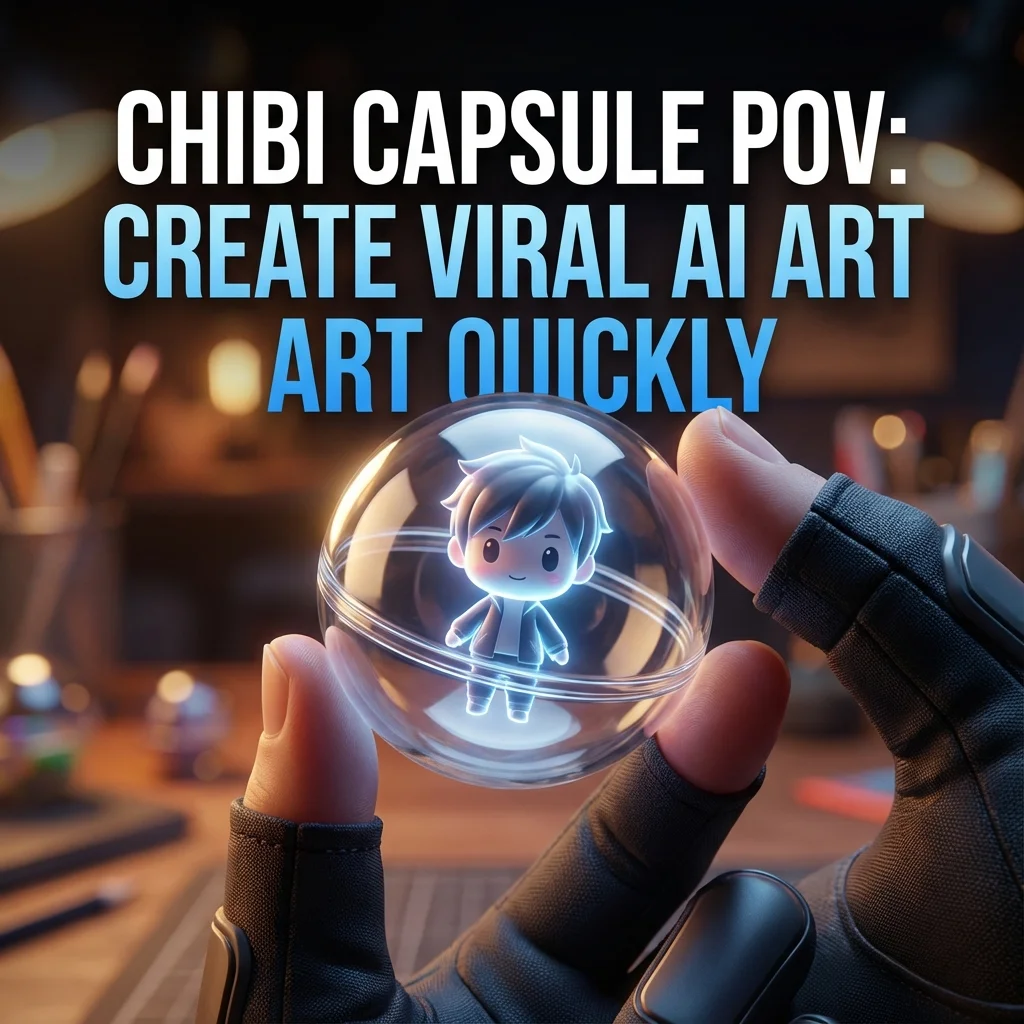
POV: you just turned into a chibi character and got trapped inside a glass capsule. It sounds playful, but it’s also a goldmine for AI creators who want eye-catching visuals without heavy design skills. Think of a tiny figure art scene that feels cinematic, cute, and instantly shareable. This guide breaks down how to make this concept shine—from concept to viral carousel tactics—using AI-generated chibi art, prompts, and practical tips anyone can follow.
What is the chibi capsule POV concept?
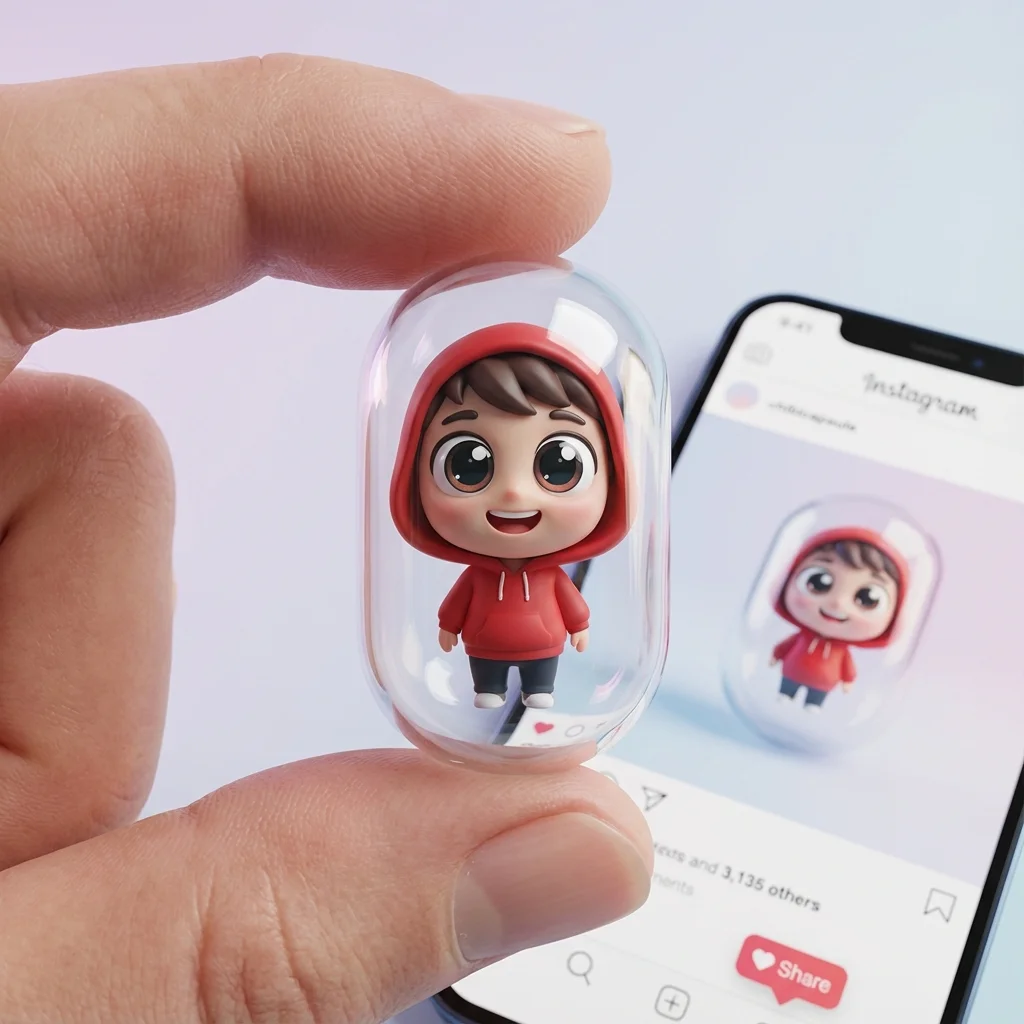
The chibi capsule POV puts you inside a gashapon-style glass capsule, seeing the world from a micro figure’s perspective. It blends the charm of chibi character design with the wonder of miniature “worlds” trapped in clear glass. The effect feels like a multimedia prompt come to life: a tiny character, bold colors, glossy reflections, and a sense of wonder as you peer into the capsule. For AI creators, this concept is a perfect fit for short-form video, carousels, and micro-content that screams “cute and collectible.” It also taps into familiar visuals from chibi animation, AI-generated chibi art, and gashapon toy art, making it highly shareable across platforms.
The POV approach helps viewers connect with the mini character on a personal level. It invites them to imagine the tiny figure’s day, its tiny gadgets, and the world outside the capsule. By combining simple storytelling with a crisp visual style, you can create content that feels both playful and polished. This is especially useful for creators who want quick, repeatable prompts to produce fresh visuals without needing 3D software or advanced design skills.
Benefits for AI creators
- Accessibility: You can generate striking visuals with prompts and AI art tools, no heavy software needed.
- Consistency: A repeatable capsule concept lets you build a recognizable visual language for your brand.
- Virality potential: The cute, collectible look taps into trends like chibi art, gashapon vibes, and “miniature world” aesthetics.
- Versatility: Use it for carousels, reels, guides, and tutorials about prompts, AI prompts for chibi, and chibi character tutorials.
- Speed: Iterate quickly on outfits, accessories, and backgrounds to test which variants perform best.
In short, the chibi capsule POV is a practical, scalable template for AI-curious creators who want “wow” visuals without a big design budget. It’s a friendly bridge between playful art and serious content strategy.
How to design the visuals
A strong chibi capsule design blends character personality, capsule realism, lighting, and slide composition. Start with a clear vision of the character, then layer in glass effects, reflections, and a cohesive color story. The goal is to make the capsule look tangible—like a real toy you might find in a display case—while keeping the chibi cuteness front and center.
In practice, you’ll balance glossy glass with soft shadows, add subtle reflections that suggest a studio setup, and keep the character expressive and approachable. Use a simple background so the capsule stands out, and plan your slide sequence to tell a mini-story across the carousel. The result should feel like a collectible: instantly recognizable, highly shareable, and easy for others to recreate with their own prompts.
4.1 Define the character persona
A strong persona guides every design choice. Start by deciding the character’s mood (playful, confident, curious), age impression, and style cues (sporty hoodie, sneakers, tiny gadget). If you want a friendly, approachable vibe, go with big eyes, rounded cheeks, and a slight smile. For a bolder look, give the chibi sharper eyebrows and a dynamic pose. Match the outfit to the brand you want to convey—streetwear vibes work well for social creators who want a modern, relatable feel. This persona becomes the backbone of your prompts, influencing pose, facial expression, and accessories.
4.2 Capsule design and glass realism
Glass realism hinges on refraction, subtle highlights, and slight bevels along the capsule edges. Describe a capsule with a gentle curvature, a clear glass finish, and realistic fingerprint-free surfaces. Add tiny reflections of the surrounding environment to imply lighting from a studio or natural daylight. The fingers holding the capsule should show a natural grip, with attention to scale so the chibi interior reads life-size within the glass. If you want a premium look, consider a faint tint to the glass to hint at lighting conditions and help the character pop.
4.3 Chibi art prompts
Create prompts that emphasize cute proportions: big head, small body, rounded features. Ask for glossy skin, large expressive eyes, and a tiny headset or gadget to emphasize personality. Include a clear description of wardrobe, color palette, and pose. When drafting prompts, keep sentences short and directive, focusing on the key visual cues you want to appear in every frame. This consistency helps you build a recognizable “chibi capsule” style across multiple slides.
4.4 Lighting and glass color
Lighting should be bright but soft to emphasize glossy surfaces and gentle shadows. Use a cool-to-warm balance to keep skin tones natural while letting the red hoodie stand out. Glass color can be kept neutral (clear with slight blue tint) or tinted to harmonize with the character’s outfit. Remember: reflections matter. Small highlights on the capsule surface will sell the 3D feel and help the chibi character look nearly tangible.
4.5 Composition for carousel slides
Carousel slides thrive on clear progression. Start with a wide shot of the capsule and fingers, then move to a close-up of the chibi’s face, followed by a detail shot of the tiny hands holding the device, and finish with a reveal or caption slide. Maintain a consistent framing rhythm, so followers anticipate the next slide. Use a simple background and strong contrast between the capsule and backdrop to ensure legibility on small screens.
How to generate AI art for this concept
Generating AI art for the chibi capsule concept means combining character prompts, capsule prompts, and a cohesive background. Start by outlining the character’s vibe, then the capsule’s properties, and finally the setting. Use a consistent color palette and lighting notes so each slide reads as part of the same scene. You’ll iterate with variations to find the exact mix that gets the most engagement on social media.
5.1 Prompt framework for the character
Character prompts should include: style (chibi, 3D chibi model), mood, clothing, and props. Example elements: big eyes, rosy cheeks, red Nike hoodie, blue Levi jeans, Nike sneakers, and a handheld tablet or iPad. Include a clear action or pose (standing with a device, gentle smile) and a short background descriptor to keep the focus on the face and outfit.
5.2 Prompt framework for the capsule
Capsule prompts must specify the all-glass gashapon design, size relative to fingers, lighting, and reflections. Mention glass thickness, edge bevels, and subtle tint. Indicate “held between two fingers” and ensure the capsule reads as premium, with clean, smooth curvature and realistic transparency.
5.3 Prompt framework for the background
Background prompts can be minimal to avoid competing with the capsule. Use a soft studio backdrop or a simple gradient that complements the color palette. Add a light vignette to focus attention on the capsule. If you want context, suggest a hint of a desk or shelf without clutter.
5.4 Style and mood variations
Experiment with multiple moods: cute and glossy, soft pastel, high-contrast vector, or watercolor-like. Try different palettes: bold primary colors, candy pastels, or a chic monochrome with a pop of red from the hoodie. Each variation helps you test what resonates with your audience.
5.5 Iteration tips and prompts
Start with a base prompt, then refine: adjust lighting, tweak glass tint, alter pose, and experiment with background brightness. Use negative prompts to avoid unwanted elements (e.g., no text on the capsule, no heavy shadows). Save prompts that perform best and remix them with new outfits or accessories to keep content fresh.
How to build a viral carousel
A viral carousel blends a compelling hook, a clear slide sequence, and captions that invite engagement. Think in terms of micro-stories per slide, with a consistent voice and visuals that look like a collectible set. Pair each slide with a crisp caption that adds value—tips, prompts, or behind-the-scenes insight—so saves and shares come naturally.
6.1 Hook ideas
- POV twist: You wake up as a chibi in a glass capsule.
- The 5-step process to create your own chibi capsule prompts.
- How a single prompt made this tiny character look real.
6.2 Slide-by-slide outline
Slide 1: Hook image with bold text. Slide 2: Character introduction. Slide 3: Capsule details. Slide 4: Lighting and glass notes. Slide 5: Prompt framework snapshot. Slide 6: Quick tips and CTA.
6.3 Caption templates
- Quick tip: “Here’s how I made this chibi capsule in 5 prompts.”
- Behind the scenes: “This is what the AI saw when I described the glass.”
- Engagement prompt: “Which color palette should we try next?”
6.4 CTA and engagement tactics
Ask readers to save, comment their favorite element, or share their own chibi capsule ideas. Invite them to tag a friend who loves AI prompts for chibi or gashapon toy art. End with a prompt request: “Tell me your dream capsule prompt and I’ll test it in a follow-up post.”
6.5 Visual checklist
- Consistent color palette
- Clear capsule silhouette
- Expressive chibi face
- Balanced lighting
- Legible captions
- Clean, clutter-free backgrounds
Tools and prompts for AI-curious creators
A practical toolkit helps you move from concept to carousel fast. Focus on accessible tools that produce high-quality chibi capsule visuals without heavy design work.
7.1 ChatGPT prompts for brainstorming
- Generate 10 prompt variations for a chibi character in a glass capsule.
- Propose 5 color palettes that fit a modern social creator vibe.
- Create a slide-by-slide outline for a viral chibi capsule carousel.
7.2 AI art tools for chibi capsule visuals
- AI art generators that excel at stylized 3D chibi art and glass realism.
- Prompt-friendly tooling that handles lighting, glass reflection, and color management.
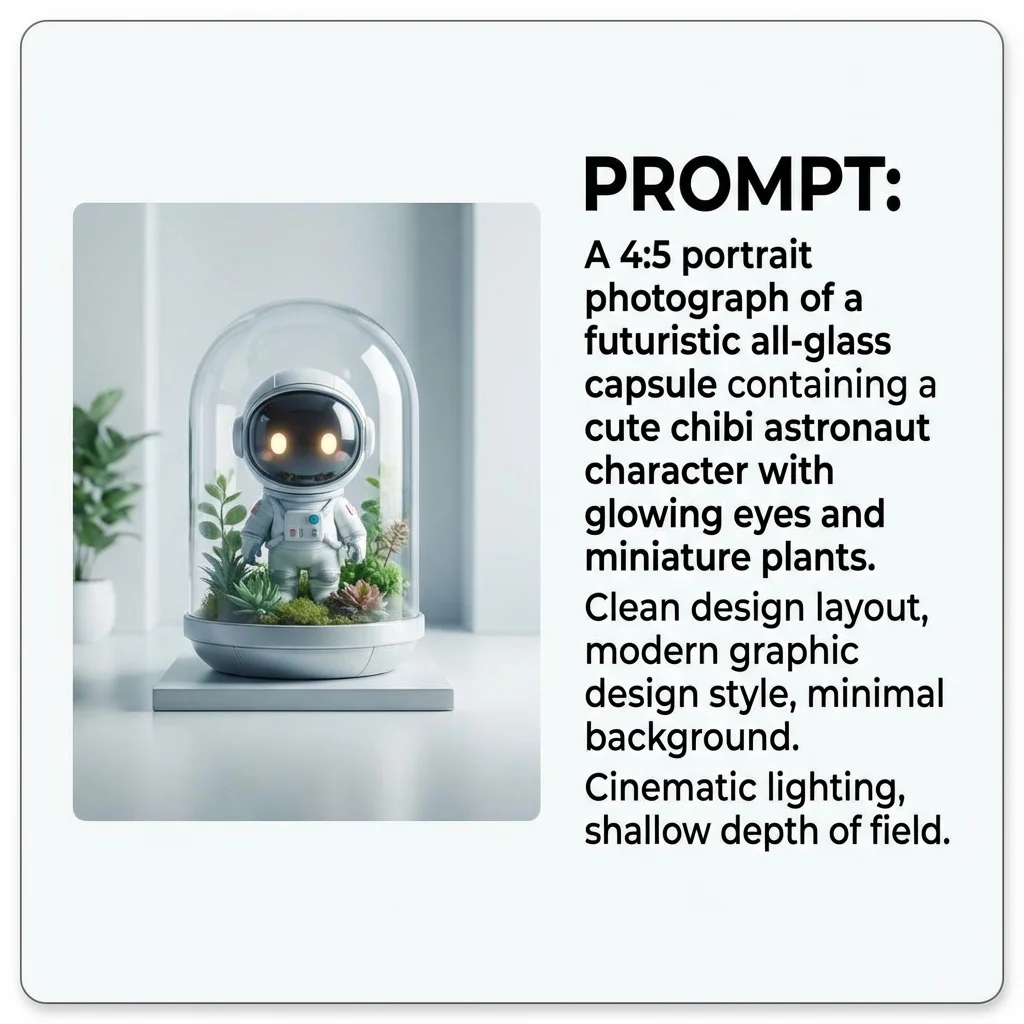
- Tools that let you export 4:5 portrait assets suitable for carousel slides.
7.3 Quick prompt templates library
- Character prompt template
- Capsule prompt template
- Background prompt template
- Style/mood variation prompts
7.4 Workflow automation for repurposing
- Save prompts and variations as a content bank.
- Create templates to auto-generate new slides with minimal input.
- Schedule cross-posts with platform-appropriate aspect ratios and captions.
Content calendar and SEO strategy
A solid content calendar plus SEO mindset helps you reach the AI-curious audience consistently. Plan topics around prompts, visuals, and how-to guides that people search for when they want quick, effective AI-generated art.
8.1 Keyword ideas and intent
Target keywords like chibi character, glass capsule, POV chibi transformation, AI chibi art, and gashapon capsule. Align intent with how-to searches, tutorials, and prompt-based content.
8.2 On-page optimization for social
Optimize captions with keywords, keep headings clear, and use alt text for every image. Use short paragraphs and bullet lists to accommodate scrollable feeds and quick skimmability.
8.3 Content repurposing across platforms
Repurpose the same concept into reels, carousels, shorts, and threads. Adapt the visuals for each format: vertical carousels, square thumbnails, and short video intros with on-screen prompts.
8.4 Analytics and iteration plan
Track saves, shares, comments, and click-throughs. A/B test hooks, slide orders, and caption styles. Use insights to refine prompts and visuals in future posts.
Examples and inspiration
- Prompt sets samples that led to high-engagement chibi capsule visuals.
- Carousel copy examples that paired a strong hook with practical prompts.
- Thumbnails and layout ideas that emphasize the glass capsule and the chibi figure.
- Case study snippet showing how one creator turned a single prompt into a viral series.
9.1 Prompt sets samples
9.2 Carousel copy examples
9.3 Thumbnails and layout ideas
9.4 Case study snippet
Best practices and pitfalls
- Accessibility and alt text
- Copyright and licensing for AI art
- Avoiding content fatigue
- Disclosure and transparency guidelines
10.1 Accessibility and alt text
Always include descriptive alt text that captures the capsule, chibi, pose, and color details. This helps readers with disabilities engage with your content and improves SEO.
10.2 Copyright and licensing for AI art
Be clear about usage rights, especially for AI-generated imagery. Respect platform policies and any external assets used in prompts.
10.3 Avoiding content fatigue
Rotate prompts, outfits, and glass-like effects to keep content fresh. Reuse core elements while varying key details to maintain interest.
10.4 Disclosure and transparency guidelines
Be transparent about prompts and tools used. If you’re sharing prompts or templates, let followers know they’re AI-assisted and provide credit where due.
Key takeaways
- The chibi capsule POV concept is a scalable, visually engaging template for AI art content.
- Clear personas, realistic glass, and strong lighting elevate the capsule visuals.
- Reusable prompt frameworks enable rapid production and consistent branding.
- A well-planned carousel with hooks, slide flow, and captions can drive high engagement.
Conclusion and call-to-action
If you’re curious about AI-generated chibi visuals and want fast, repeatable prompts to create cute, shareable content, this approach is for you. Start by defining your character persona, then craft capsule and background prompts, and experiment with lighting to make the glass pop. Save this guide as your prompt blueprint and go test new outfits, colors, and moods.
Want to see more examples? Drop a comment with your dream chibi capsule setup, and I’ll craft a few prompts you can try today. For ongoing inspiration, follow for more AI art prompts, chibi animation ideas, and step-by-step prompts you can reuse in your own creator journey.