Stop guessing! Learn the exact, detailed prompts used by content designers to create viral, cinematic, high-fashion portrait photography using generative AI.
As a content designer and brand builder, I’ve seen countless AI images—and trust me, the difference between a throwaway graphic and a viral, cinematic masterpiece always comes down to the prompt.
We’re moving past vague descriptions. If you want high-engagement, magazine-worthy visuals that truly capture mood and detail, you need to think like a professional photographer, director, and stylist all at once.
I’ve compiled the exact formulas that generate these breathtaking, hyper-realistic portraits. Forget “mid-journey style” and start dictating the lens, the light, and the texture.
Section 1: Mastering the High-Fashion Editorial
Viral content often leans into luxury, high contrast, and polished composition. When crafting your prompt, don’t just ask for a person; dictate the fabric, the gaze, and the exact studio setup.
To create striking, deep black contrast, you need specific direction on lighting and gear, mimicking a high-end fashion campaign:
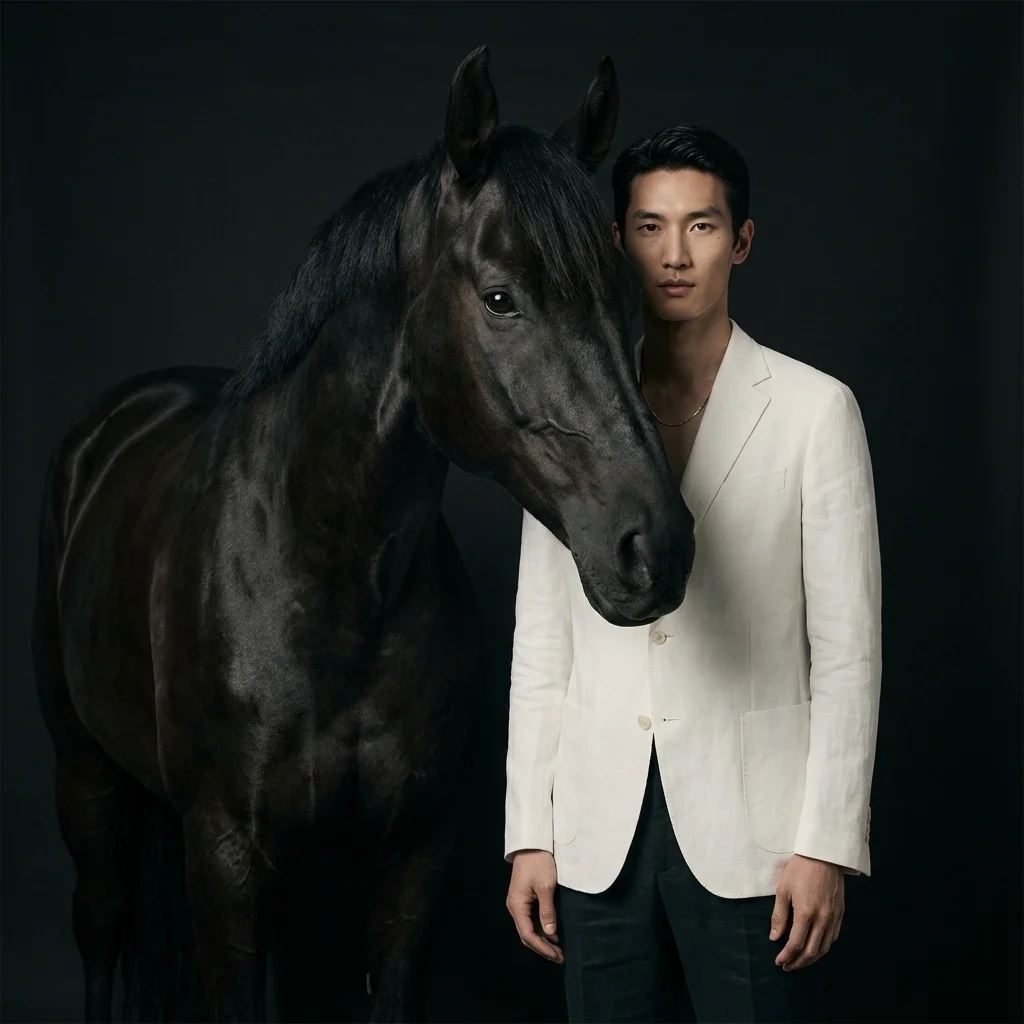
Luxury editorial portrait of a tall asian man standing beside a black horse, their heads aligned closely in the frame. He wears a crisp white tailored casual clothes with a thin gold chain. he looks directly into the camera with a calm, commanding gaze. The horse’s glossy black coat catches soft highlights, emphasizing texture and contrast. Deep black background, moody studio lighting, polished composition in the style of a high-fashion campaign. Shot on Canon EOS R5 with 85mm f/1.4 lens, airy matte finish.
If you want something less severe but equally stylized, focus on minimal light and color contrast, like this moody, dark orange studio shot:
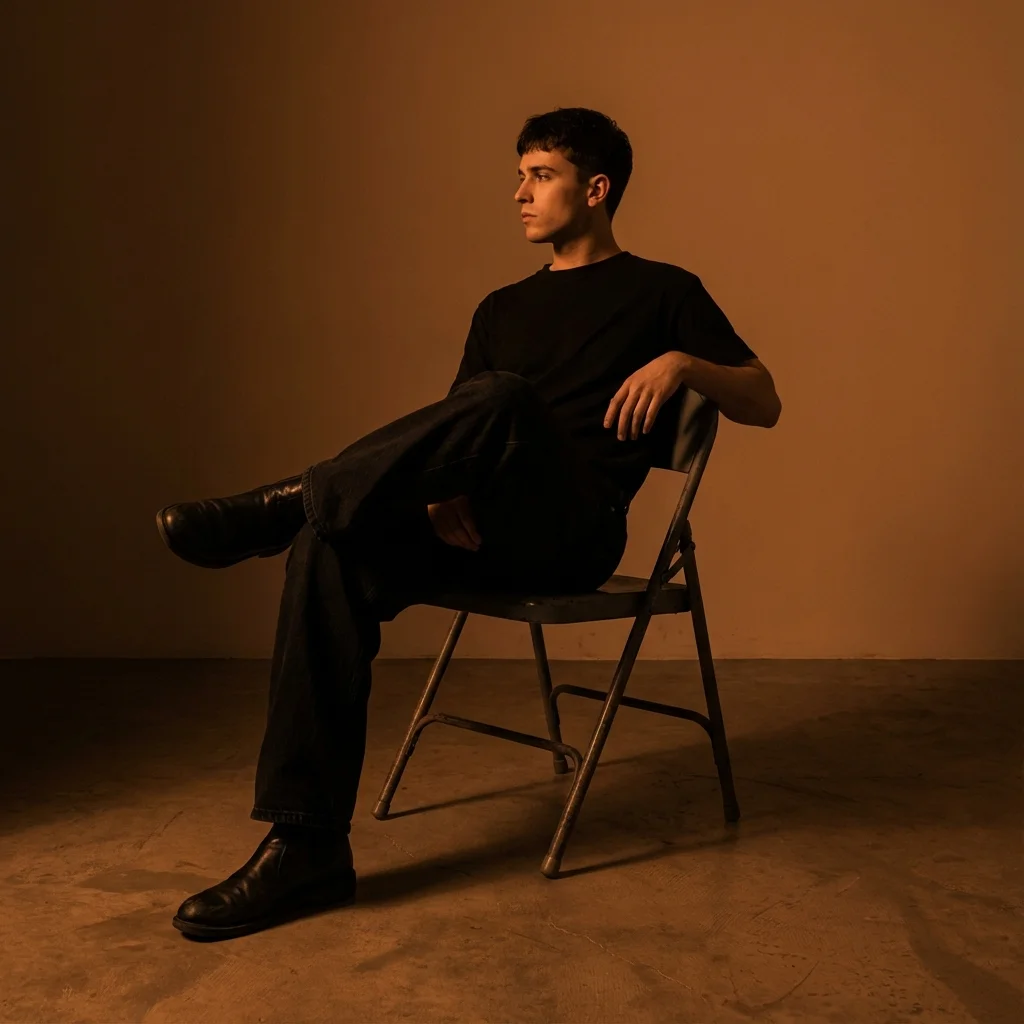
Use model (the person in the image) you create a dark orange studio photo featuring a young man sitting casually on a metal folding chair with his legs cross. He’s wearing a denim black baggy jeans, black t-shirt and black boots. The lightning is soft and minimal, producing sharp shadows and a moody atmosphere. His pose is relaxed, slightly leaning with one hand on the chair’s backrest, his face turn to the side and modern aesthetic.
Section 2: Achieving Stark Cinematic Tension
To generate portraits that look like stills from a blockbuster film, you must be surgical with your direction on angle, contrast, and color saturation.
These prompts focus on architecture (how the light hits the bone structure), psychological tension (the expression), and overwhelming color (the background):
Focus on Bone Structure and Contrast
The key here is using terms like “stark cinematic lighting,” “upward-facing angle,” and “architectural precision” to guide the AI toward powerful dimensionality, creating quiet dominance and sculptural elegance.
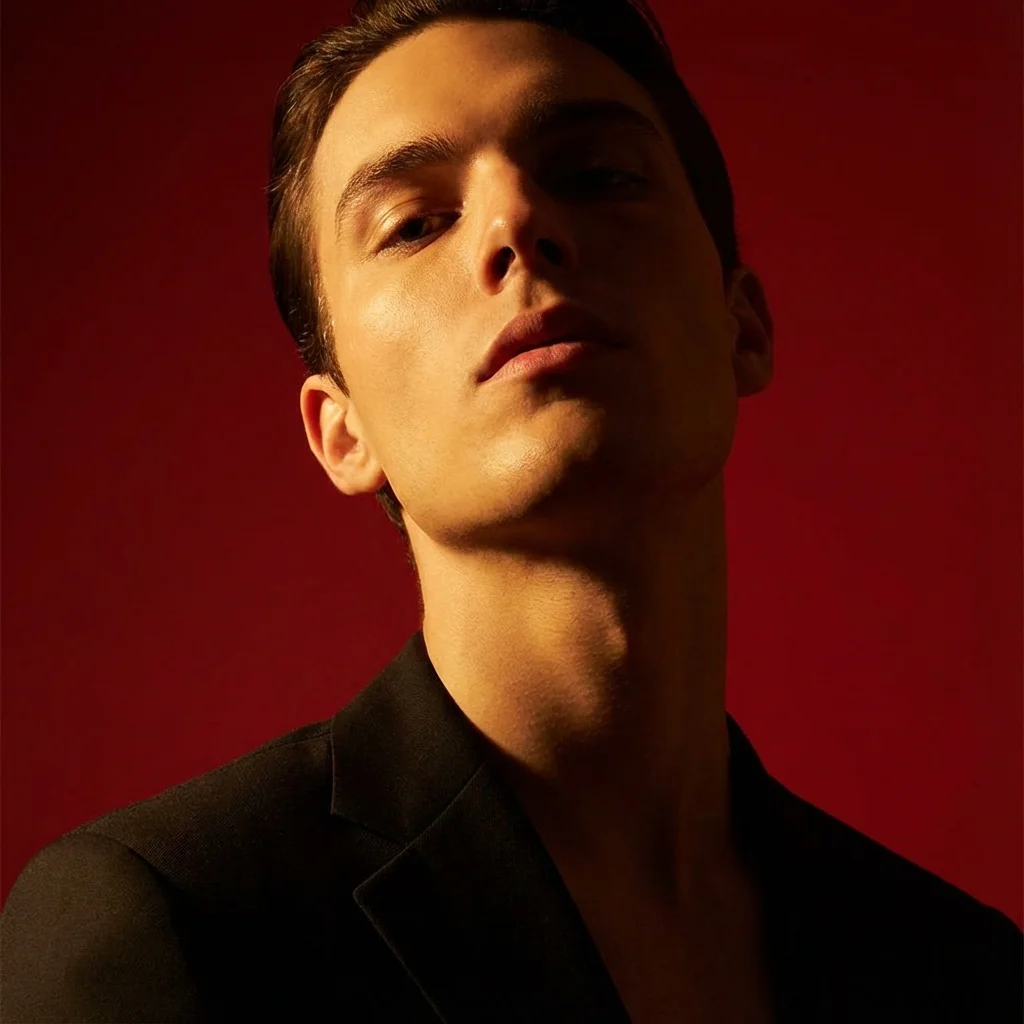
Use this picture and turn it into vertical portrait shot in 9:16 ratio format, characterized by stark cinematic lighting and intense contrast. Captured with a slightly low, upward-facing angle that dramatizes the subject’s jawline and neck, the composition evokes quiet dominance and sculptural elegance. The background is a deep, saturated crimson red, creating a bold visual clash with the model’s luminous skin and dark wardrobe. Lighting is tightly directional, casting warm golden highlights on one side of the face while plunging the other into velvety shadow, emphasizing bone structure with almost architectural precision. The subject’s expression is unreadable and cool-toned-eyes half-lidded, lips relaxed- suggesting detachment or quiet defiance. The model wears a heavy wool or felt overcoat, its texture richly defined against the skin’s smooth, dewy glow. Minimal retouching preserves skin texture and slight imperfections, adding realism. Editorial tension is created through close cropping, tonal control, and the almost oppressive intimacy of the camera’s proximity. There are no props or accessories; the visual impact is created purely through light, shadow, color saturation, and posture - evoking high fashion, contemporary isolation, and hyper-modern masculinity.
Use this picture and turn it into vertical portrait shot in 16:9 ratio format, characterized by stark cinematic lighting and intense contrast. Captured with a slightly low, upward-facing angle that dramatizes the subject’s jawline and neck, the composition evokes quiet dominance and sculptural elegance. The background is a deep, saturated grey, creating a bold visual clash with the model’s luminous skin and dark wardrobe show in half body and gym pumped chest with peak of little bit mountain tattoo. Lighting is tightly directional, casting warm golden highlights on one side of the face while plunging the other into velvety shadow, emphasizing bone structure with almost architectural precision. The subject’s expression is unreadable and cool-toned-eyes half-lidded, lips relaxed- suggesting detachment or quiet defiance. The model wears a heavy wool or felt overcoat, its texture richly defined against the skin’s smooth, dewy glow. Minimal retouching preserves skin texture and slight imperfections, adding realism. Editorial tension is created through close cropping, tonal control, and the almost oppressive intimacy of the camera’s proximity. There are no props or accessories; the visual impact is created purely through light, shadow, color saturation, and posture - evoking high fashion, contemporary isolation, and hyper-modern masculinity.
Section 3: The Wong Kar-wai Cinematic Style
A highly sought-after aesthetic is the moody, neon-drenched world of Wong Kar-wai. When replicating this, you must specify the color palette (red-green), the atmosphere (rain, neon reflections), and the camera artifacts (film grain, motion blur).
This is about atmosphere and lighting more than clothes:
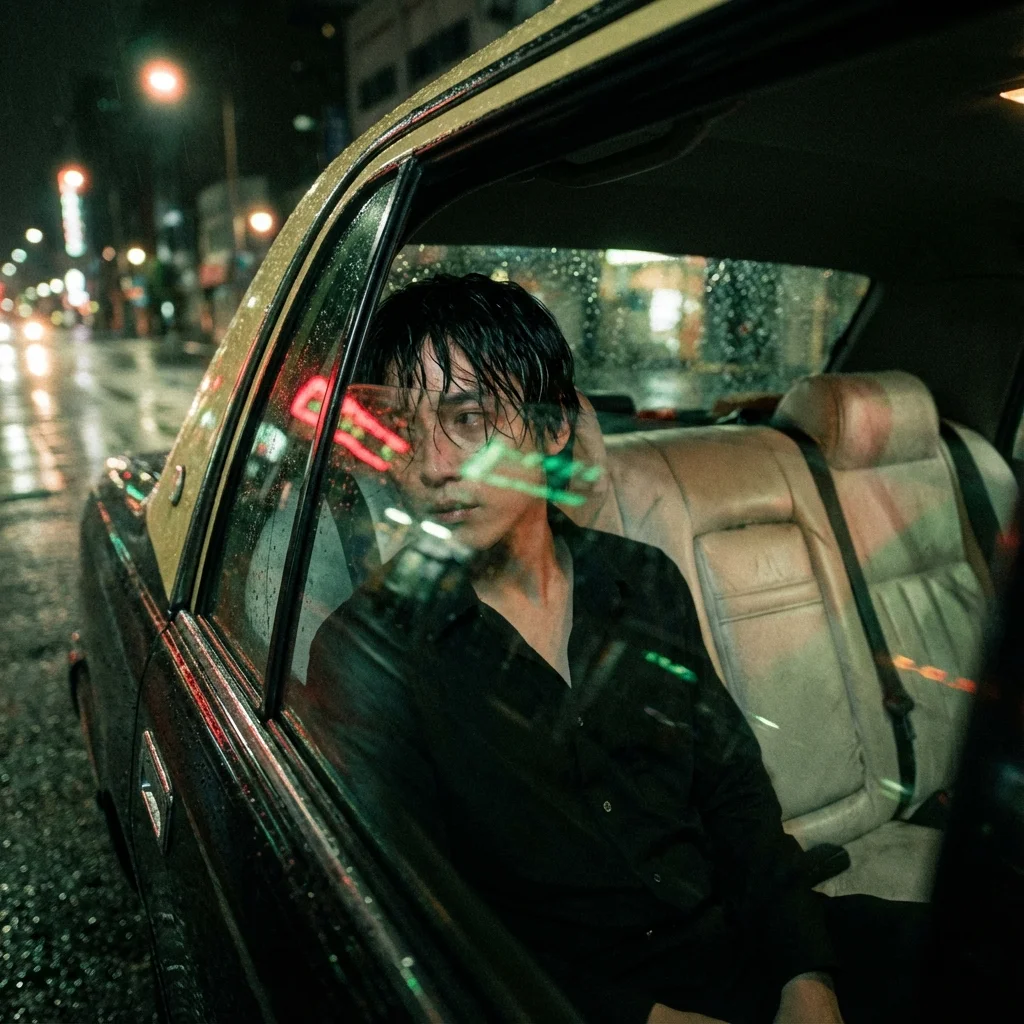
Wong Kar-wai style realistic portrait Using photo uploads as a face model, emphasizing the jawline and neck to be sharp as a sculpture, the same face and uniqueness. Posture: sitting with head leaning on mirror, hands on the edge, eyes staring at the street light. Scene: Inside an old taxi. Pale leather seats. Rain-smudge windows. Street lights streak blur. Camera Angle: Taken from outside the mirror. Shadows reflecting on the face. Lighting: Neon red-green running through. Face changes color according to light. Clothes: Black button down shirt. Slightly relaxed. Hair is wet. Image tone: Contrast red-green. Film grain thick. Motion blur clear. Glow blur around car light. Mood: Lonely, solitary, big city with no answers.
This next example uses rim lighting from car taillights and harsh key light from neon signs to create that signature gritty, high-saturation look:
Wong Kar-wai style realistic portrait Using photo uploads as a face model, emphasizing the jawline and neck to be sharp as a sculpture, the same face and uniqueness. Camera Angle: Medium shot. Side angle 75. Focus on the jawline and reflection. Posture: standing leaning on a taxi, left hand holding a floating cigarette, right hand wearing a bag, head leaning on the roof of the car, looking at the rainy sky, mouth reveals a little. Scene: Night street, raining, yellow-green taxi, red tail lights, Chinese traffic signs and a noodle shop on the side. Light: Rim light red from tail light. Neon green from Key light sign. Yellow from street light. Clothes: Black button-down shirt. Slack pants. Leather rain-wet boots. Picture tone : red - green
Section 4: Generating Surreal Concepts
Sometimes, you need to go beyond reality to grab attention. Surreal portraits, especially in classic black and white, require descriptive motion and environment details. Focus on what is floating and how the music is affecting the subject:
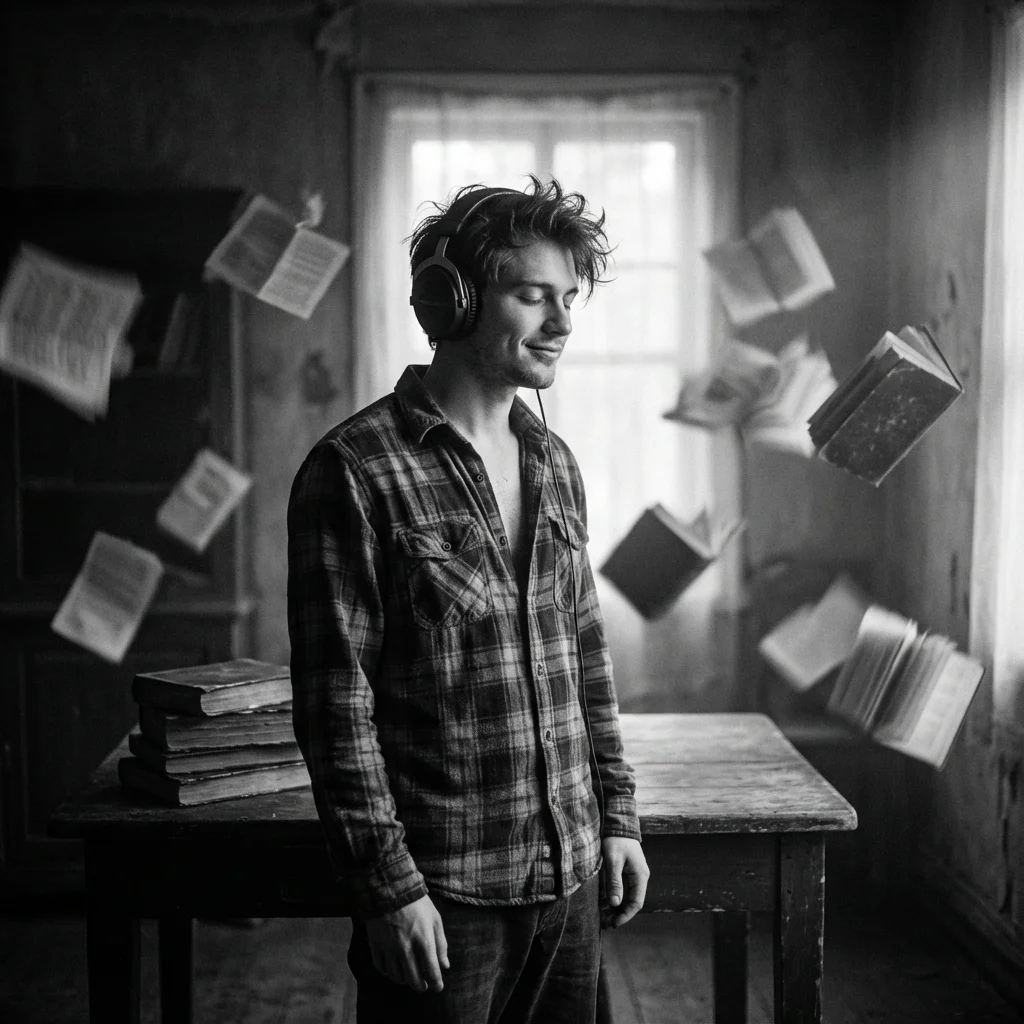
A surreal black and white cinematic portrait of a young man (same as reference photo) wearing headphones, eyes closed, lost in music. He is standing in a dimly lit room with a stack of books on a table beside him. Papers and books float around in mid-air, creating a dreamy motion blur effect. The lighting is dramatic, soft glow on his face, highlighting his relaxed expression. His shirt is loose and open, adding to the moody artistic vibe. Use the face from the uploaded reference image and preserve the same facial features — do not alter the face.
Your Workflow for Viral Results
These viral image prompts are designed to be used with tools that accept both text and image references, allowing you to maintain consistency while exploring diverse styles.
The simple workflow ensures maximum quality output:
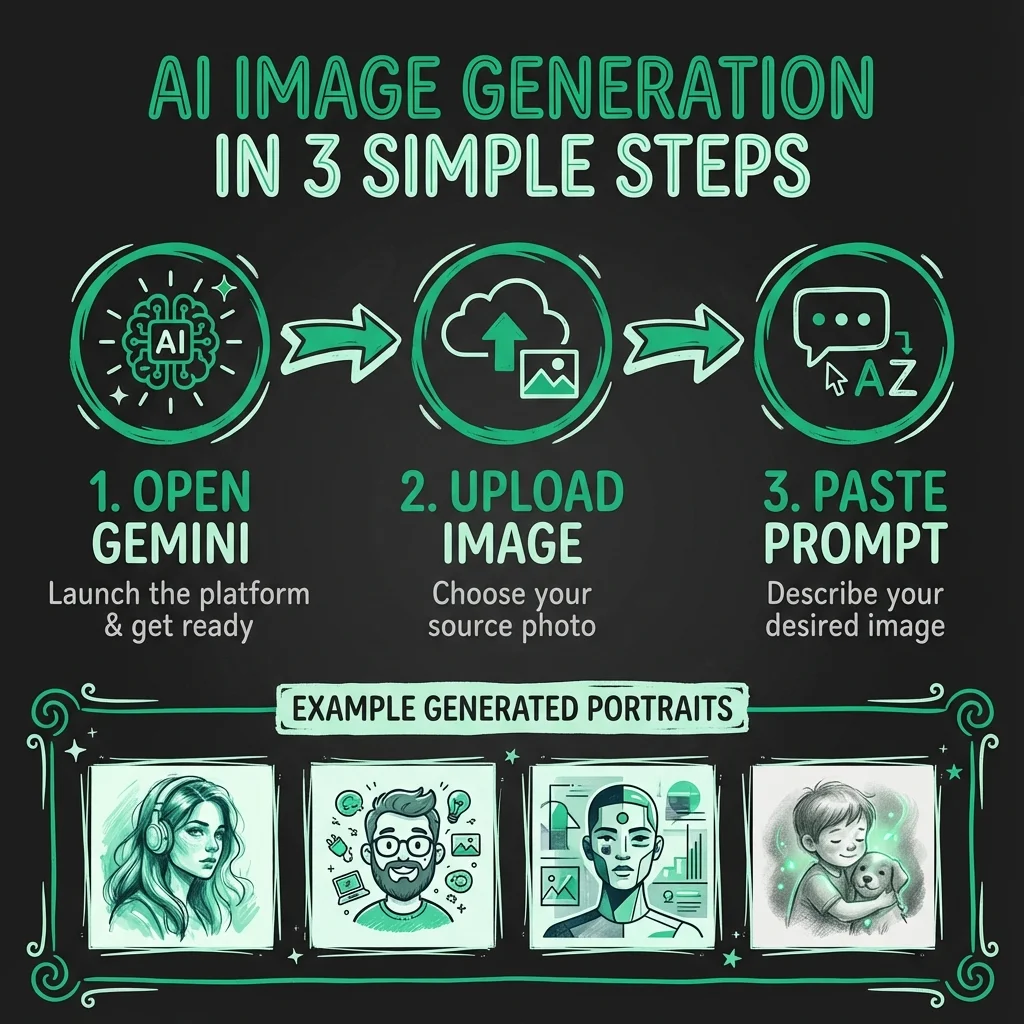
STEP 1: Open your favorite image generation tool (like Gemini).
STEP 2: Upload your image reference (if face consistency is needed).
STEP 3: Paste the detailed prompt above.
VOILA: High-fashion, hyper-detailed results every time.
These prompts don’t rely on luck; they rely on specific photographic terminology, color theory, and cinematic direction. Start integrating these details, and watch your engagement soar.
Want the direct link to the full collection of these prompts? I drop actionable resources for creators and founders building strategic brands every week.
Comment “Prompt” below, and I’ll DM you the link instantly. Save this post for later reference!