Learn to master the Google Gemini image trend. Use expert prompt engineering to create moody, vintage AI art with film grain and cinematic lighting.
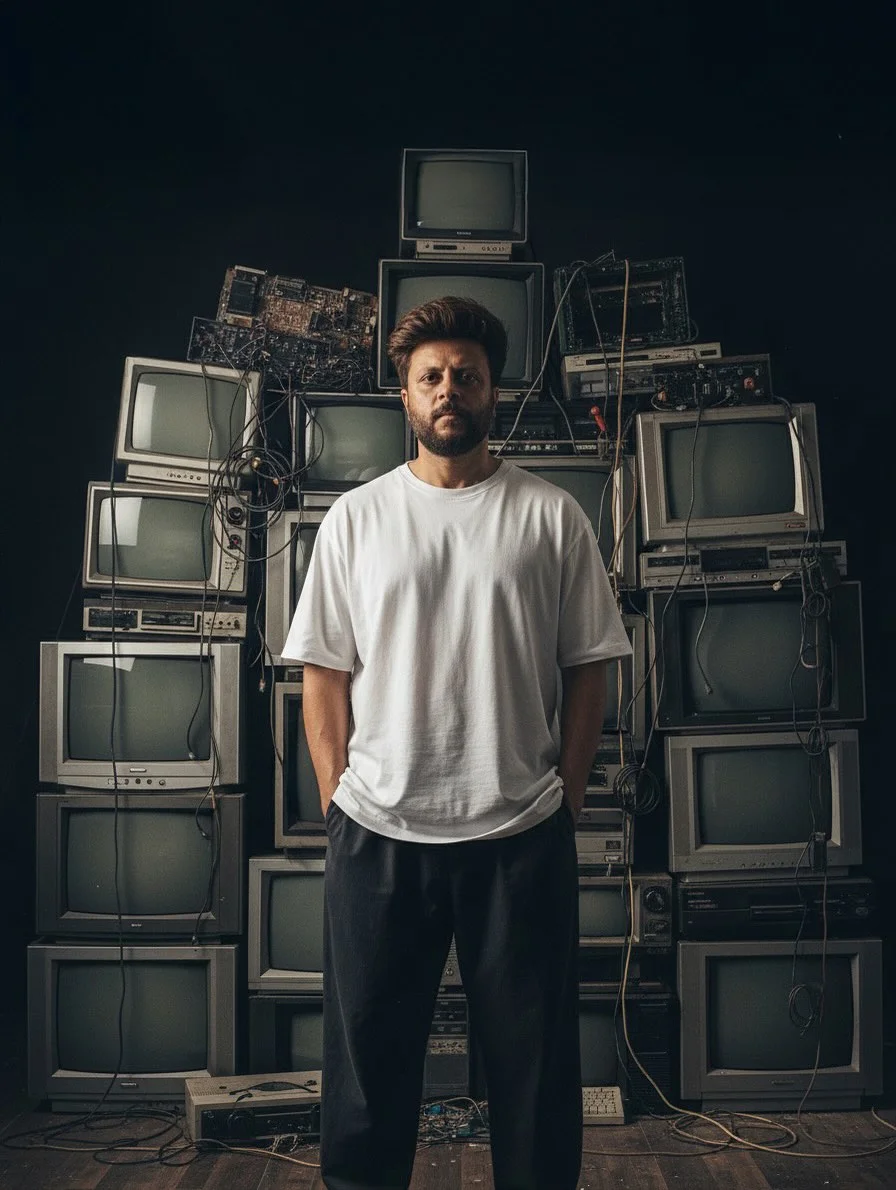
Master the Vintage Aesthetic: A Guide to Moody AI Art with Google Gemini
The world of digital art is shifting. We are moving away from overly polished, “perfect” plastic renders and heading toward something more soulful. Today, the most popular Google Gemini trends focus on nostalgia. Everyone wants to capture that “vintage vibe”—and this guide will show you exactly how to do it.
What is the Google Gemini Image Trend?
The current Google Gemini image generation trend is all about a “lo-fi” aesthetic. Instead of bright, saturated colors, creators are using AI prompt engineering to mimic the look of old film cameras. This trend focuses on mood, shadow, and texture.
Think of it as digital storytelling through a retro lens. Users are moving away from generic AI looks and toward moody aesthetic AI art that feels like a frame from a 1990s indie movie or an old family photo found in an attic. It’s about making the new feel old again.
Benefits of Using Gemini for Moody Art Portraits
Google Gemini offers unique advantages for generative AI portrait prompts. Unlike some tools that struggle with lighting, Gemini excels at understanding atmospheric descriptions.
- Natural Lighting: Gemini handles cinematic lighting AI prompts beautifully, creating realistic shadows.
- Semantic Understanding: You can talk to it like a human. It understands “moody” and “nostalgic” better than many other models.
- Speed and Iteration: You can quickly refine your Gemini AI art style by chatting with the tool, making it easy to tweak colors or poses on the fly.
How to Craft Prompts for Vintage Photography
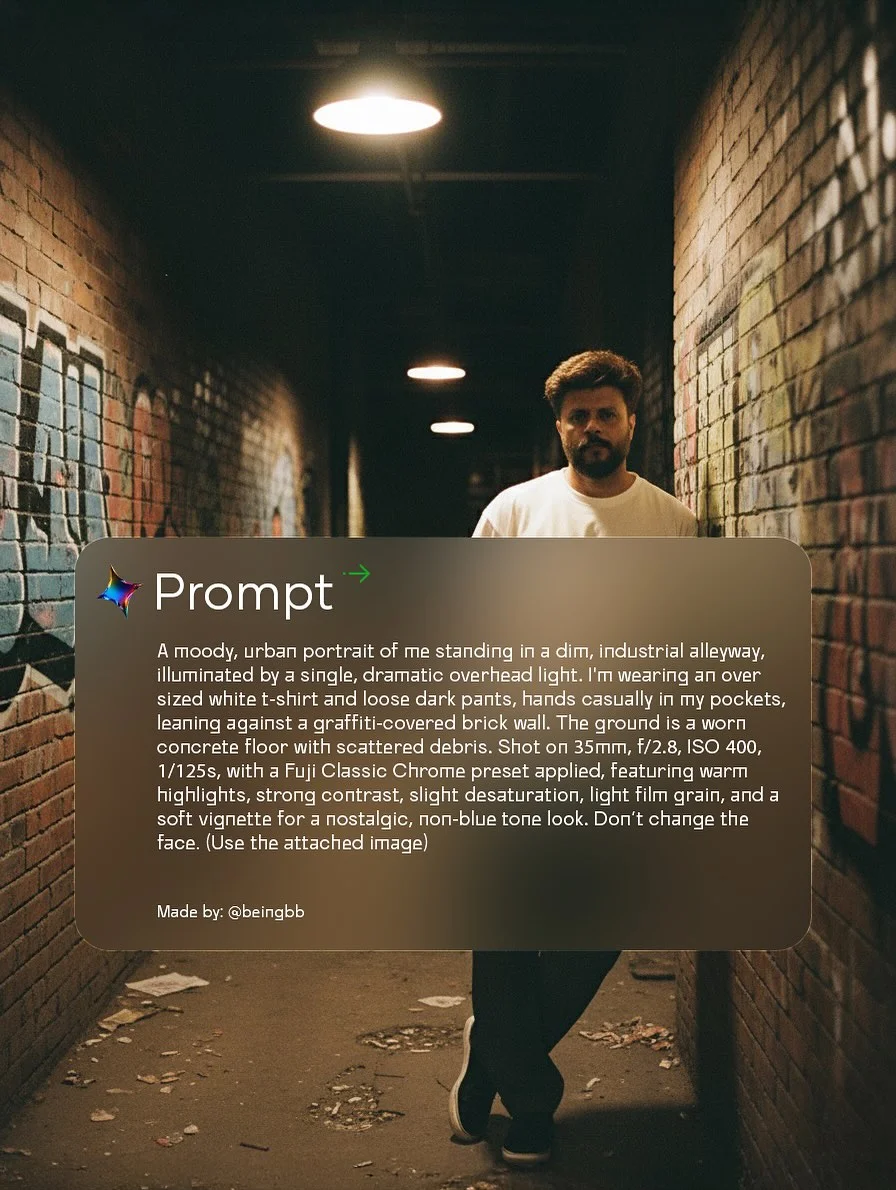
To get a true vintage aesthetic AI result, you need to be specific. Here is how you break down a prompt.
1. Defining the Era: Years and Film Stock
Don’t just say “old photo.” Mention “1970s Polaroid” or ”90s street photography.” Referencing specific film stocks like Kodak Portra 400 or Fujifilm Superia tells the AI exactly how to handle color and light.
2. Lighting Techniques: Mastering Backlit Effects
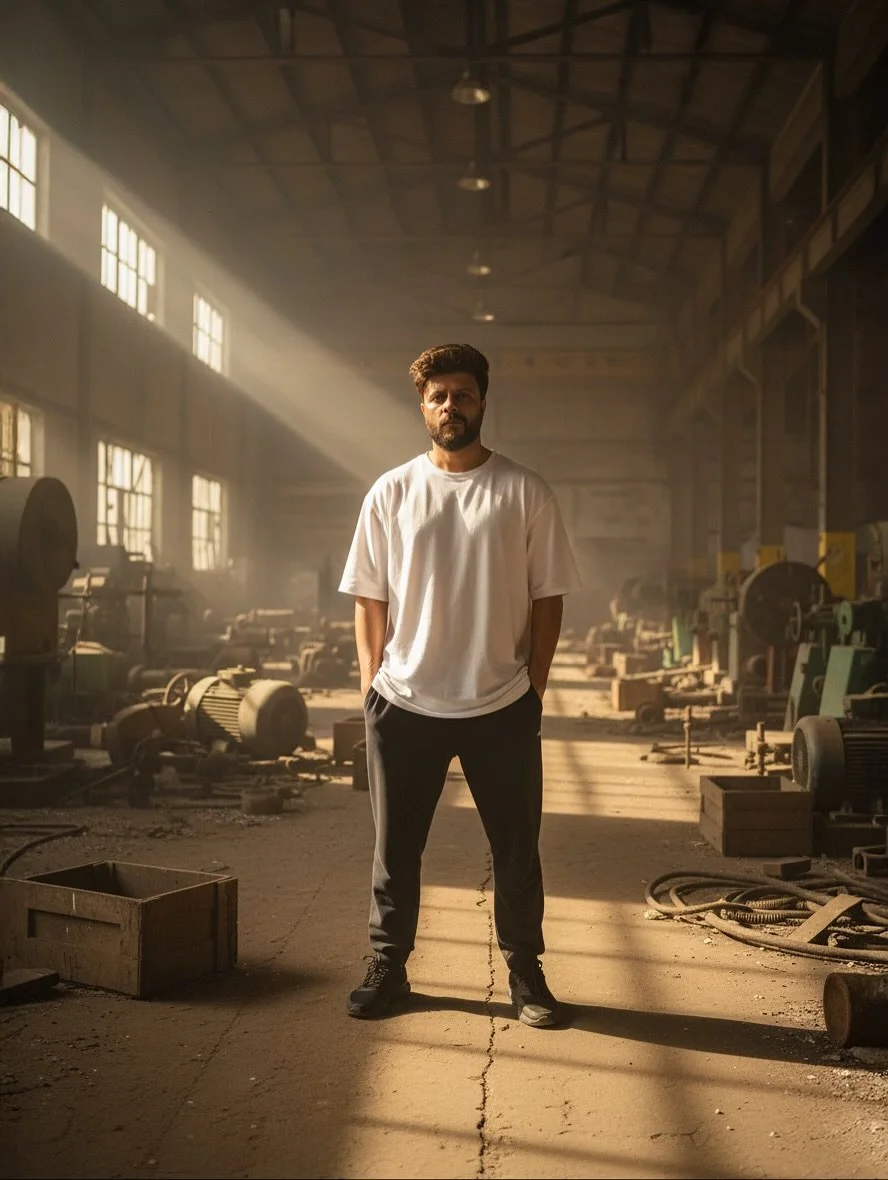
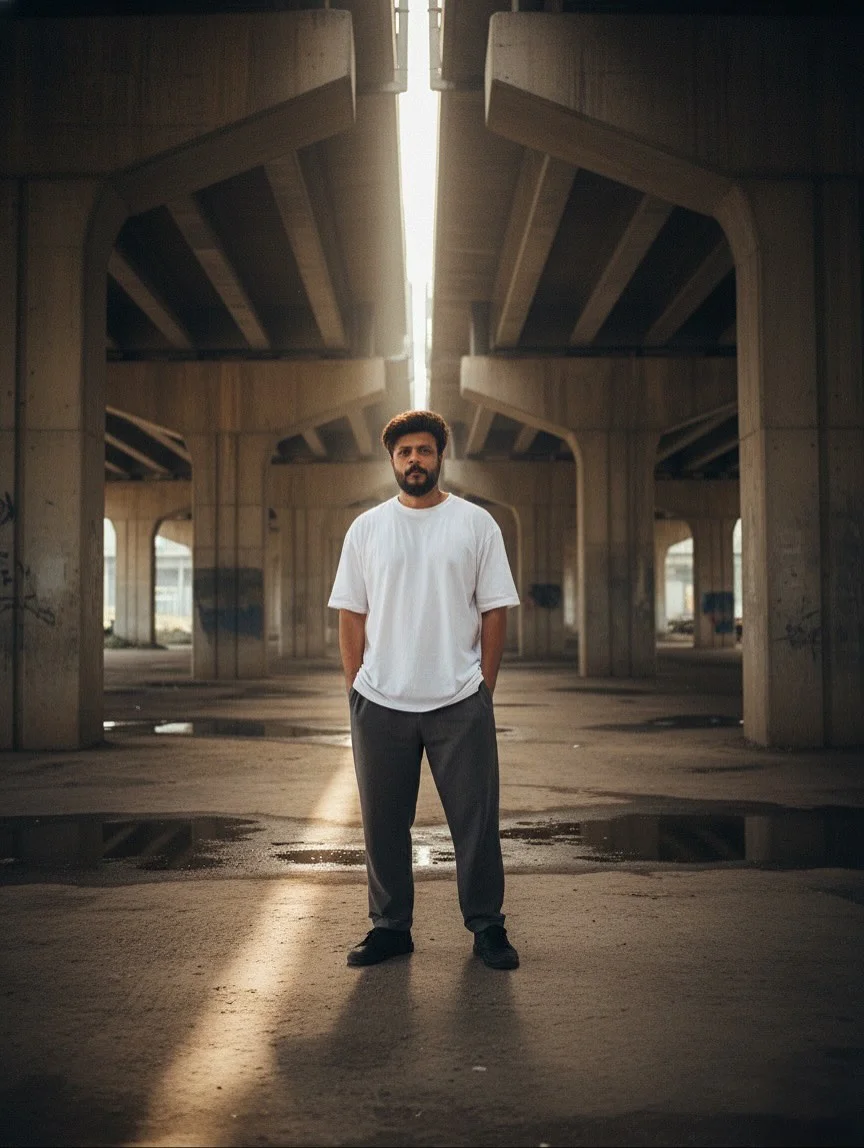
Backlit portrait prompts are the secret sauce. Ask the AI for “strong rim lighting” or “golden hour haze.” This creates a halo effect around the subject, which is a staple of moody photography AI.
3. Texture and Grain: Achieving the Analog Look
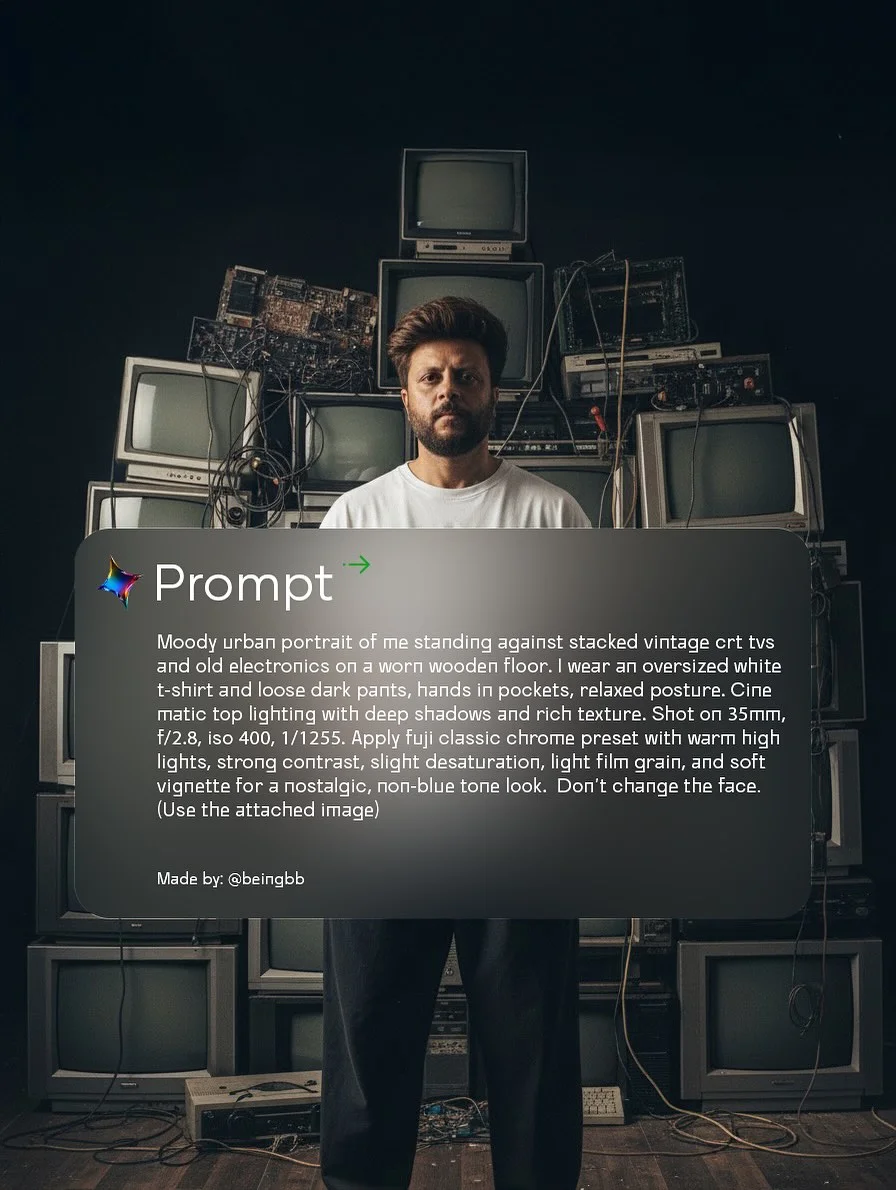
Digital images are too sharp. To get vintage AI art prompts right, add keywords like “heavy film grain,” “dust scratches,” or “light leaks.” This adds a layer of “imperfection” that makes the art feel human.
4. Color Theory: Desaturation and Warm Tones
Vintage photos usually have faded blacks and warm highlights. Use terms like “sepia undertones,” “muted palette,” or “crushed shadows” to avoid the neon, artificial look common in basic AI art.
5. Subject Posing: Capturing the “Portrait Mood”
In moody aesthetic AI art, the subject shouldn’t always smile. Use keywords like “candid,” “somber expression,” or “looking away from camera” to create a sense of mystery and depth.
Advanced Prompt Engineering for Pro-Level Results
To level up, you need to think like a photographer and a programmer at the same time. This is the essence of advanced prompt engineering techniques.
Using Stylistic Weighting and Keywords
In mastering AI prompts, word order matters. Placing “Vintage 35mm photo” at the very beginning of your prompt gives it more “weight” than placing it at the end. Use evocative adjectives like “gritty,” “ethereal,” or “desolate” to set the scene.
Incorporating Camera Hardware Terminology
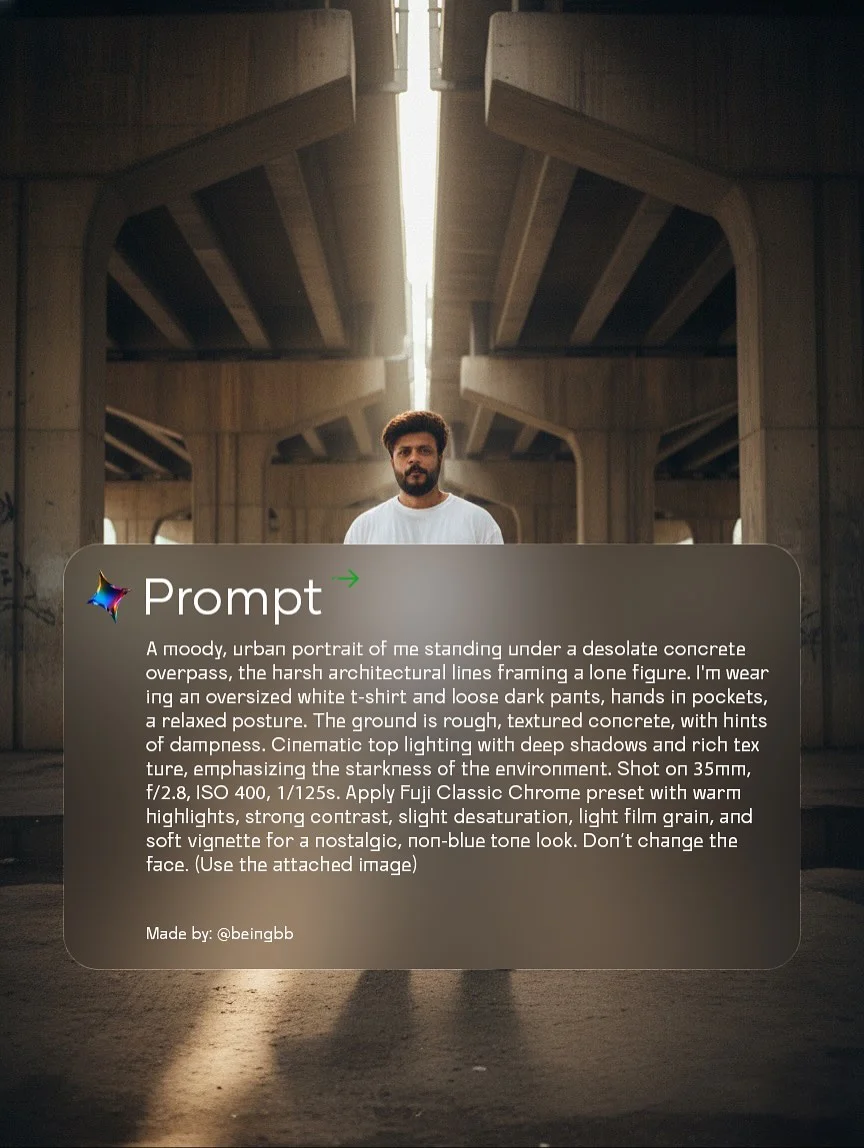
The AI knows what a “35mm lens” or an “f/1.8 aperture” looks like. Adding these technical specs helps the AI simulate depth of field (blurry backgrounds), which is essential for generative AI portrait prompts.
Iterative Refinement: Adjusting Prompts Based on Results
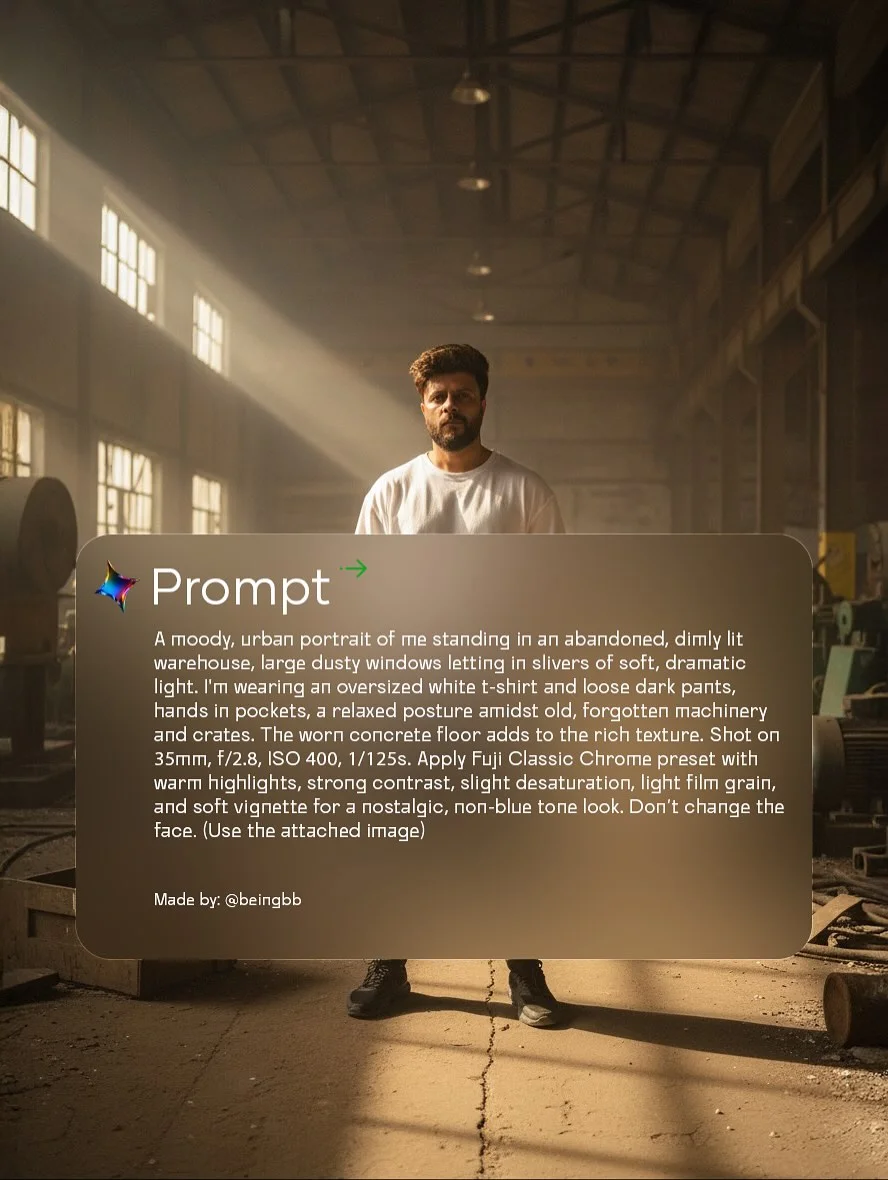
Never settle for the first image. If the lighting is too bright, add “dimly lit” or “low-key lighting.” AI creative direction is an ongoing conversation with the machine.
Negative Prompting for High-Resolution Clarity
While Gemini doesn’t use a “negative prompt” box like some tools, you can still tell it what to avoid. Phrases like “no bright colors,” “no smooth skin,” or “avoid modern digital filters” help keep the vintage vibe intact.
Why Backlit Photography is Essential for Aesthetic Art
Backlighting occurs when the primary light source is behind the subject. In AI photography styles, this creates “depth.” It separates the subject from the background, creating a glowing silhouette.
This technique is a staple of the Gemini trend because it hides flaws and emphasizes shape. It mimics the look of a photographer capturing a moment against the sun, which naturally feels more nostalgic and “vibe-heavy” than flat, front-facing light.
Tools for Enhancing Generative AI Art
Creating the image is only step one. To be a true AI artist, you should consider post-production.
- Post-Processing Software: Use Lightroom or mobile apps like VSCO to add real film presets. This bridges the gap between AI and reality.
- Upscaling Tools: Tools like Topaz Gigapixel AI or Magnific AI can take a standard Google Gemini image prompt output and turn it into a high-resolution masterpiece suitable for printing.
- Community Platforms: Sites like Civitai or PromptHero are great for seeing what other generative art tips are working for creators.
Staying Relevant in the AI Art Community
The AI world moves fast. To stay ahead, you need to be active where the conversation is happening.
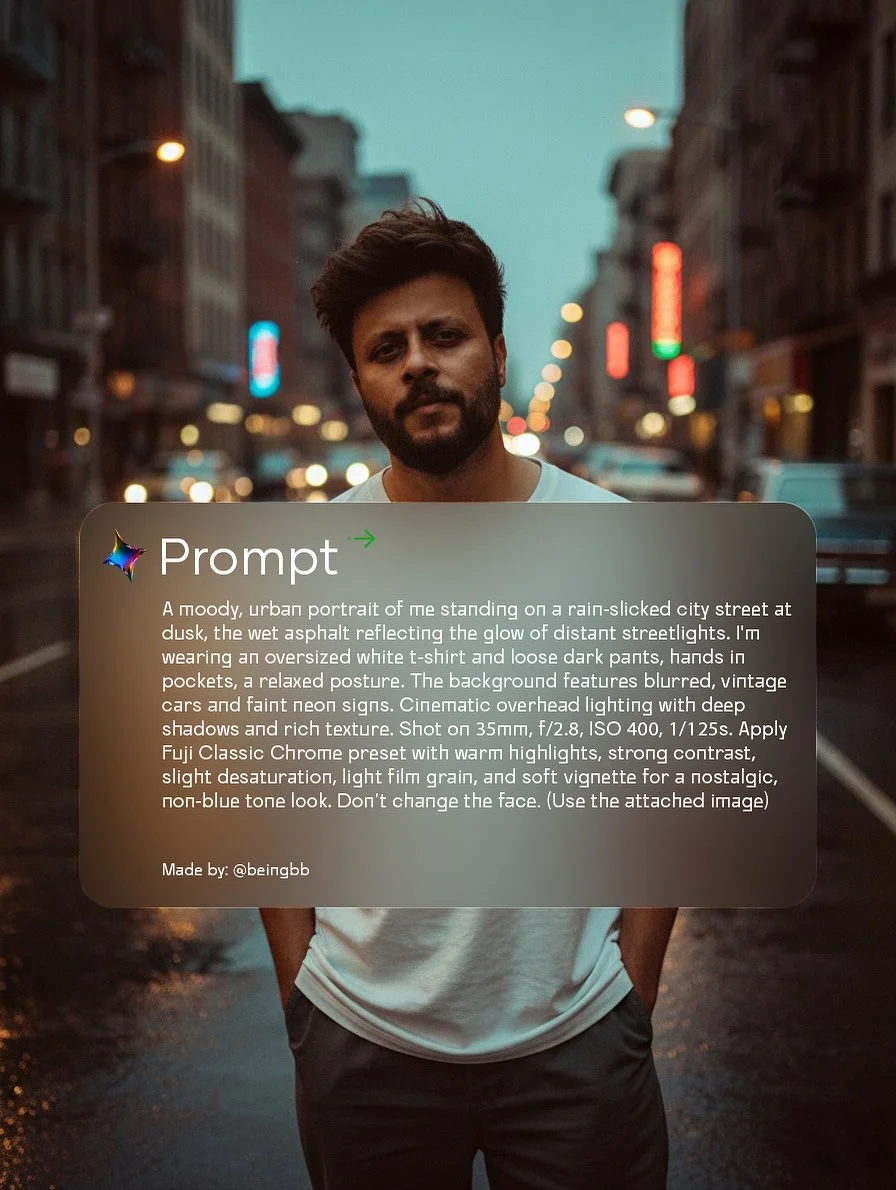
- Social Media: Follow the username beingbb and use hashtags like #geminiart and #promptengineering.
- Collaborate: Join Discord servers where people share AI professional prompting secrets.
- Consistency: Build a portfolio with a specific look. If you become the “go-to” person for vintage AI art, you’ll build a much stronger following than someone who posts random styles.
Frequently Asked Questions
1. Is Google Gemini free to use for image generation?
Yes, basic image generation is currently available for free through Gemini, though high-tier features may eventually require a Gemini Advanced subscription.
2. What are the best keywords for a “vintage vibe” in AI art?
Try using keywords like “Kodachrome,” “lo-fi,” “analog film,” “light leaks,” “scratched texture,” and “faded edges.”
3. How do I achieve a realistic backlit effect in my prompts?
Incorporate phrases like “volumetric lighting,” “rim light,” “sun flare,” or “golden hour backlighting” into your digital art aesthetics descriptions.
4. Can I use these prompts on other AI tools like Midjourney or DALL-E?
Absolutely. While each tool has a different “personality,” the fundamentals of AI prompt engineering—lighting, era, and lens specs—work across all major platforms.
5. What is the difference between an AI artist and a prompt engineer?
An AI artist focuses on the aesthetic and final output, often using many tools. A prompt engineer focuses on the technical structure of the text to get the most accurate result from a specific model.
6. How do I avoid “plastic” looking skin in AI portraits?
Ask for “visible pores,” “skin texture,” “freckles,” or “no-makeup look.” Adding “shot on 35mm film” also helps the AI add natural grain that breaks up the plastic smoothness.
7. What are the most popular vintage film stocks to reference?
Kodak Portra 400 (warm/skin tones), Fujifilm Velvia (saturated/nature), and Ilford HP5 (classic black and white) are the gold standard for AI photography styles.
8. How can I join the Gemini AI art community?
Start by sharing your work on Instagram and X (Twitter) using the hashtags provided in this article. Engagement is the best way to find fellow generative artists.
By mastering these techniques, you aren’t just hitting a button—you are becoming a director of digital light and shadow. Start experimenting with these Google Gemini image prompts today and watch your portfolio transform.