Master AI prompt engineering for nature assets. Learn advanced techniques for photorealistic landscapes, lighting, and high-resolution botanical renders.
SEO Strategy: Masterclass in Nature-Themed AI Prompt Engineering
The world of digital creation is changing faster than a seasonal shift in the wilderness. Today, the ability to generate hyper-realistic nature assets isn’t just a party trick; it is a vital skill for creators who want to merge the organic beauty of the outdoors with the cutting-edge speed of artificial intelligence.
The Evolution of AI in Nature Asset Creation
Not long ago, generating a “forest” using AI resulted in a blurry, green mess that looked like an impressionist painting gone wrong. We faced “tiling” issues where grass patterns repeated unnaturally, and sunlight looked like a yellow filter rather than actual light.
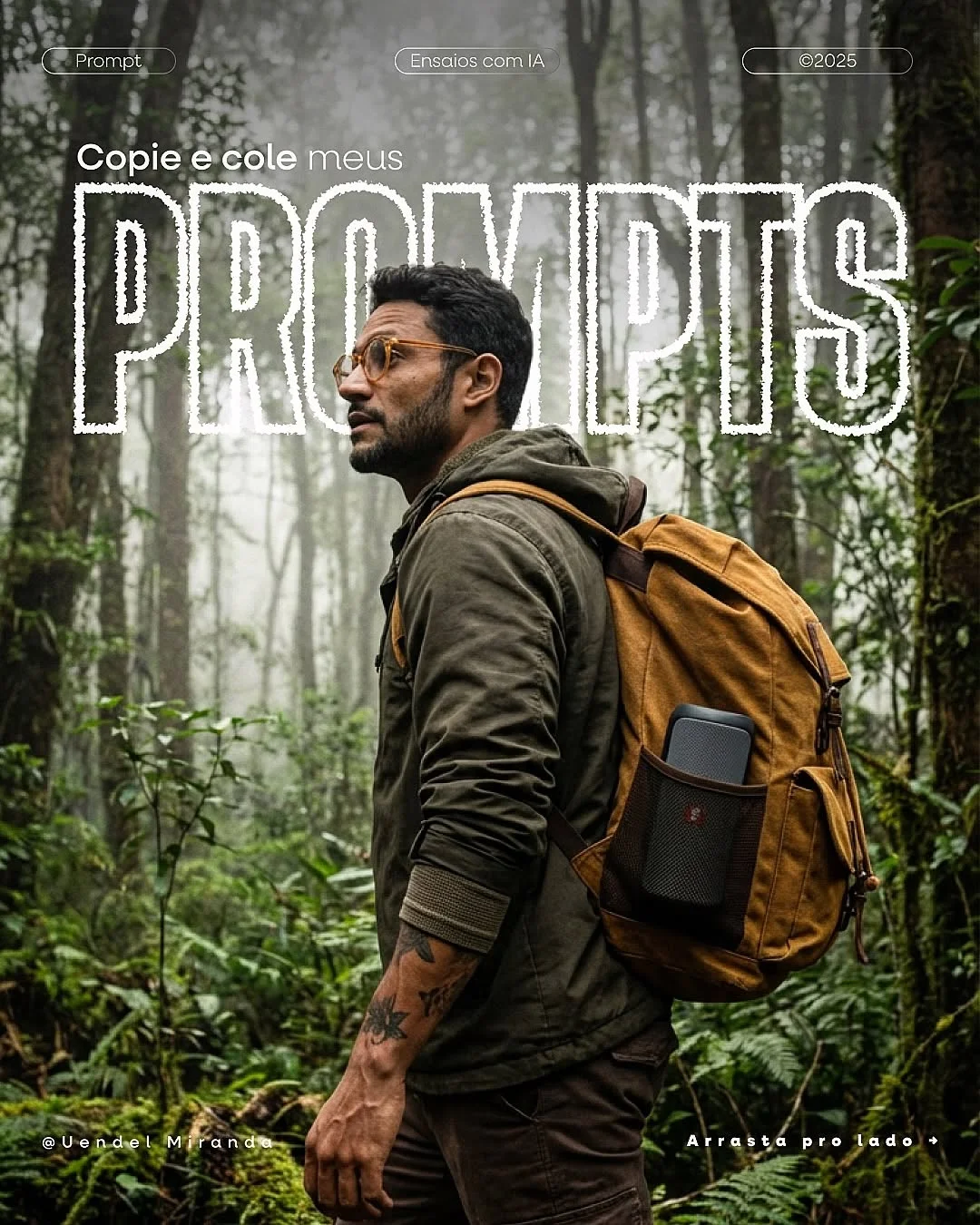
Today, we have entered the era of photorealistic nature synthesis. Thanks to breakthroughs in neural network environmental art, creators can now specify everything from the moisture levels on a mossy rock to the specific genus of a fern. We’ve moved from simple descriptions to AI prompt engineering for nature, where we act as both the photographer and the botanist. This evolution allows us to bypass the limitations of physical travel and expensive gear, giving us the power to “manifest” any landscape imaginable with incredible fidelity.
Benefits of Nature-Themed Prompt Engineering
Why should you master refined prompt engineering for creators instead of just using stock photos? Here is the breakdown:
- Efficiency in Workflow Automation: Instead of spending hours scrolling through stock sites for a very specific “misty morning in a pine forest,” you can generate a dozen variations in minutes.
- Consistency Across Visual Brand Identity: If your brand uses a specific “muted earth tone” or “high-contrast sunlight,” you can bake these parameters into every prompt to ensure your feed looks cohesive.
- Cost Reduction in Stock Asset Sourcing: High-end nature photography licenses are expensive. Generating generative AI landscape photography provides a cost-effective way to get bespoke visuals.
- Infinite Scalability: Whether you need a 9:16 vertical for a Reel or a wide background for a website, AI allows you to scale and reformat scenes without losing the core aesthetic.
Advanced Prompt Anatomy for Realistic Landscapes
To get professional results, you need to understand the “building blocks” of a high-quality prompt. Think of it like building a recipe.
Natural Lighting and “Golden Hour” Parameters
Light is everything in nature. To avoid that flat, artificial look, use terms like “volumetric lighting,” “dappled sunlight,” or “Alpenglow.” Specifying the time of day—such as “blue hour” or “civil twilight”—changes the color temperature of your image instantly.
Macro Photography Syntax
For high-resolution botanical AI assets, you must tell the AI to look closely. Use technical phrases like “macro lens,” “shallow depth of field,” and “extreme close-up.” Mentioning textures like “veins in a leaf” or “dew drops on a petal” forces the model to render fine details.
Atmospheric Effects
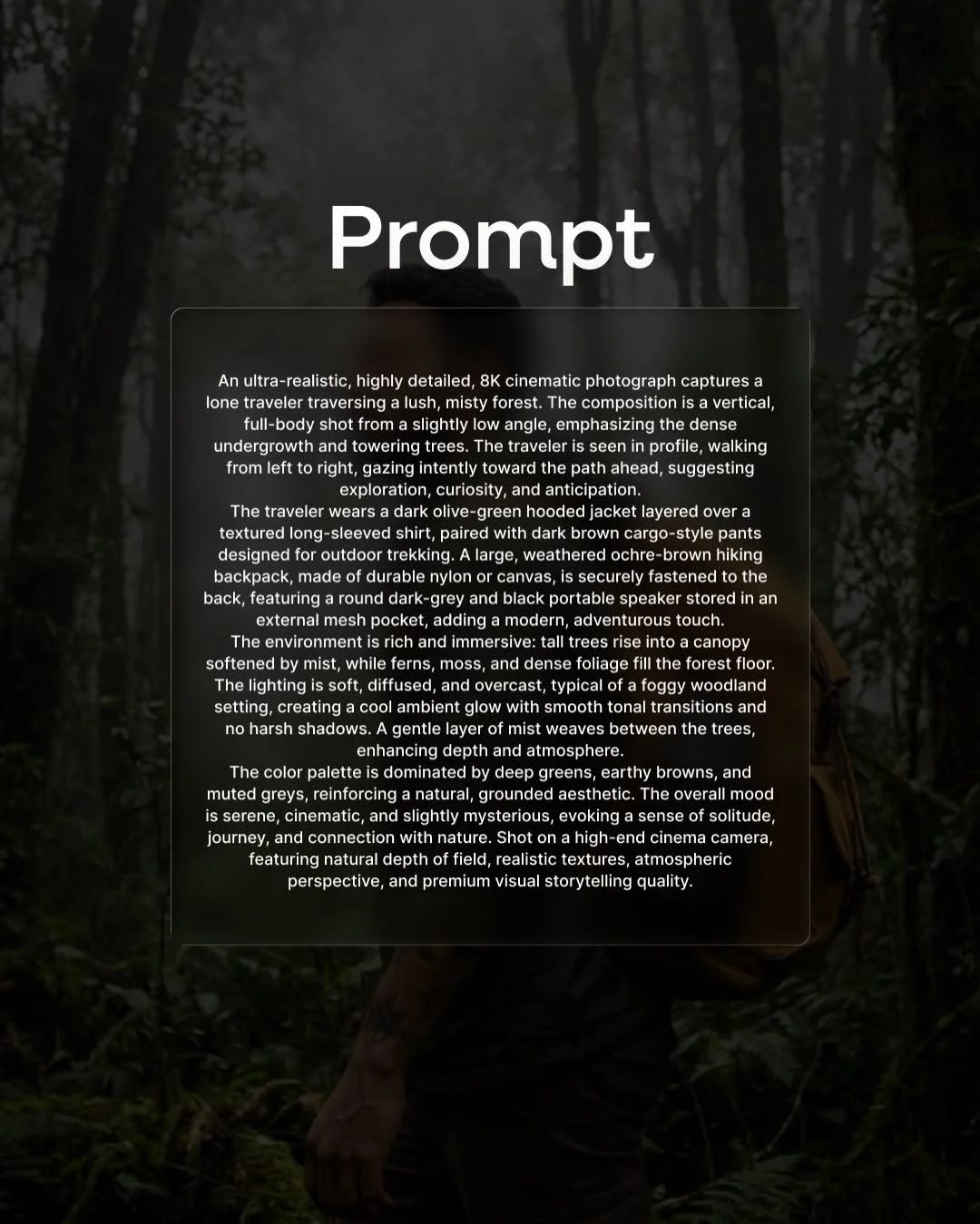
To add depth, use atmospheric perspective prompts. Keywords like “rolling fog,” “layers of mountain haze,” and “ambient humidity” create a sense of three-dimensional space. It makes the viewer feel like they could actually breathe the air in the photo.
Geological Precision
Don’t just say “rocks.” Say “jagged basalt columns,” “smooth river silt,” or “weathered limestone.” Specifying the material helps the AI apply the correct texture and light reflections.
Essential Tools for Professional Nature Renders
Not all AI tools are created equal. Depending on your project, you’ll want to pick the right “camera.”
- Midjourney for Artistic Complexity: This is the current king of midjourney nature prompt techniques. It handles lighting and “vibe” better than almost anything else. It is perfect for social media hooks and cinematic concepts.
- DALL-E 3 for Semantic Precision: If you need a very specific arrangement (e.g., “three red birds on a specific type of oak branch”), DALL-E 3 follows instructions meticulously.
- Stable Diffusion for Localized Control: For those who want to use advanced stable diffusion landscapes, this tool offers “ControlNet.” This allows you to sketch the shape of a mountain or river and have the AI fill in the textures.
- Adobe Firefly for Commercial Safety: If you are working for a corporate client, Firefly is trained on Adobe Stock, ensuring your digital flora generation is legally safe for commercial use.
How to Refine Nature Prompts for Maximum Detail
If your images look a bit too “perfect” or “fake,” you need to add grain and grit. Here is how to refine your text-to-image nature aesthetics.
Using Technical Camera Specs
AI models understand the language of photographers. Adding “Shot on 35mm lens, f/1.8, ISO 100” tells the AI how to handle the focus and “noise” of the image. A wide-angle lens (14mm-24mm) is perfect for hyper-realistic wilderness prompts, whereas a 100mm lens is best for insects and flowers.
Incorporating Seasonal Data
Be specific about the timing. “Late autumn, decaying leaves, overcast sky” creates a completely different emotional response than “early spring, budding wildflowers, morning sun.”
Implementing Negative Prompts
In tools like Stable Diffusion, negative prompts are your best friend. Use terms like “cartoon, plastic, blurry, oversaturated, symmetrical” in your negative field to ensure the result stays organic and grounded.
Layering Botanical Nomenclature
Instead of “jungle greenery,” try using biome-specific image generation. Use terms like “Monstera Deliciosa,” “Sword Ferns,” or “Douglas Fir.” The AI has been trained on millions of labeled images; giving it the scientific name often triggers much more accurate textures.
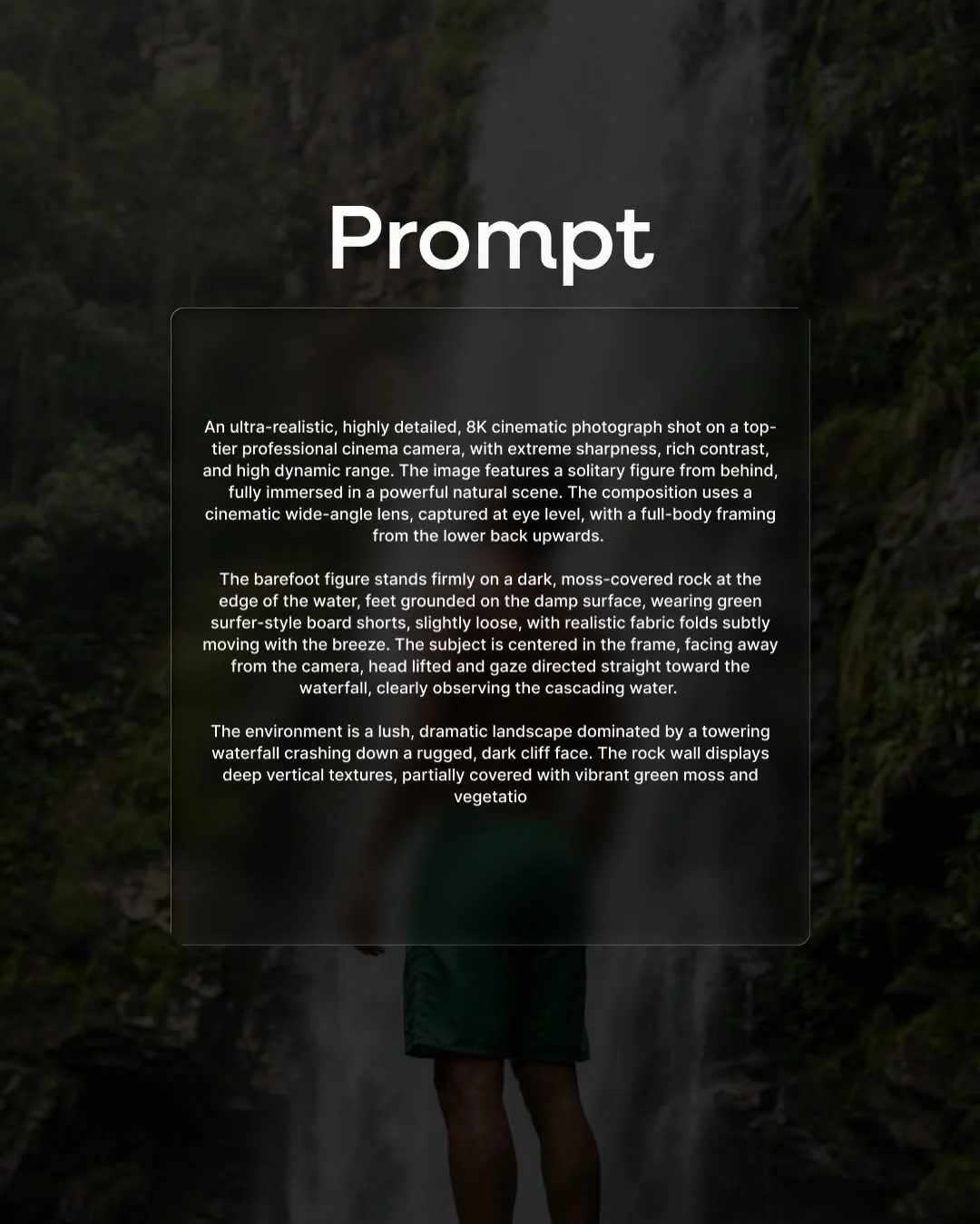
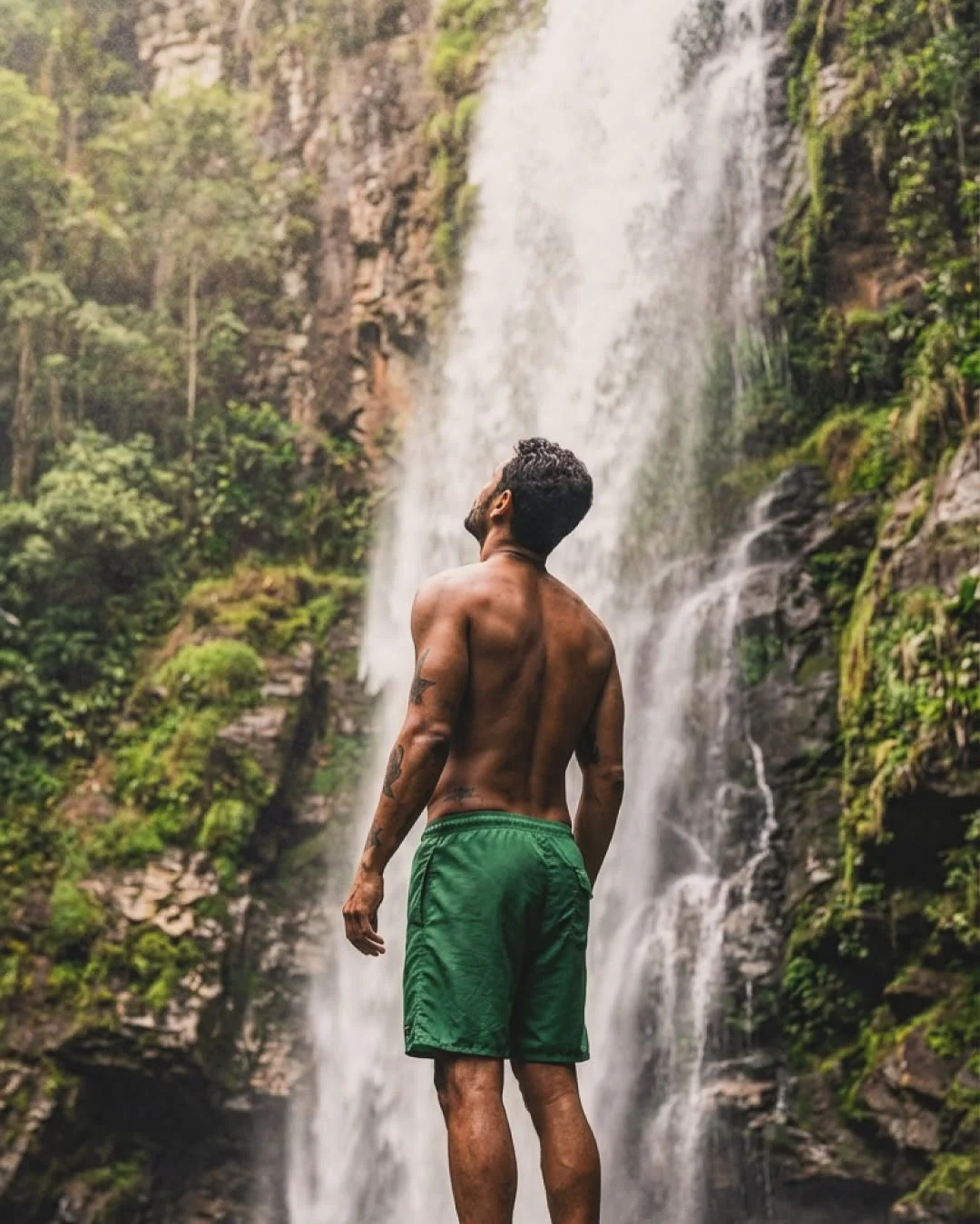
The barefoot figure stands firmly on a dark, moss-covered rock at the edge of the water, feet grounded on the damp surface, wearing green surfer-style board shorts, slightly loose, with realistic fabric folds subtly moving with the breeze. The subject is centered in the frame, facing away from the camera, head lifted and gaze directed straight toward the waterfall, clearly observing the cascading water.
The environment is a lush, dramatic landscape dominated by a towering waterfall crashing down a rugged, dark cliff face. The rock wall displays deep vertical textures, partially covered with vibrant green moss and vegetatio
Integrating AI Nature Assets into Content Strategy
Generating the image is only half the battle. How do you use these AI-driven creative assets effectively?
- Social Media Visual Hooks: High-contrast, cinematic nature shots stop the scroll. Use wide-angle landscapes for dramatic “behind the scenes” style content.
- Website Background Optimization: Use algorithmic scenery design to create hero banners that aren’t cluttered. Ensure you prompt for “copy space” (empty areas in the sky or water) so your text is readable.
- Virtual Production: If you are a video creator, use these high-fidelity renders as “backplates” for green screen work. This allows you to place yourself in a “jungle” without leaving your home studio.
Ethical Considerations and Creative Originality
As professional creators, we must address the “elephant in the room.” While AI is a powerful tool, it should enhance your creativity, not replace your soul. Aim to use photorealistic nature synthesis as a starting point. Layer your own edits, color grading, and compositions on top of the AI output.
Always be transparent with your audience when using AI, and ensure you aren’t infringing on the specific style of living photographers. Use AI to build worlds that would be impossible to capture otherwise, rather than just copying what already exists.
Frequently Asked Questions
1. Do I need a photography background to write good nature prompts?
Not necessarily, but it helps! Understanding how light works and what different lenses do (like “depth of field”) will make your prompts much more effective.
2. How do I avoid “plastic-looking” textures in AI greenery?
Avoid using the word “perfect.” Instead, use words like “weathered,” “organic,” “imperfect,” or “decaying.” Adding “film grain” or “raw texture” to your prompt also helps.
3. Which AI model handles complex forest lighting best?
Midjourney (especially version 6.0 and above) currently leads the pack in handling lighting and texture prompt parameters, particularly for “dappled light” through trees.
4. Can I mention specific camera lenses in my prompts?
Yes! Adding “35mm” or “85mm” lens descriptions fundamentally changes the perspective and distortion of the generated landscape, making it look much more professional.
5. How can I ensure the botanical species in the image are accurate?
Use the Latin or specific common names. Instead of “purple flower,” use “Lavandula angustifolia.” This draws on more specific training data.
6. Is it better to use short phrases or long descriptions for landscapes?
For nature, longer descriptions usually work better. Landscapes are complex; describing the foreground, midground, background, and lighting in detail prevents the AI from making generic “guesses.”
7. How do I fix repetitive patterns in AI-generated grass or water?
Use keywords like “varied terrain,” “randomized foliage,” or “uneven surfaces.” If you’re using Stable Diffusion, an “Outpainting” tool can also help break up repetitive patterns.
8. What are the best aspect ratios for nature-themed social media posts?
For Instagram and TikTok, use --ar 9:16 or --ar 4:5. For cinematic website banners, --ar 21:9 provides that “ultra-wide” professional look.
Mastering procedural environment art and high-fidelity nature rendering is a journey of trial and error. By applying these technical specs and focusing on the small, organic details, you can turn a simple text box into a window to another world. Happy prompting