Learn to create stunning Stranger Things AI art using Google Gemini. Master atmospheric lighting, 80s aesthetics, and Upside Down prompt formulas.
Mastering the Upside Down With Google Gemini
Have you ever wanted to step inside the misty, neon-soaked world of Hawkins, Indiana? With the rise of AI, creating your own Stranger Things AI art prompts has never been easier. Whether you want to see yourself battling a Demogorgon or simply basking in that 1980s synthwave glow, Google Gemini is a powerhouse for turning these “strange” dreams into visual reality.
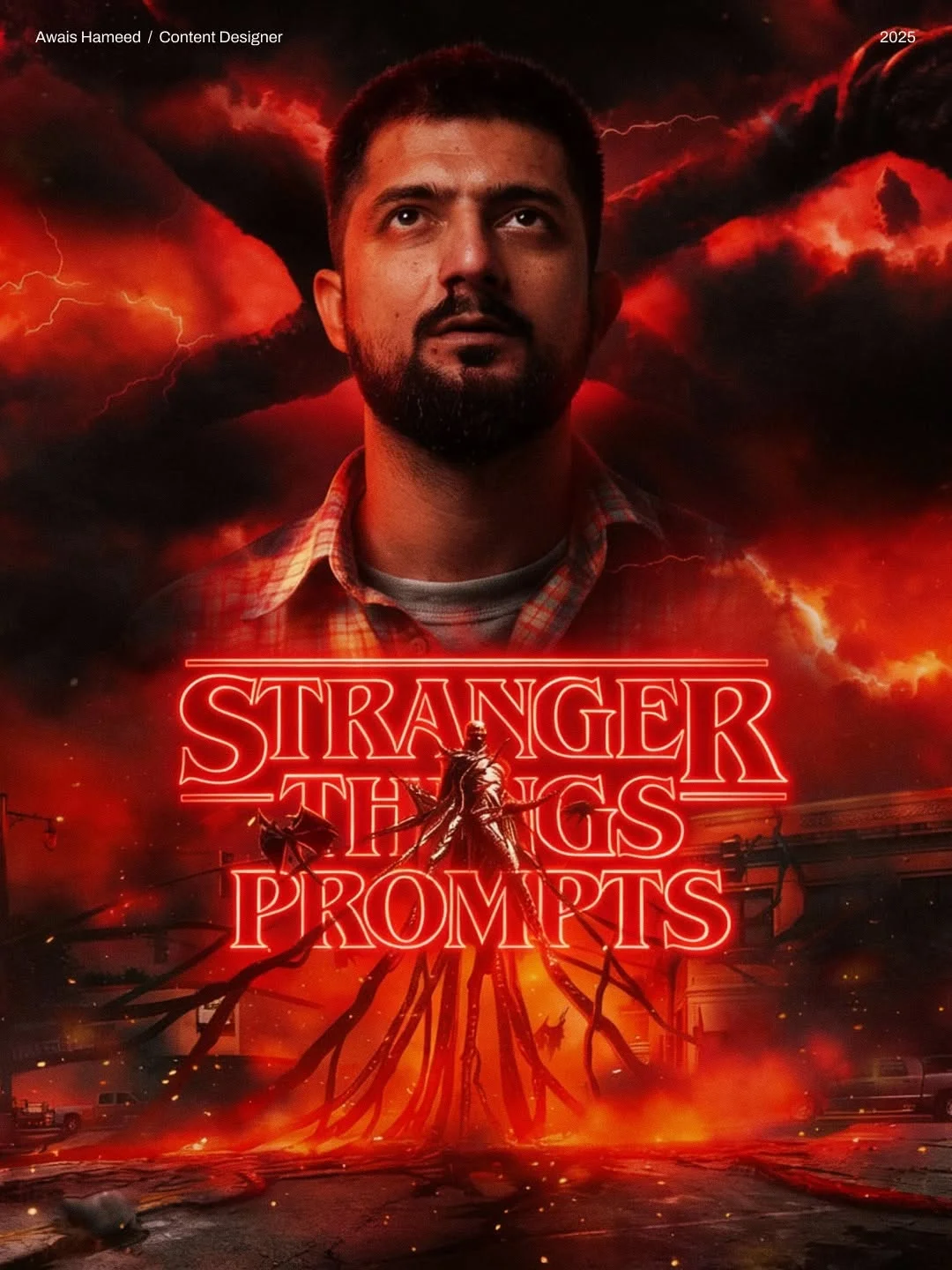
What is the Stranger Things Aesthetic?
The “Stranger Things” look is more than just monsters and bikes; it’s a specific mood. It’s a blend of 1980s nostalgia and creeping cosmic horror. Think of it as a “dark Amblin” style—half Steven Spielberg, half Stephen King.
Key visual markers include a heavy use of cinematic lighting prompts, specifically deep blues contrasted with “Stranger Things Red.” You’ll often see volumetric fog, heavy film grain, and a sense of “tactile” reality where everything looks slightly dusty or worn. The Upside Down visual style adds another layer: floating spores, decaying organic vines, and a cold, blue-grey atmosphere that feels both empty and suffocating.
Why Use Google Gemini for Fan Art?
Google Gemini has become a top contender for AI fan art tutorials because of its incredible understanding of natural language. Unlike some tools that require complex “computer-speak,” Gemini responds well to descriptive, conversational directions.
For creators using the Nanobananaprompts style, Gemini offers a unique advantage: it excels at blending realistic human features with supernatural environments. It understands the nuances of “1980s film grain aesthetic” and can simulate the specific lens flares and soft-focus backgrounds that made 80s cinema so iconic. Whether you are designing Eleven fan art prompts or trying to visualize a Vecna concept art piece, Gemini provides high-resolution, texture-rich results that feel like a frame pulled straight from a Netflix series.
Essential Elements of a Stranger Things Prompt
To master the Stranger Things aesthetic prompts, you need to focus on four main pillars:
- Atmospheric Lighting: Never just say “red light.” Use terms like “Deep red ambient glow,” “volumetric haze,” or “neon-red rim lighting.” This creates depth.
- 1980s Cinematic Texture: Mention “8k clarity” mixed with “film-level micro-contrast.” This keeps the image from looking too “plastic” or fake.
- Supernatural Motifs: Incorporate “floating particles,” “drifting embers,” or “organic textured vines” to signal the presence of the Upside Down.
- Retro Fashion: Be specific about the clothes. Mention “denim jackets,” “plaid patterns,” or “striped ringer tees” to ground the image in the 80s.
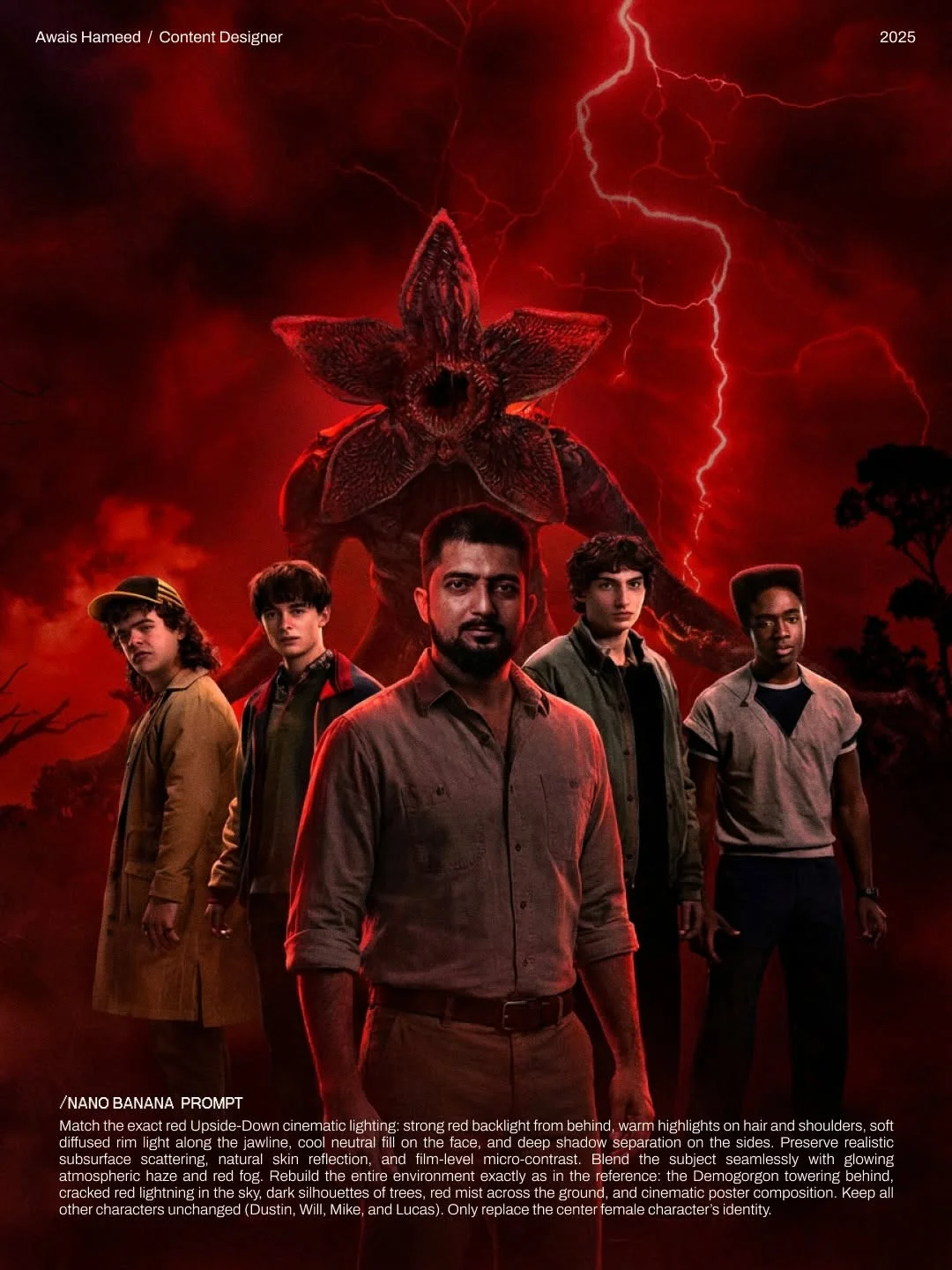 Match the exact red Upside-Down cinematic lighting: strong red backlight from behind, warm highlights on hair and shoulders, soft diffused rim light along the jawline, cool neutral fill on the face, and deep shadow separation on the sides. Preserve realistic subsurface scattering, natural skin reflection, and film-level micro-contrast. Blend the subject seamlessly with glowing atmospheric haze and red fog. Rebuild the entire environment exactly as in the reference: the Demogorgon towering behind, cracked red lightning in the sky, dark silhouettes of trees, red mist across the ground, and cinematic poster composition. Keep all other characters unchanged (Dustin, Will, Mike, and Lucas). Only replace the center female character’s identity.
When using generative AI art formulas, it helps to have a “base” you can tweak. Here are four ways to structure your prompts:
- The “Upside Down” Landscape: Focus on “dark organic shapes,” “creeping vines,” and “a sky filled with red lightning.”
- The 1980s Suburban Nostalgia: Think “Hawkins Indiana mood board.” Focus on wooden paneling, walkie-talkies, and warm, golden-hour sunlight through a basement window.
- The Supernatural Horror/Monster: Use words like “slimy texture,” “glowing fissures,” and “looming silhouettes.”
- The Retro Character Portrait: Highlight “shallow depth of field,” “sweat and grime,” and “intense, focused expressions.”
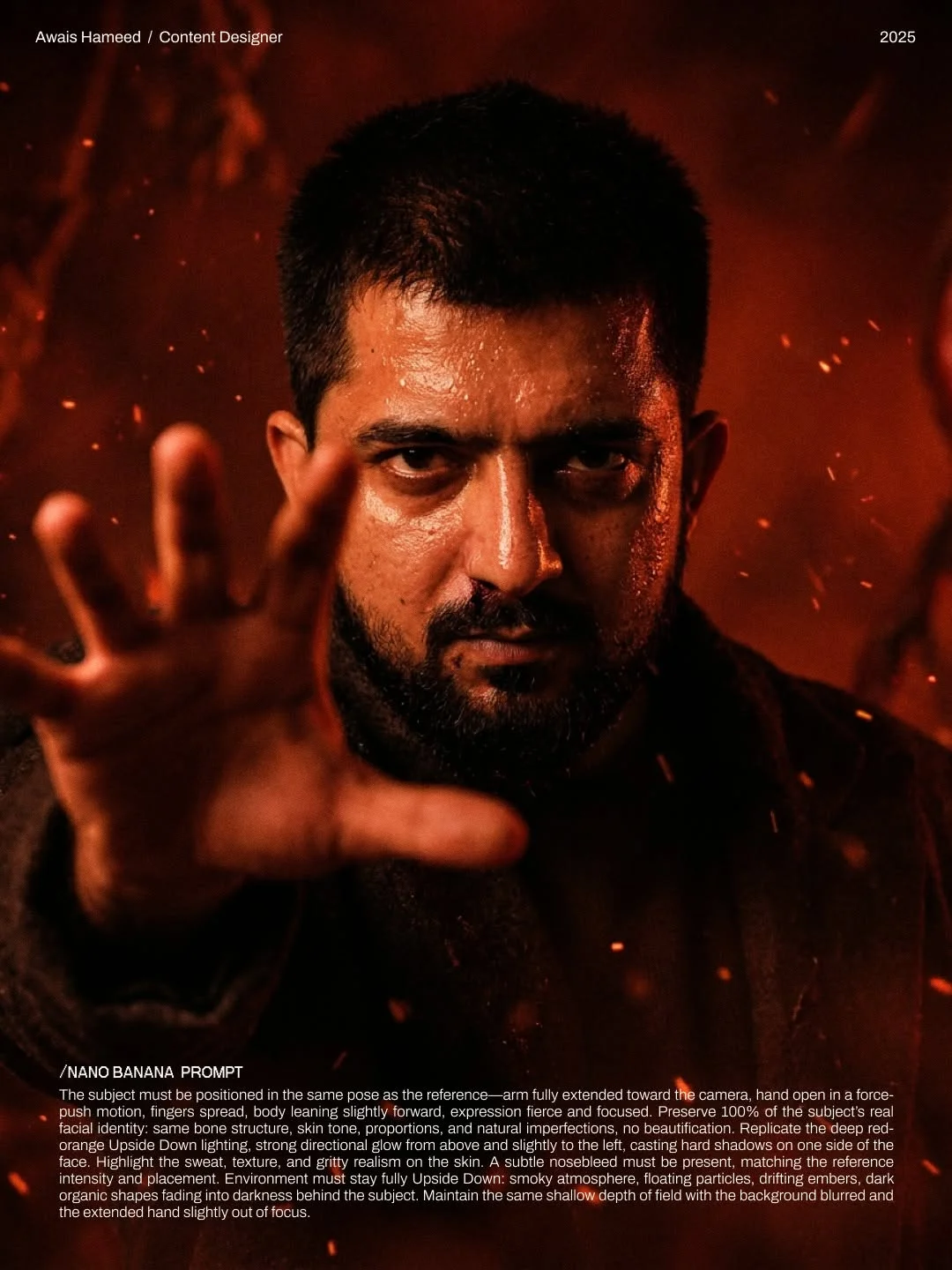 The subject must be positioned in the same pose as the reference—arm fully extended toward the camera, hand open in a force-push motion, fingers spread, body leaning slightly forward, expression fierce and focused. Preserve 100% of the subject’s real facial identity: same bone structure, skin tone, proportions, and natural imperfections, no beautification. Replicate the deep red-orange Upside Down lighting, strong directional glow from above and slightly to the left, casting hard shadows on one side of the face. Highlight the sweat, texture, and gritty realism on the skin. A subtle nosebleed must be present, matching the reference intensity and placement. Environment must stay fully Upside Down: smoky atmosphere, floating particles, drifting embers, dark organic shapes fading into darkness behind the subject. Maintain the same shallow depth of field with the background blurred and the extended hand slightly out of focus.
How to Refine AI Images in Google Gemini
Creating the perfect Stranger Things character prompts usually takes more than one try.
First, use descriptive adjectives for mood. If the image is too bright, tell Gemini to “increase the shadow falloff” or “add deep blue shadows.” Second, adjust your aspect ratios. For a “Netflix series art style,” ask for a wide-angle cinematic view (16:9). Finally, iterate. If the face doesn’t look right, don’t change the whole prompt—just ask Gemini to “preserve the facial identity while making the lighting harsher.”
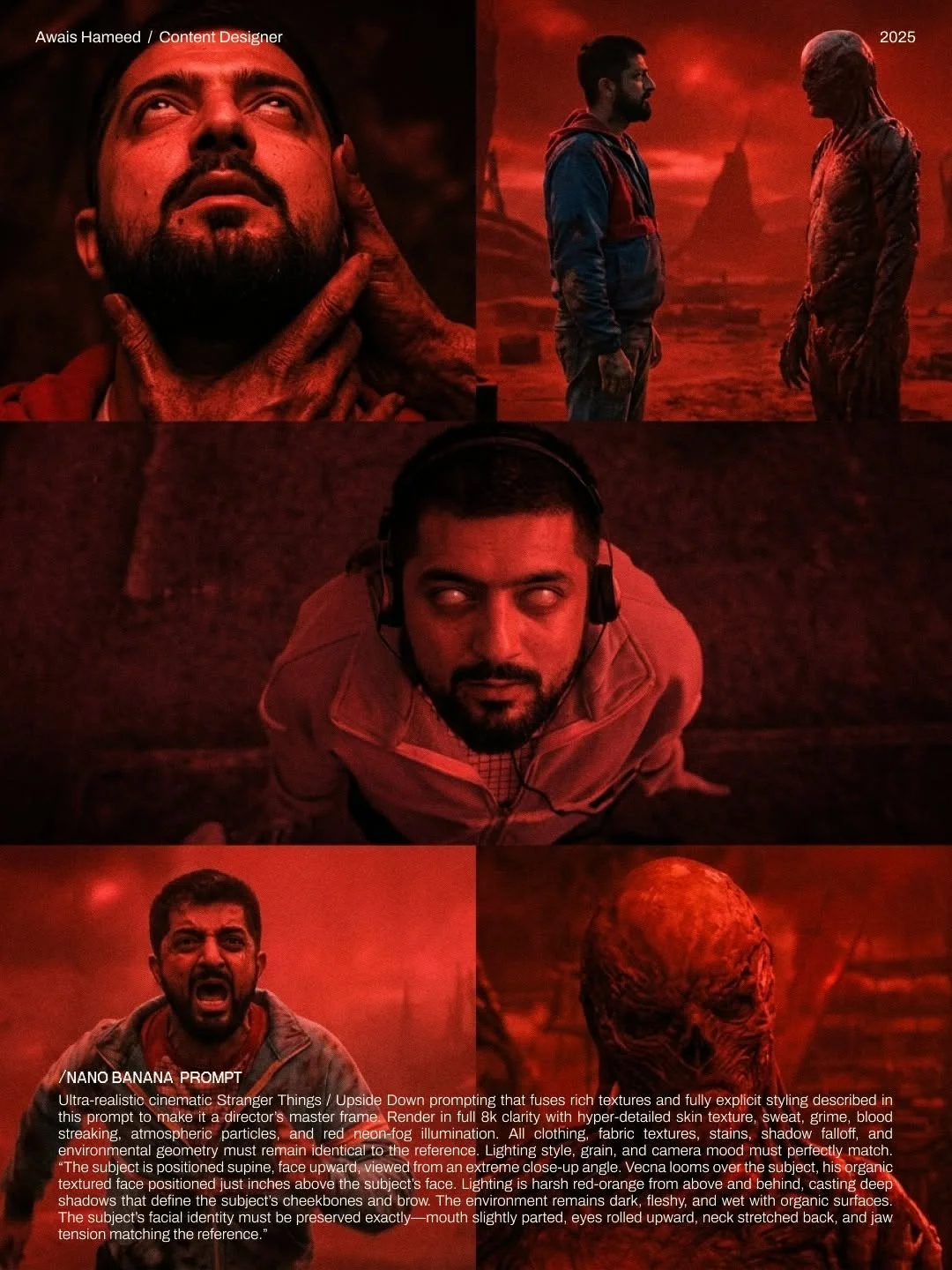 Ultra-realistic cinematic Stranger Things / Upside Down prompting that fuses rich textures and fully explicit styling described in this prompt to make it a director’s master frame. Render in full 8k clarity with hyper-detailed skin texture, sweat, grime, blood streaking, atmospheric particles, and red neon-fog illumination. All clothing, fabric textures, stains, shadow falloff, and environmental geometry must remain identical to the reference. Lighting style, grain, and camera mood must perfectly match. “The subject is positioned supine, face upward, viewed from an extreme close-up angle. Vecna looms over the subject, his organic textured face positioned just inches above the subject’s face. Lighting is harsh red-orange from above and behind, casting deep shadows that define the subject’s cheekbones and brow. The environment remains dark, fleshy, and wet with organic surfaces. The subject’s facial identity must be preserved exactly—mouth slightly parted, eyes rolled upward, neck stretched back, and jaw tension matching the reference.”
Benefits of Using Specific AI Prompt Kits
Using a kit like the one from awaisthedesigner or Nanobananaprompts takes the guesswork out of the process. These kits are essentially “cheat codes” for the AI. Instead of spending hours trying to describe the exact shade of “Upside Down Red,” these formulas have the technical details—like “subsurface scattering” and “volumetric lighting”—already built-in. This ensures professional-grade results every time you hit “generate.”
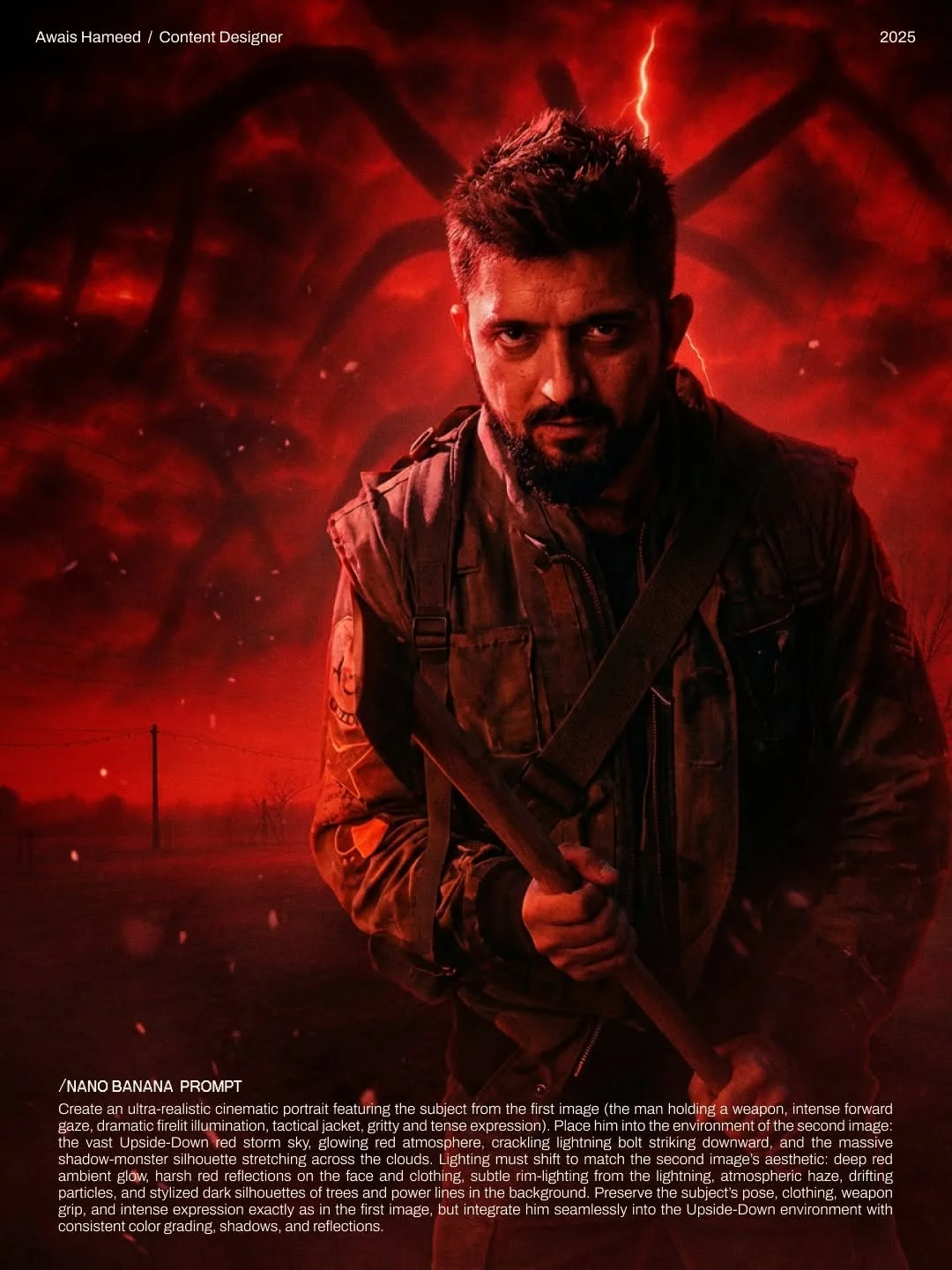 Create an ultra-realistic cinematic portrait featuring the subject from the first image (the man holding a weapon, intense forward gaze, dramatic firelit illumination, tactical jacket, gritty and tense expression). Place him into the environment of the second image: the vast Upside-Down red storm sky, glowing red atmosphere, crackling lightning bolt striking downward, and the massive shadow-monster silhouette stretching across the clouds. Lighting must shift to match the second image’s aesthetic: deep red ambient glow, harsh red reflections on the face and clothing, subtle rim-lighting from the lightning, atmospheric haze, drifting particles, and stylized dark silhouettes of trees and power lines in the background. Preserve the subject’s pose, clothing, weapon grip, and intense expression exactly as in the first image, but integrate him seamlessly into the Upside-Down environment with consistent color grading, shadows, and reflections.
Creative Ways to Use Your Generated Visuals
Once you’ve mastered Google Gemini image prompts, what do you do with the art?
- Social Media Storytelling: Create a “What If?” series on Instagram or TikTok showing your friends as characters in the show.
- Digital Wallpapers: Use supernatural world building prompts to create immersive 4K backgrounds for your desktop.
- Cosplay Inspiration: Before you spend money on a costume, use Gemini to visualize how different fabrics and “grime” effects will look on you under cinematic lighting.
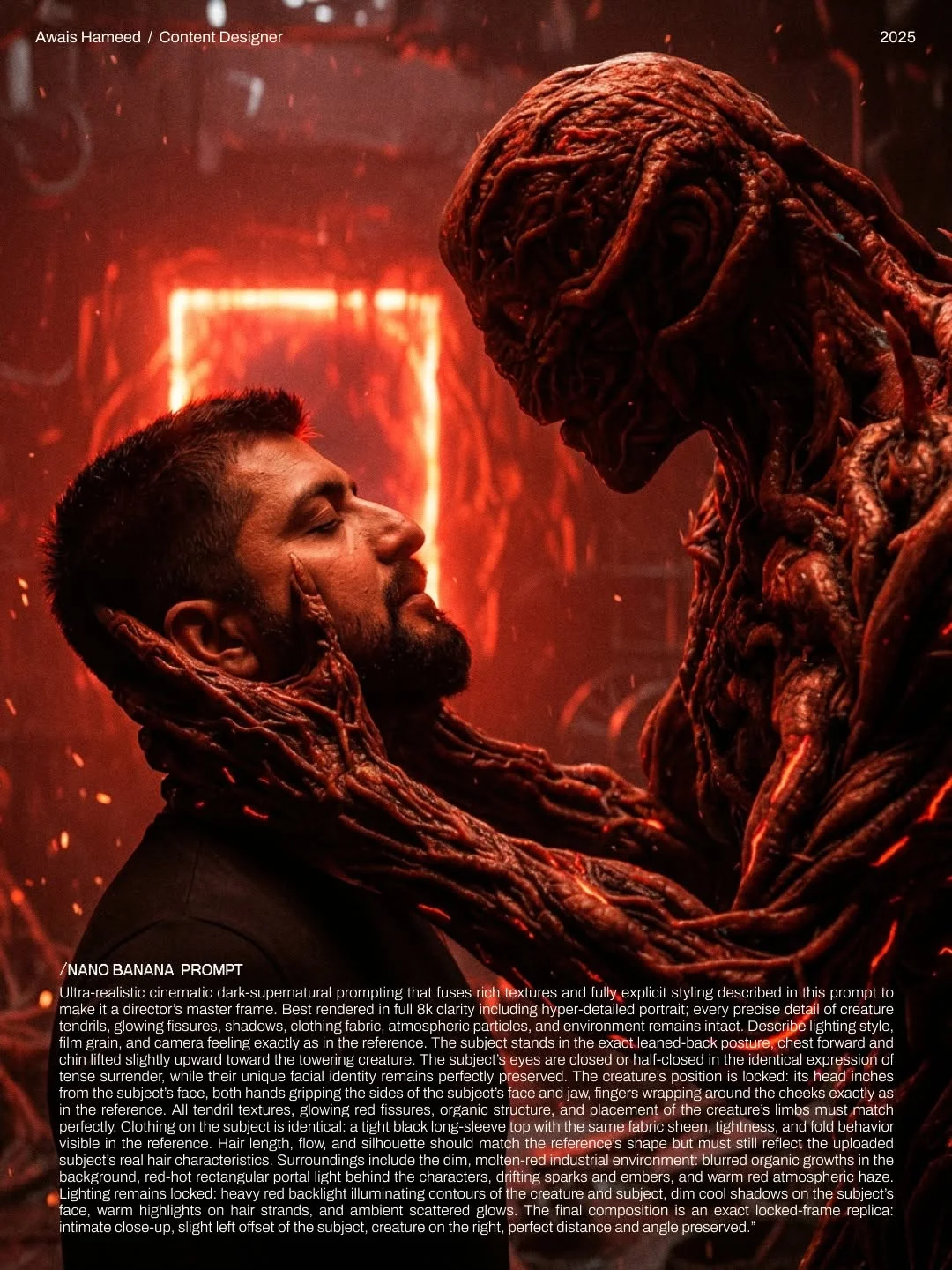 Ultra-realistic cinematic dark-supernatural prompting that fuses rich textures and fully explicit styling described in this prompt to make it a director’s master frame. Best rendered in full 8k clarity including hyper-detailed portrait; every precise detail of creature tendrils, glowing fissures, shadows, clothing fabric, atmospheric particles, and environment remains intact. Describe lighting style, film grain, and camera feeling exactly as in the reference. The subject stands in the exact leaned-back posture, chest forward and chin lifted slightly upward toward the towering creature. The subject’s eyes are closed or half-closed in the identical expression of tense surrender, while their unique facial identity remains perfectly preserved. The creature’s position is locked: its head inches from the subject’s face, both hands gripping the sides of the subject’s face and jaw, fingers wrapping around the cheeks exactly as in the reference. All tendril textures, glowing red fissures, organic structure, and placement of the creature’s limbs must match perfectly. Clothing on the subject is identical: a tight black long-sleeve top with the same fabric sheen, tightness, and fold behavior visible in the reference. Hair length, flow, and silhouette should match the reference’s shape but must still reflect the uploaded subject’s real hair characteristics. Surroundings include the dim, molten-red industrial environment: blurred organic growths in the background, red-hot rectangular portal light behind the characters, drifting sparks and embers, and warm red atmospheric haze. Lighting remains locked: heavy red backlight illuminating contours of the creature and subject, dim cool shadows on the subject’s face, warm highlights on hair strands, and ambient scattered glows. The final composition is an exact locked-frame replica: intimate close-up, slight left offset of the subject, creature on the right, perfect distance and angle preserved.
Top Tips for Better AI Art Results
- Be Camera-Specific: Instead of “a photo,” try “a low-angle shot with a 35mm lens.” This adds immediate professional polish.
- Mention 80s Lighting: Use phrases like “volumetric fog” or “sodium vapor streetlights” for that authentic 80s synthwave aesthetic.
- Experiment with Crossovers: Try mixing the dark fantasy AI generation of Stranger Things with other styles—like a “cyberpunk Hawkins” or “Victorian era Upside Down.”
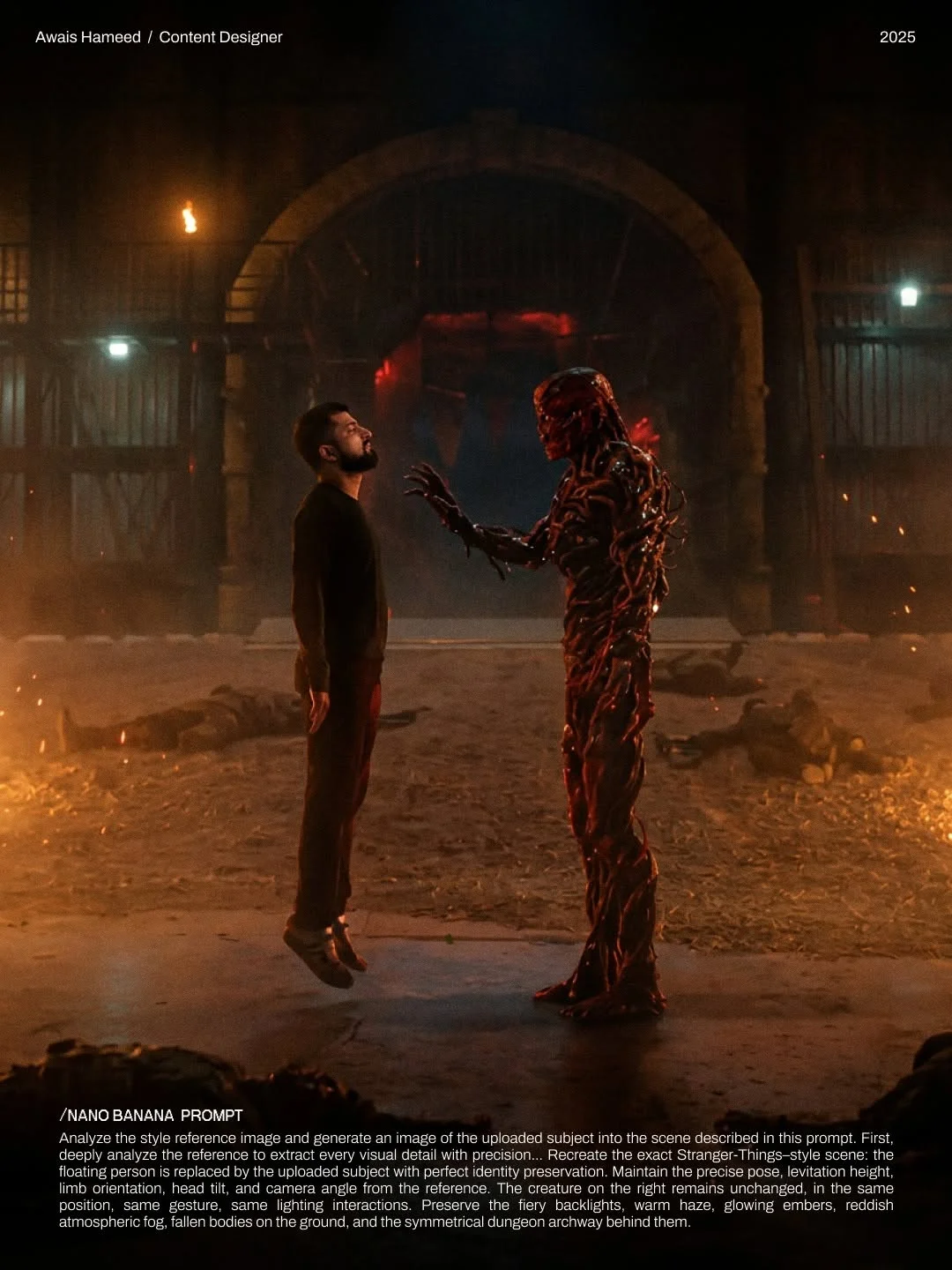 Analyze the style reference image and generate an image of the uploaded subject into the scene described in this prompt. First, deeply analyze the reference to extract every visual detail with precision… Recreate the exact Stranger-Things–style scene: the floating person is replaced by the uploaded subject with perfect identity preservation. Maintain the precise pose, levitation height, limb orientation, head tilt, and camera angle from the reference. The creature on the right remains unchanged, in the same position, same gesture, same lighting interactions. Preserve the fiery backlights, warm haze, glowing embers, reddish atmospheric fog, fallen bodies on the ground, and the symmetrical dungeon archway behind them.
Frequently Asked Questions
Is Google Gemini free to use for image generation?
Yes, Google Gemini offers a robust free version for generating images, though some advanced features may require a Gemini Advanced subscription.
How do I get the “STRANGER” prompt kit?
As mentioned by awaisthedesigner, you can simply head over to their social profile and comment “STRANGER” on the post to have the full kit sent to your DMs!
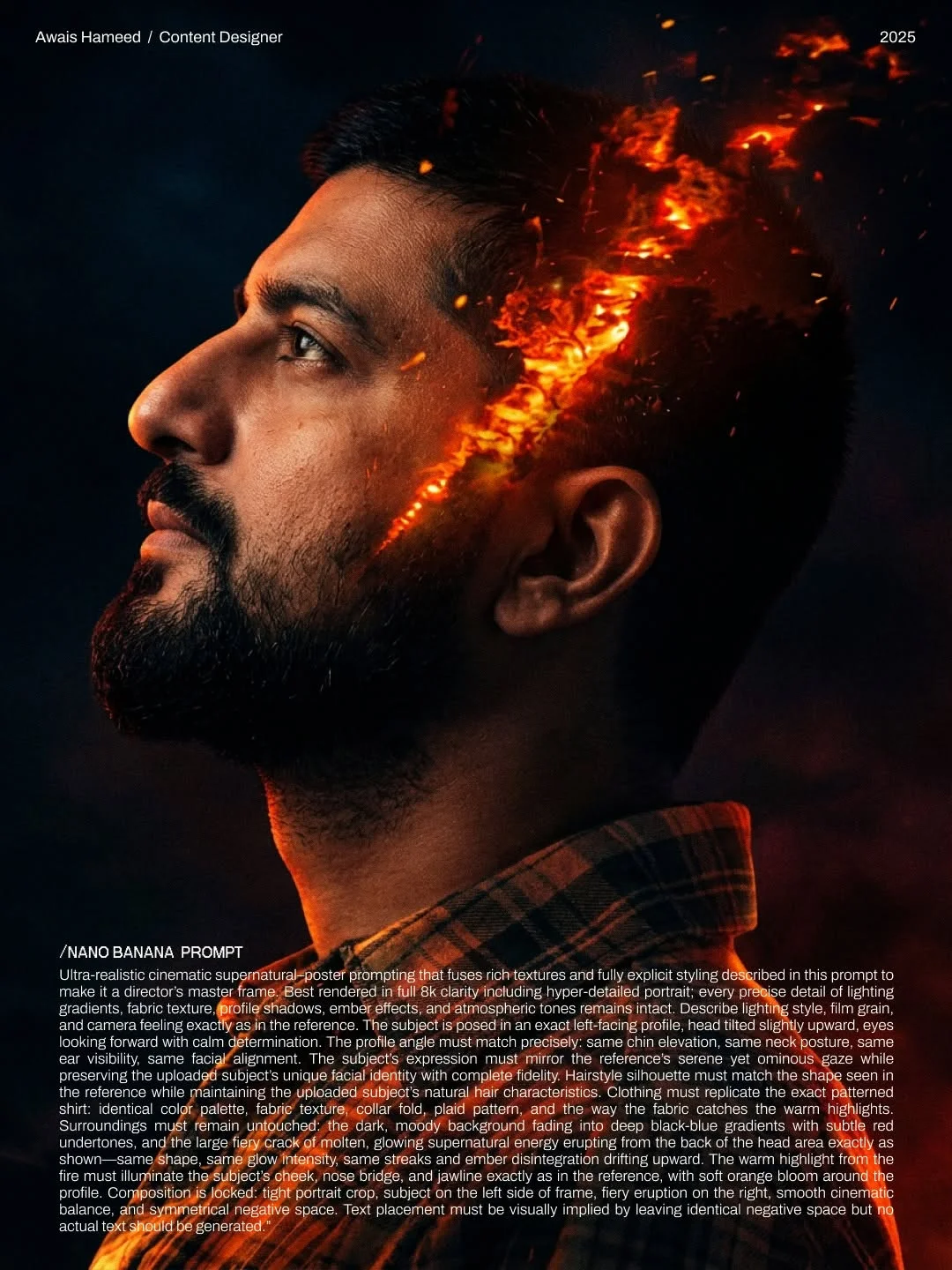 Ultra-realistic cinematic supernatural-poster prompting that fuses rich textures and fully explicit styling described in this prompt to make it a director’s master frame. Best rendered in full 8k clarity including hyper-detailed portrait; every precise detail of lighting gradients, fabric texture, profile shadows, ember effects, and atmospheric tones remains intact. Describe lighting style, film grain, and camera feeling exactly as in the reference. The subject is posed in an exact left-facing profile, head tilted slightly upward, eyes looking forward with calm determination. The profile angle must match precisely: same chin elevation, same neck posture, same ear visibility, same facial alignment. The subject’s expression must mirror the reference’s serene yet ominous gaze while preserving the uploaded subject’s unique facial identity with complete fidelity. Hairstyle silhouette must match the shape seen in the reference while maintaining the uploaded subject’s natural hair characteristics. Clothing must replicate the exact patterned shirt: identical color palette, fabric texture, collar fold, plaid pattern, and the way the fabric catches the warm highlights. Surroundings must remain untouched; the dark, moody background fading into deep black-blue gradients with subtle red undertones, and the large fiery crack of molten, glowing supernatural energy erupting from the back of the head area exactly as shown—same shape, same glow intensity, same streaks and ember disintegration drifting upward. The warm highlight from the fire must illuminate the subject’s cheek, nose bridge, and jawline exactly as in the reference, with soft orange bloom around the profile. Composition is locked: tight portrait crop, subject on the left side of frame, fiery eruption on the right, smooth cinematic balance, and symmetrical negative space. Text placement must be visually implied by leaving identical negative space but no actual text should be generated.
Can I use these images for commercial purposes?
Generally, AI-generated fan art exists in a legal gray area. While you own the “generation,” the characters and aesthetic are intellectual property of Netflix. It’s best used for personal projects and social media.
Does Gemini understand specific character names?
Yes, Gemini is trained on vast amounts of data and recognizes “Eleven,” “Demogorgon,” and “Vecna.” However, using descriptive terms (like “creature with petal-like face”) often yields more detailed results than names alone.
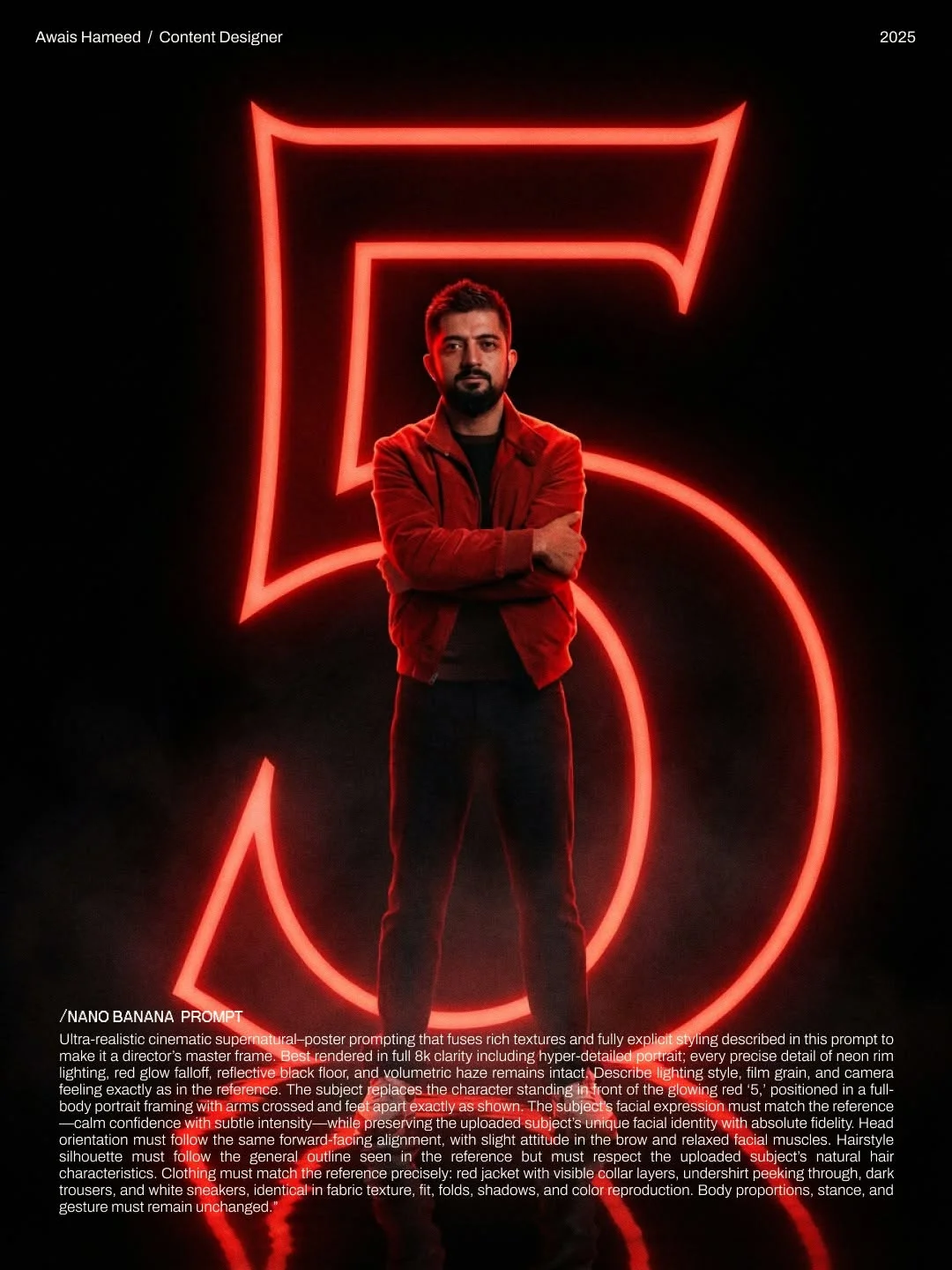 Ultra-realistic cinematic supernatural-poster prompting that fuses rich textures and fully explicit styling described in this prompt to make it a director’s master frame. Best rendered in full 8k clarity including hyper-detailed portrait; every precise detail of neon rim lighting, red glow falloff, reflective black floor, and volumetric haze remains intact. Describe lighting style, film grain, and camera feeling exactly as in the reference. The subject replaces the character standing in front of the glowing red ‘5,’ positioned in a full-body portrait framing with arms crossed and feet apart exactly as shown. The subject’s facial expression must match the reference—calm confidence with subtle intensity—while preserving the uploaded subject’s unique facial identity with absolute fidelity. Head orientation must follow the same forward-facing alignment, with slight attitude in the brow and relaxed facial muscles. Hairstyle silhouette must follow the general outline seen in the reference but must respect the uploaded subject’s natural hair characteristics. Clothing must match the reference precisely: red jacket with visible collar layers, undershirt peeking through, dark trousers, and white sneakers, identical in fabric texture, fit, folds, shadows, and color reproduction. Body proportions, stance, and gesture must remain unchanged.
What is the difference between a basic prompt and a “Nano Banana” prompt?
A basic prompt might say “Eleven in the Upside Down.” A Nanobananaprompts version specifies the lighting, the grain, the skin texture, and the exact environmental atmosphere, leading to much more realistic results.
Why do my AI images sometimes look blurry?
This often happens if the prompt is too vague. Adding keywords like “sharp focus,” “8k resolution,” and “detailed textures” helps the AI understand you want high-definition output.
Can I generate Season 5 concept art with these prompts?
Absolutely! By using the “STRANGER” prompts and adding “Season 5 aesthetic,” you can visualize what the final showdown in Hawkins might look like.
How do I save high-resolution versions of my AI art?
When Gemini generates an image, click on the download icon. Always ensure you are viewing the image at 100% size before saving to capture all that beautiful film grain.
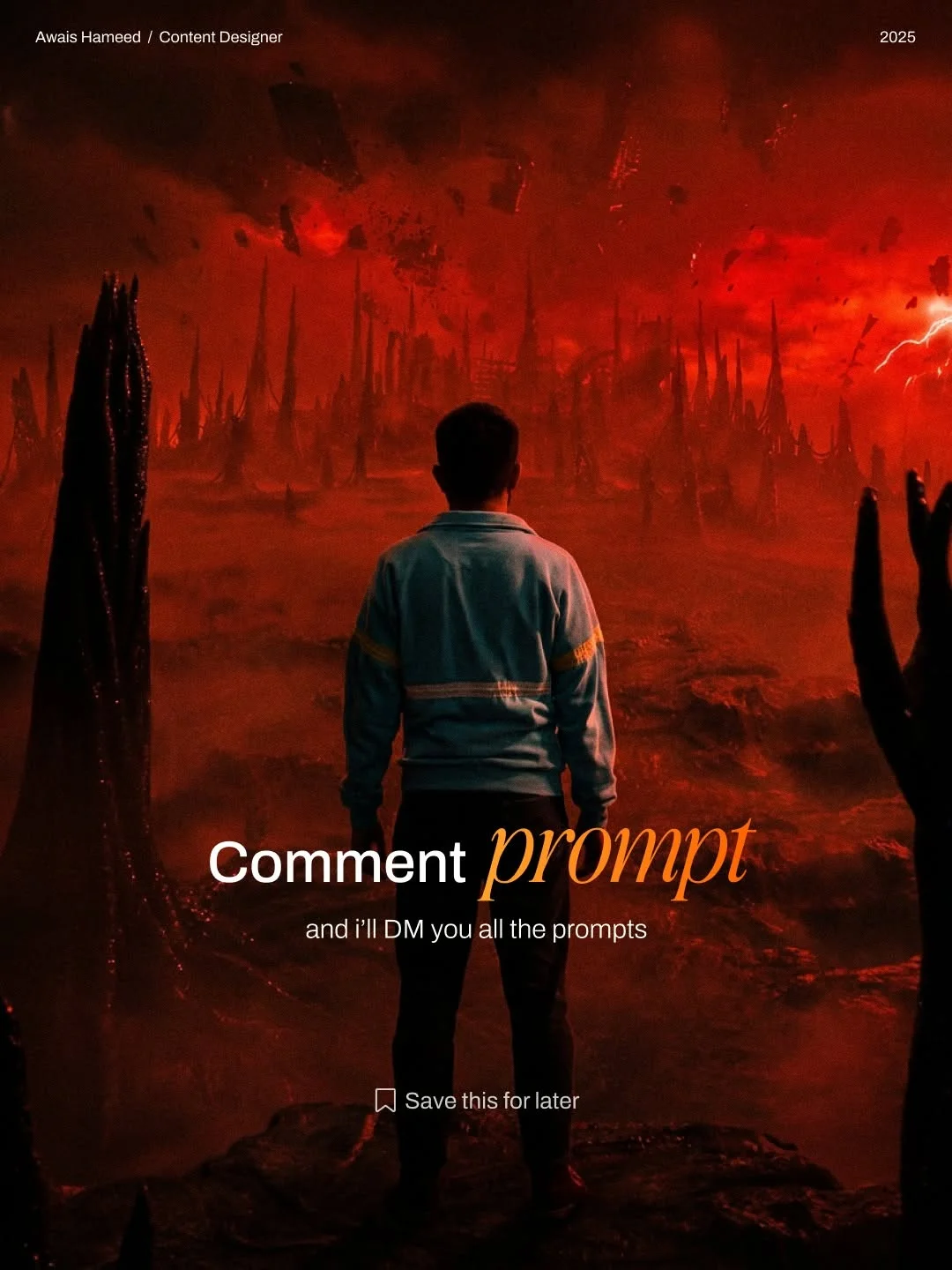
With these Google Gemini photography prompts and a bit of creativity, you are ready to conquer the Upside Down. Happy prompting!