Learn to create professional 3D AI characters. Master textures, lighting, and anatomy for high-fidelity holiday designs in Midjourney and DALL-E 3.
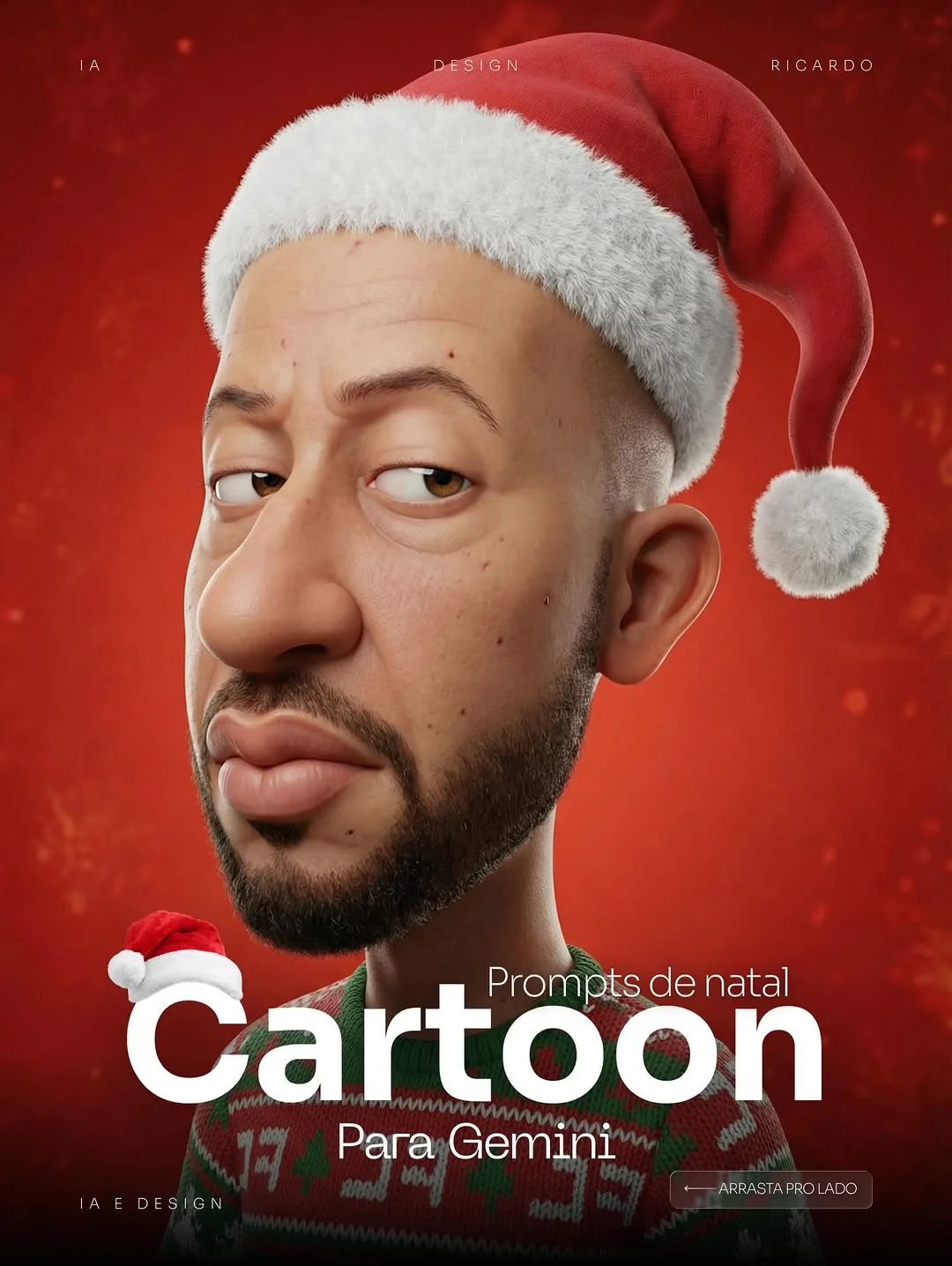
Mastering Stylized 3D Character Prompts for the Holiday Season
The world of AI art is shifting from simple “cool images” to high-fidelity, intentional character design. Creating a character that feels both whimsical and professional requires a delicate balance of anatomy, texture, and lighting. In this guide, we will explore how to master the “hyper-realistic cartoon” aesthetic for the holidays.
The Evolution of Stylized 3D Character Design
A few years ago, AI-generated characters were often hit-or-miss. You would either get a flat, 2D cartoon or a terrifyingly realistic human face. Today, Midjourney prompt engineering and advanced models like DALL-E 3 and Gemini have opened a middle ground: the stylized 3D portrait.
This style takes inspiration from modern animation powerhouses like Pixar and DreamWorks but adds a layer of “tactile reality.” It’s no longer just about the shape; it’s about how light hits a pore on a cartoon nose or how a knitted fiber catches a shadow. For digital creators, this evolution means we can now build brand mascots and seasonal assets that feel high-budget and cinematic without needing a 20-person 3D modeling team. The focus has shifted from “can the AI do it?” to “how much detail can I extract from the prompt?”
Anatomy of a High-Detail 3D Prompt
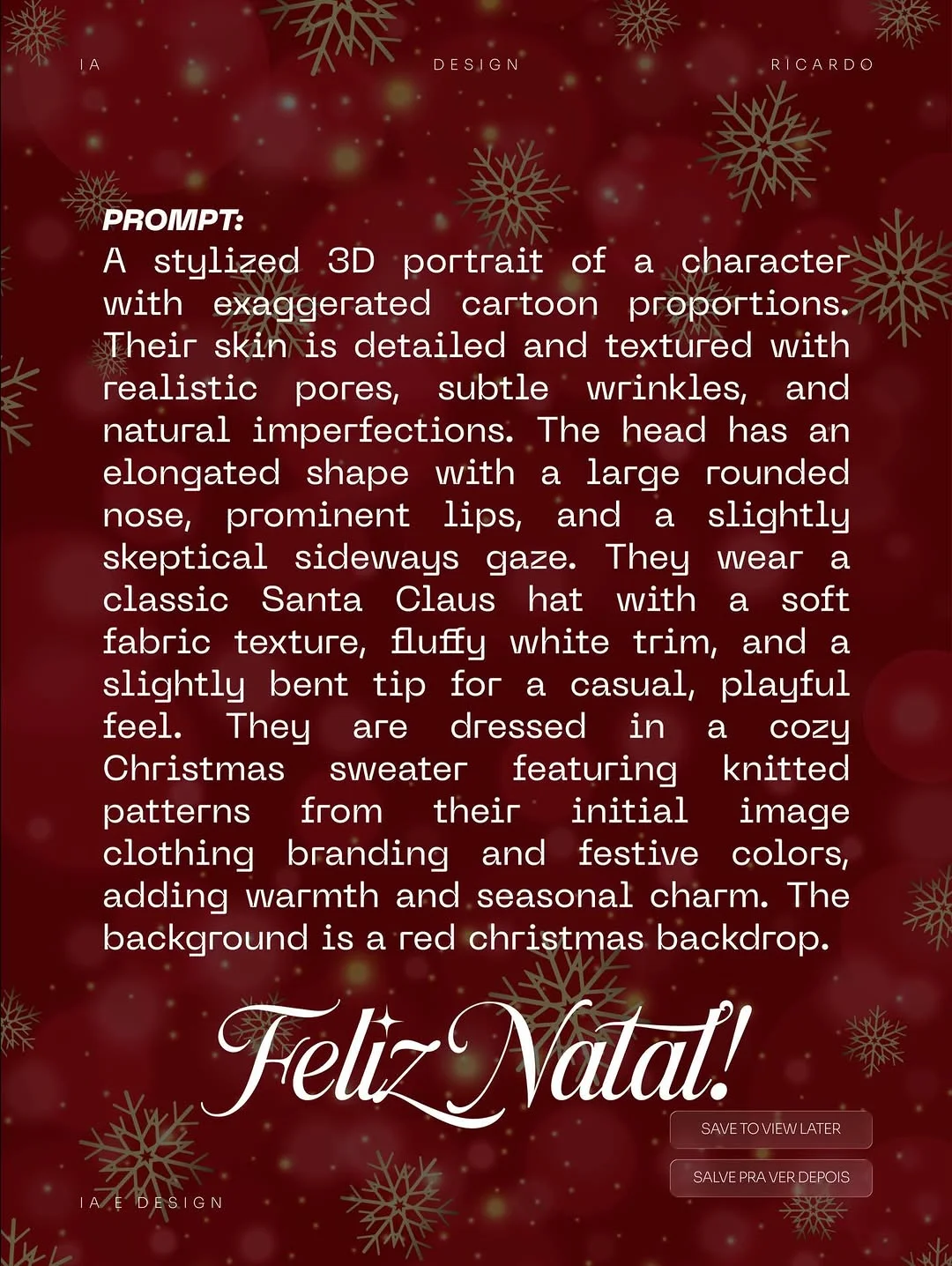
To achieve a professional-grade stylized 3D portrait, you have to break your prompt into specific anatomical and technical layers.
1. Defining Exaggerated Cartoon Proportions
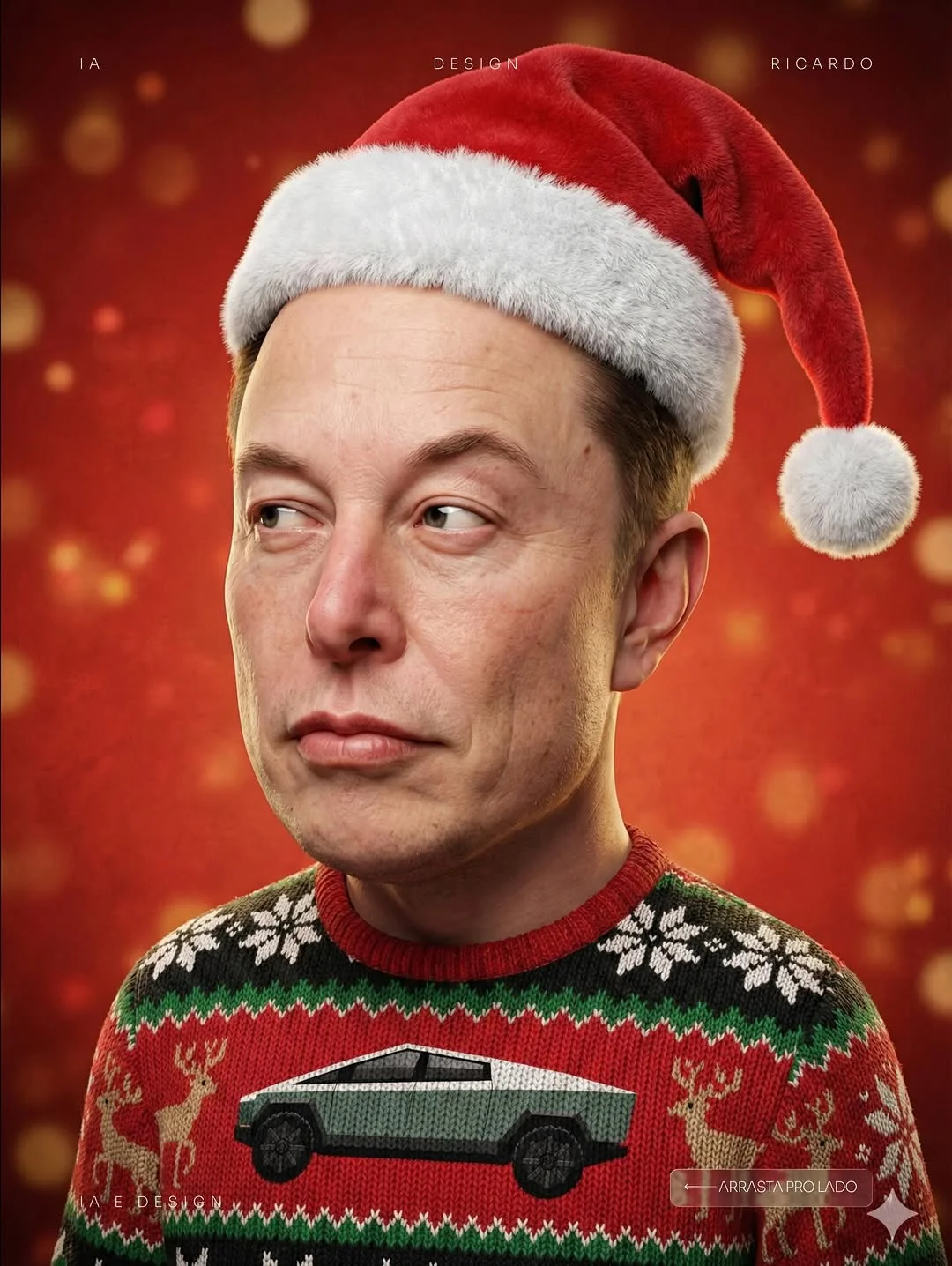
Start by dictating the geometry. Instead of saying “a cartoon man,” describe the specific distortions. Use terms like “elongated head shape,” “large rounded nose,” or “exaggerated facial features.” This tells the AI to move away from human realism and toward a character-driven silhouette.
2. Balancing Hyper-Realistic Textures with Stylized Shapes
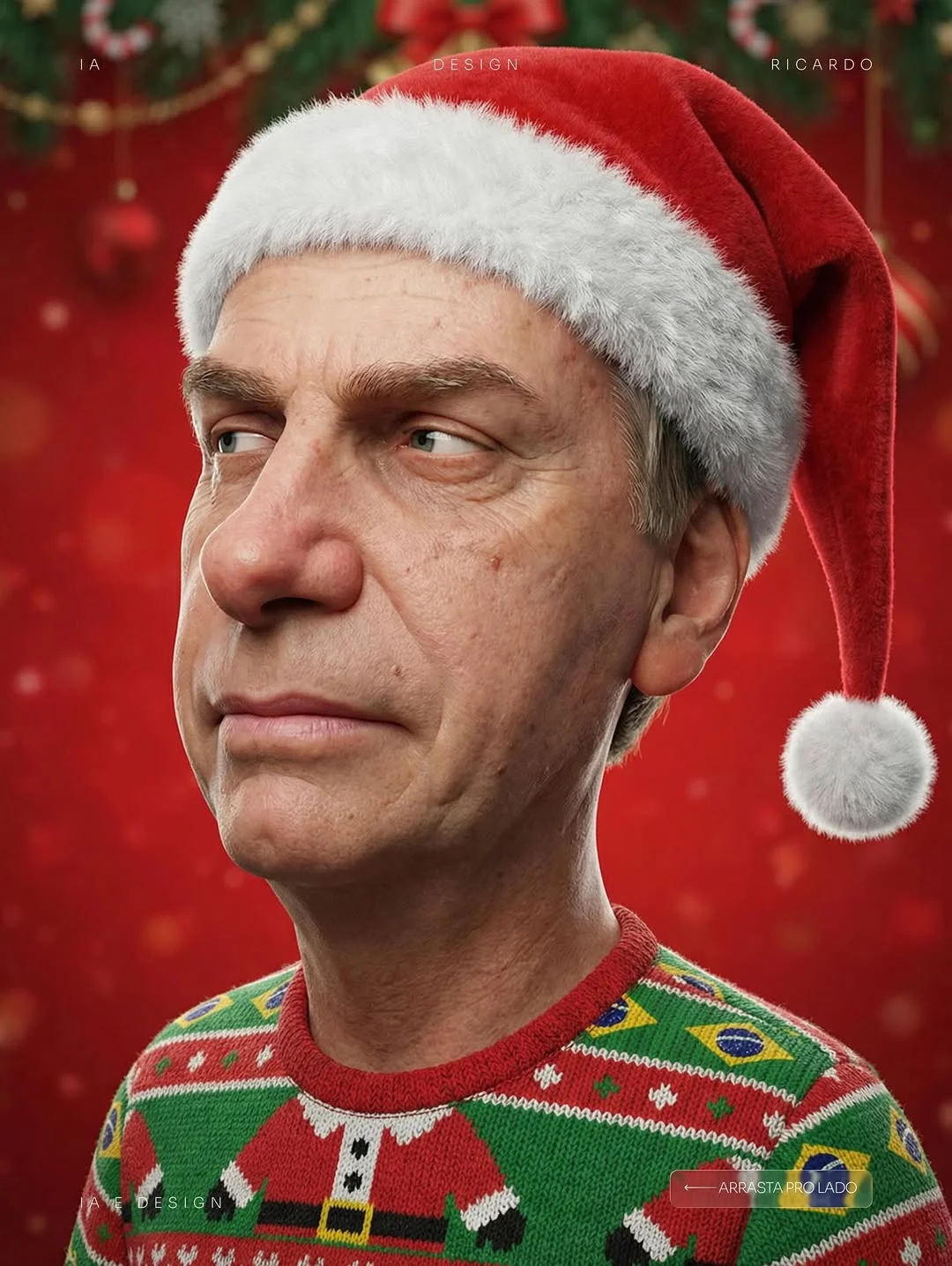
This is the “secret sauce.” You want the shape to be a cartoon, but the surface to look real. By asking for “realistic skin textures,” “subtle wrinkles,” and “visible pores,” you create a high-fidelity image synthesis that feels premium. It bridges the gap between a toy and a living being.
3. Mastering the “Skeptical” Facial Expression and Gaze
Small micro-expressions give a character life. A “slightly skeptical sideways gaze” or “cynical eyebrow arch” adds personality. It moves the character away from a generic “happy Santa” and toward a relatable, sentient figure.
4. Incorporating Technical Lighting for 3D Depth
Cinematic character lighting is essential. You want “rim lighting” to separate the character from the background and “soft focus” to create depth. Mentioning “volumetric lighting” or “studio lighting” helps the AI understand that the scene should have three-dimensional weight.
How to Layer Textures for Realistic Pores and Fabric
The difference between a “good” AI render and a “professional” one is often found in the textures. In a stylized 3D portrait, you are essentially “painting” with words to define the tactile quality of the image.
Prompting for Skin Imperfections and Wrinkles
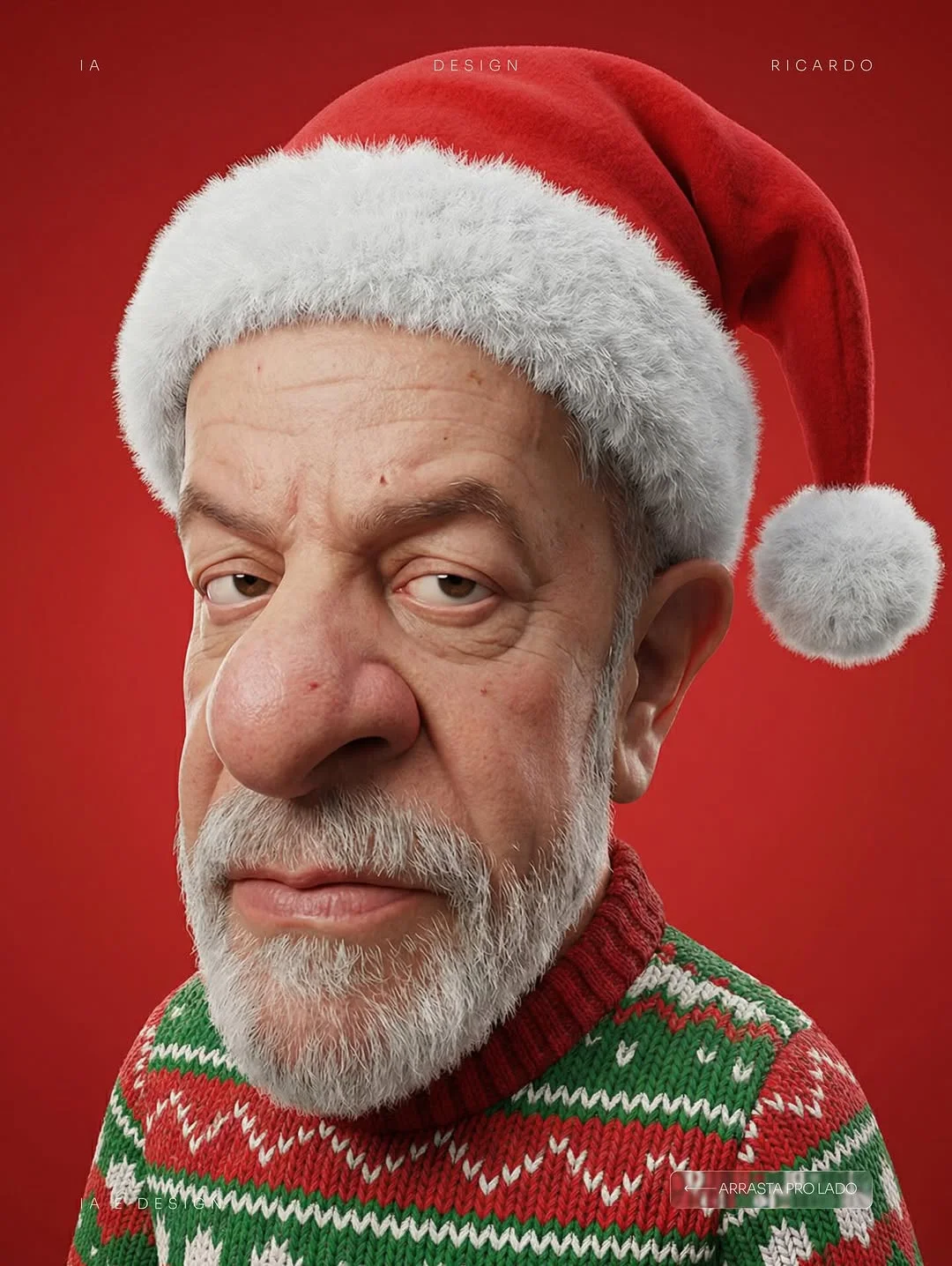
Humans aren’t perfect, and characters shouldn’t be either. Even in a cartoonish style, adding “natural skin imperfections,” “fine lines around the eyes,” and “realistic skin grain” prevents the character from looking like a flat plastic doll. These details catch the light and add a sense of history to the face.
Defining Fabric Weights: Knitwear vs. Fluffy Trim
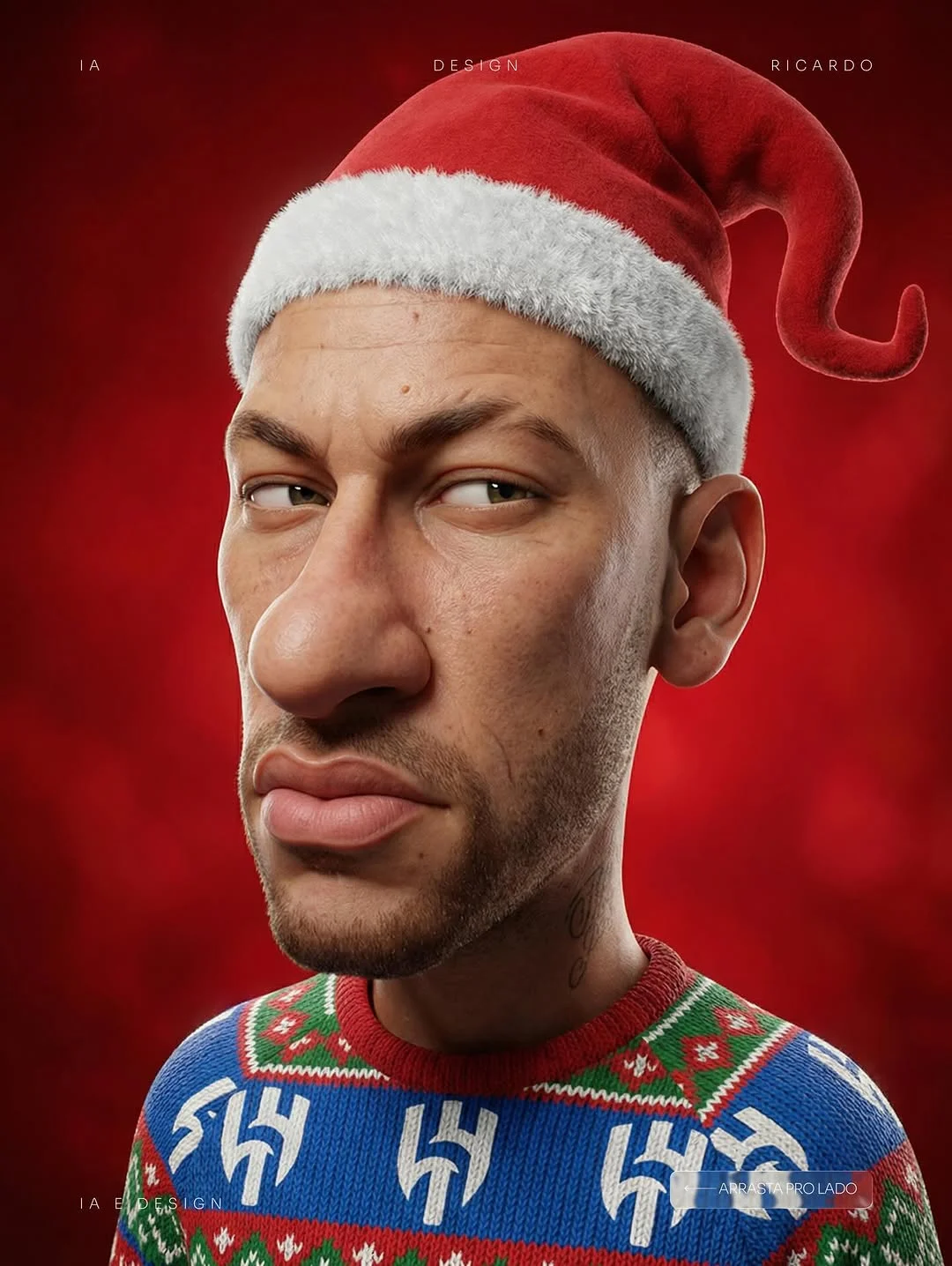
The holiday season provides a great opportunity to practice fabric rendering. A “Christmas sweater” should have “coarsely knitted yarn” or “heavy wool texture.” Contrast this with the “soft, fluffy fleece trim” of a Santa hat. When you define these materials separately, the AI art workflow produces a much richer, more believable result.
Using Environment Keywords for Red Studio Backdrops
To keep the focus on the character, use a “solid red Christmas backdrop” or a “minimalist festive studio setting.” This prevents the background from becoming too cluttered and ensures the character’s textures pop against the vibrant color.
Benefits of Using Seasonal Themes in Character Branding
Seasonal 3D assets are a goldmine for engagement. When a brand updates its mascot or character for Christmas, it shows the audience that the brand is active, relevant, and human. The warmth of “Christmas character design” evokes nostalgia and trust. By mastering holiday-themed prompts now, you build a library of assets that can be repurposed for social media, email marketing, or festive ad campaigns.
Integrating Brand Identity into AI-Generated Outfits
Customization is where intermediate creators truly shine. You don’t just want a random sweater; you want a branded sweater.
- Translating Logos into Patterns: Instead of asking for a logo (which AI often struggles to spell), ask for “knitted patterns inspired by [Brand] icons.” Use descriptions like “geometric patterns featuring thunderbolts” or “repetitive motifs based on a specific brand logo.”
- Color Palette Consistency: Use specific hex-adjacent terms. Instead of “green,” use “forest green and metallic gold” to stay consistent with a brand’s guidelines.
- Modernizing the Aesthetic: You can customize the classic Santa look by adding modern elements, such as a “sleek tech-fabric Santa hat” or a “designer Christmas sweater with a streetwear fit.”
Advanced Prompting Techniques for Midjourney and DALL-E 3
To take your text-to-image mastery to the next level, you need to understand how models weigh information.
- Weight Parameters: In Midjourney, use the
::command to give more importance to textures. For example,knitted sweater texture::2ensures the wool is more prominent than the background. - Seed Consistency: If you find a face you love, use the
--seedparameter to keep that character’s facial structure consistent while you change their outfit or the holiday theme. - Post-Processing: No AI image is perfect straight out of the box. Use tools like Gigapixel AI or Photoshop’s Camera Raw filter to enhance the “3D render sharpness” and fine-tune the color grading.
Top 5 Tools for Refining AI Character Portraits
- Midjourney: The gold standard for stylized 3D and cinematic lighting.
- Magnific AI: An incredible upscaler that adds “hallucinated” detail to skin pores and fabric textures.
- Adobe Photoshop (Generative Fill): Perfect for fixing small errors in the “sideways gaze” or adding specific brand elements to a sweater.
- DALL-E 3: Great for following complex instructions regarding specific clothing branding.
- Topaz Photo AI: Essential for sharpening renders and removing any “muddiness” from the AI generation process.
Conclusion
Mastering the stylized 3D portrait is a journey into the finer details of AI art. By combining exaggerated cartoon anatomy with hyper-realistic textures, you create characters that are not only visually stunning but also memorable. Whether you are building a holiday campaign or refining your digital character modeling skills, the key lies in layering your prompts. Start with the shape, define the texture, and finalize with the perfect lighting. This holiday season, let your creativity be as detailed as the knit on a Christmas sweater.
Frequently Asked Questions
1. Why combine realistic skin textures with cartoon proportions? This combination creates a “premium” feel. It makes the character look like a high-end 3D render from a movie studio rather than a flat drawing, adding more value to your creative work.
2. How do I prevent the “uncanny valley” in stylized 3D renders? Avoid making the eyes too human. Keep the proportions exaggerated and the gaze stylized. If the skin is realistic but the shape is clearly a cartoon, our brains accept it as a “living toy” rather than a creepy human.
3. What are the best prompt keywords for realistic knitwear textures? Use words like “macro photography of wool,” “coarse knitted yarn,” “visible stitches,” and “pilling fabric” to get that tangible sweater feel.
4. How can I adapt this prompt for different holiday themes? Simply swap the “Santa hat” for a “party crown” or “spooky mask” and change the “red backdrop” to fit the new holiday’s color palette (e.g., orange for Halloween).
5. How do I maintain lighting consistency in a red-background studio setup? Explicitly prompt for “studio lighting” and “rim lighting.” This ensures the character stays bright and separated from the background, even if they are both using warm colors.
6. Which AI model is best for 3D character rendering? Midjourney (v6) is currently the leader for 3D textures, while DALL-E 3 is excellent for following specific instructions about clothing patterns and branding.
7. How do I prompt for specific facial expressions like a “sideways gaze”? Be very specific with the eyes. Use phrases like “looking to the side,” “sideways glance,” or “eyeballs positioned to the left.”
8. Can I use this workflow for commercial brand mascots? Absolutely. Many designers use this professional AI design tactic to create high-fidelity concepts that are later turned into official brand assets by 3D artists.