Transform your selfies into Stranger Things masterpieces. Use Gemini AI and Nano Banana PRO prompts for cinematic, 8K Upside Down portraits in minutes.
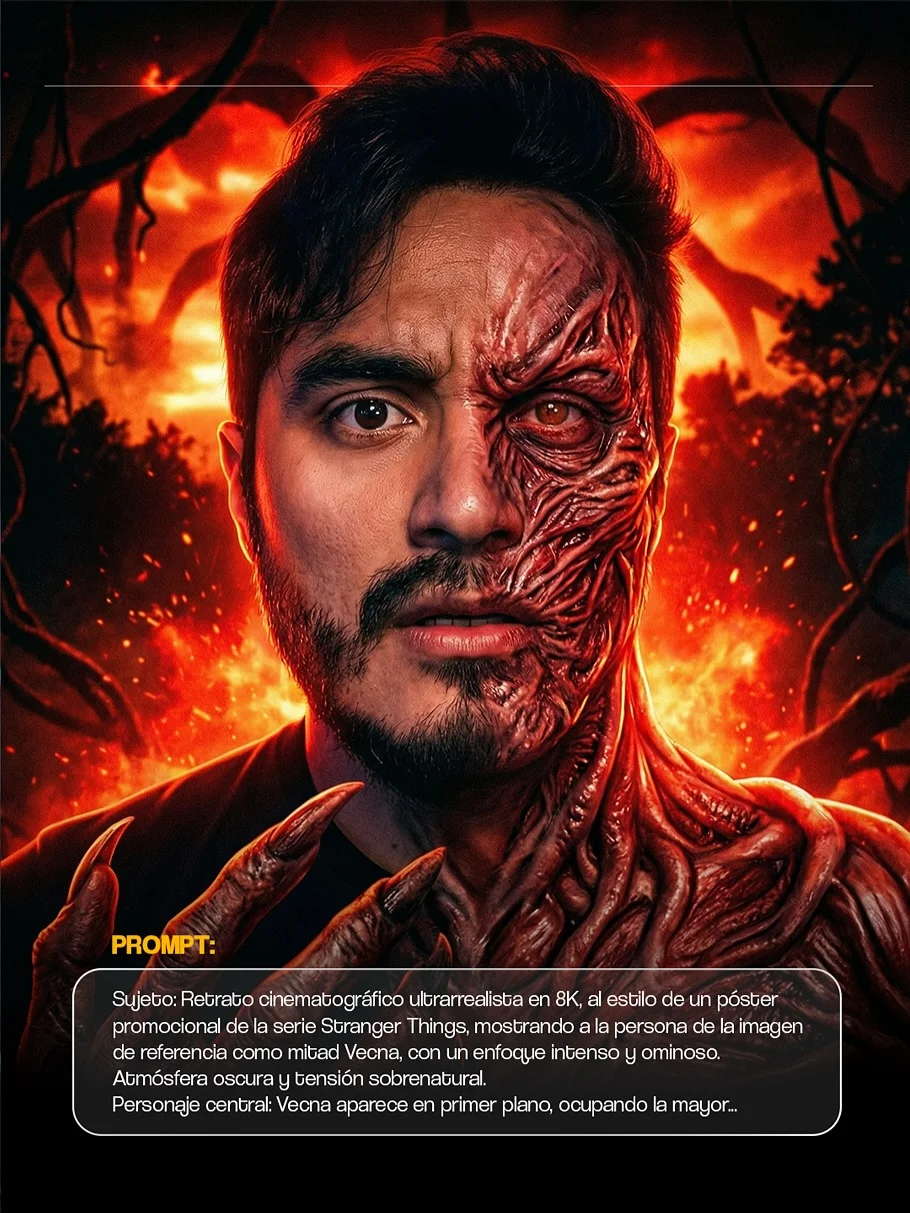
Transform Your Photos into the Upside Down with Gemini and Nano Banana
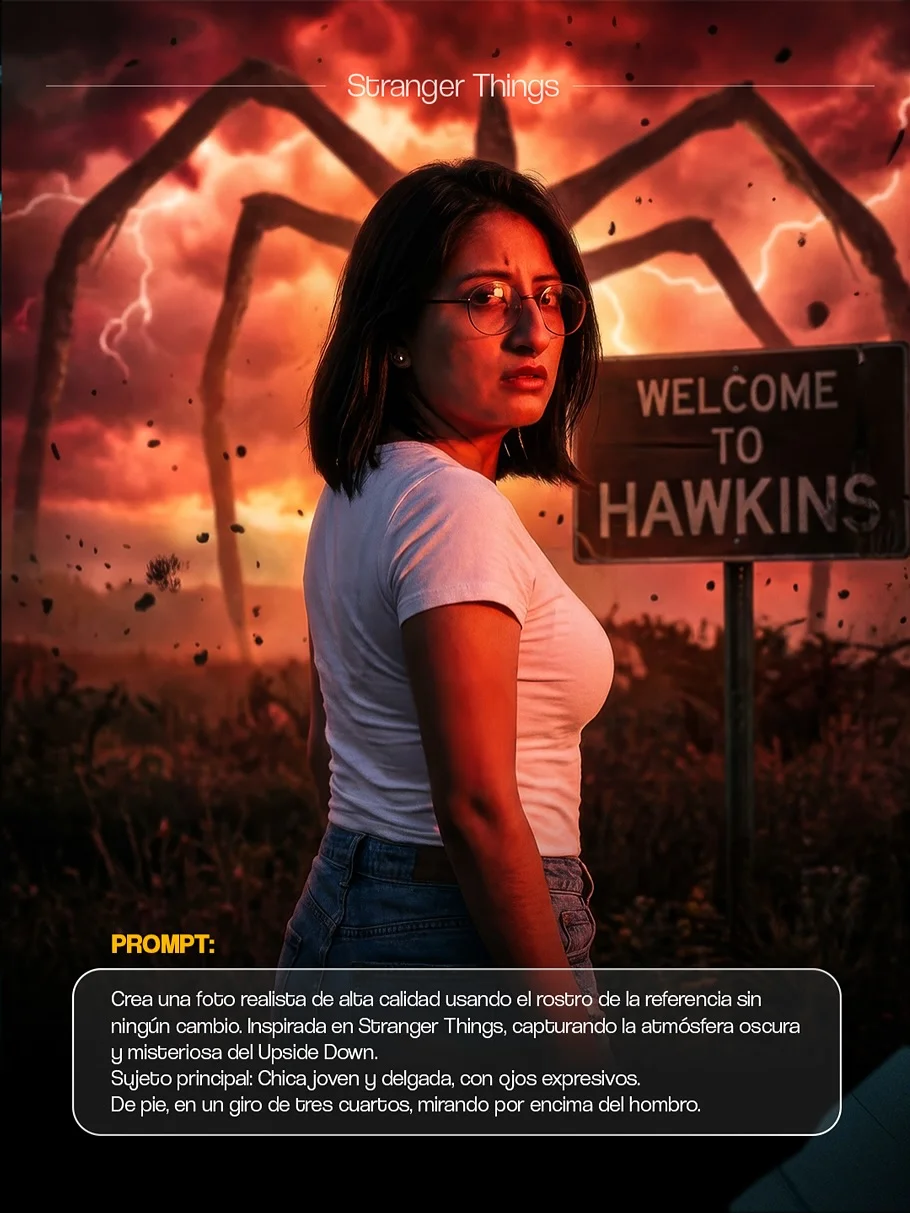
Have you ever watched Stranger Things and wondered what you would look like fighting Demogorgons in the Upside Down? We all love that eerie, 80s neon-meets-darkness aesthetic. Now, thanks to the power of Google Gemini and the creative genius behind Nano Banana, you can transform your everyday selfies into cinematic masterpieces from Hawkins, Indiana.
What is the Nano Banana PRO Style for Gemini?
If you’ve dabbled in AI art, you know that getting the “perfect look” isn’t always easy. Sometimes the eyes look weird, or the lighting feels more like a cartoon than a movie. That is where Nano Banana PRO comes in. Think of it as a professional-grade bridge between your imagination and the AI’s processing power.
Nano Banana PRO is a specialized framework of Gemini AI image prompts designed to yield high-fidelity, hyper-realistic results. Instead of generic images, these prompts focus on “photorealism” and “cinematic lighting.” When you use the Nano Banana style within Google Gemini, you aren’t just generating a picture; you are directed the AI to follow specific artistic rules—like 8K resolution, 35mm lens effects, and specific color grading—that make your photos look like high-budget film stills.
Why Choose Stranger Things Style for Your AI Images?
The Stranger Things aesthetic is one of the most iconic looks in modern pop culture. It combines the nostalgia of 1980s synthwave with the “Grimdark” horror of the Upside Down. Using a Stranger Things AI filter style for your digital art creator projects builds an immediate emotional connection.
This style is perfect for the “Spooky Season,” but its popularity lasts all year. The deep reds, moody blues, and heavy shadows create a sense of mystery that standard filters just can’t replicate. Whether you want to see yourself as a hero like Steve Harrington or a dark entity like Vecna, this aesthetic offers a personalized AI avatar experience that is visually stunning and highly shareable.
How to Use Nano Banana Prompts in Google Gemini
Turning your photo into a supernatural poster is easier than you think. You don’t need to be a tech genius to get started. Just follow these five simple steps:
1. Accessing the Gemini Platform
First, head over to Google Gemini. Ensure you are logged into your Google account. Gemini is Google’s advanced AI that can now handle complex image generation requests with incredible speed.
2. Uploading Your Base Image
Click the ”+” icon or the “Upload Image” button in the chat bar. Choose a clear photo of yourself (or a friend). For the best results, use a photo where the face is clearly visible and the lighting is relatively neutral. This gives the AI a solid canvas to work on.
3. Selecting the Nano Banana PRO Preset
Before you type your prompt, it helps to tell Gemini you want to use the “Nano Banana PRO” logic. This tells the AI to prioritize ultra-realism and 8K details. You can simply type: “Using the Nano Banana PRO style, I want to transform this photo…“
4. Applying the Stranger Things Prompts
Now, copy and paste one of the specialized Nano Banana prompts. For example, if you want that iconic red, stormy sky look:
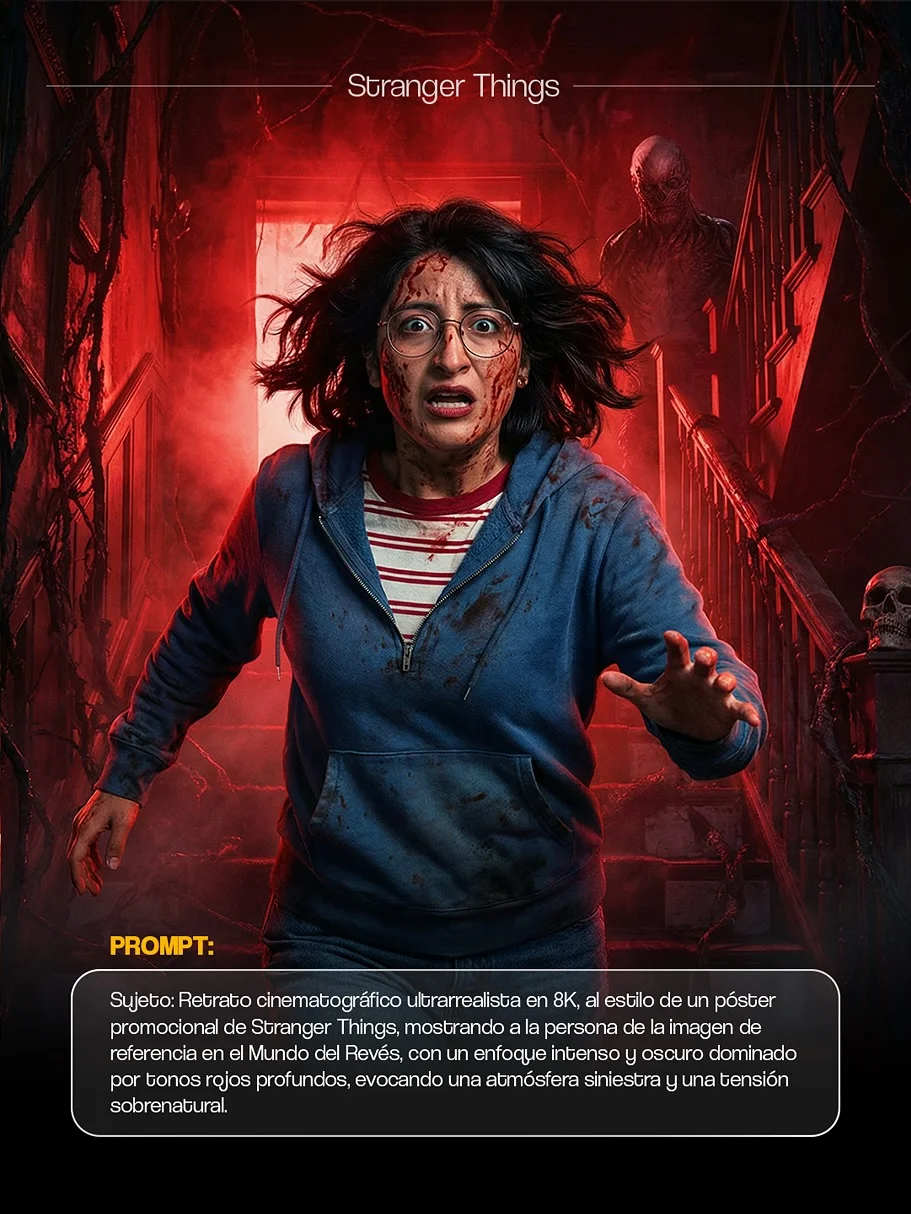
5. Finalizing and Downloading Your Art
Once Gemini generates the image, take a look! If you love it, click the download icon. If you want to change something, you can ask Gemini to “make the lighting darker” or “add more fog.”
Benefits of Using Nano Banana PRO Presets
Why use these specific prompts instead of just asking for “a scary photo”? Here is the difference maker:
- Professional Quality for Beginners: You don’t need to know terms like “chromatic aberration” or “depth of field.” The prompts are pre-loaded with these professional photography settings.
- Consistent Aesthetic Results: If you want to create a whole series of photos that look like they belong in the same movie, these presets ensure the colors and textures match every time.
- Significant Time Savings: Instead of spending hours tweaking a Netflix style AI art prompt, you get it right on the first or second try.
- High Engagement for Social Media: These aren’t your typical blurry AI faces. These are high-definition realistic AI portraits that stop people from scrolling and make them want to ask, “How did you do that?”
Creative Ideas for Your Stranger Things Edits
Once you get the hang of it, you can get really creative. Here are four ideas to try with your Gemini Pro image generation:
1. Spooky “Upside Down” Landscape Transitions
Take a photo of your backyard or your street. Use a prompt to “infect” the landscape with vines, spores, and that eerie blue-red glow. It’s like turning your neighborhood into a haunted dimension.
2. 80s-Inspired Retro Character Portraits
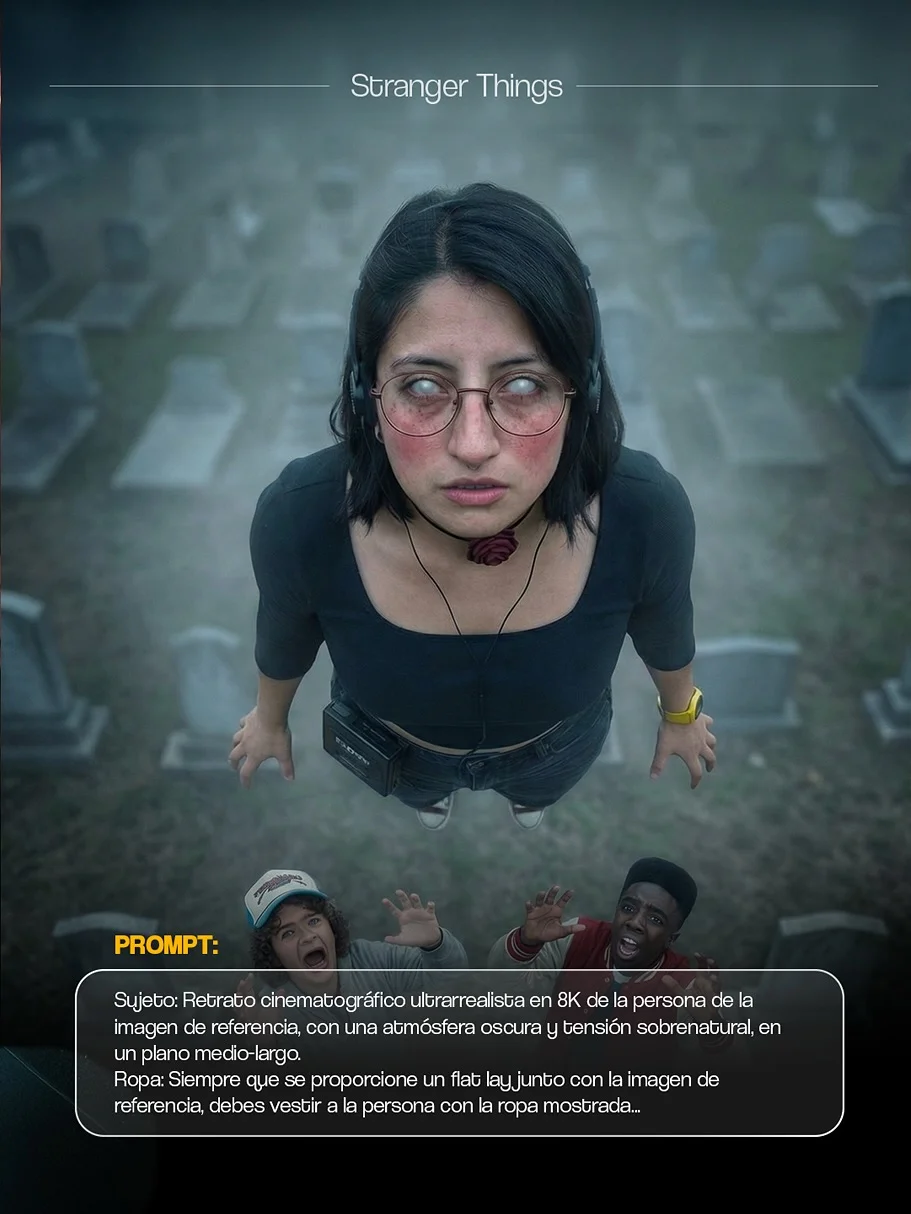
Channel your inner Eddie Munson! You can use prompts that specifically mention 80s props like walkie-talkies, denim vests, or electric guitars.
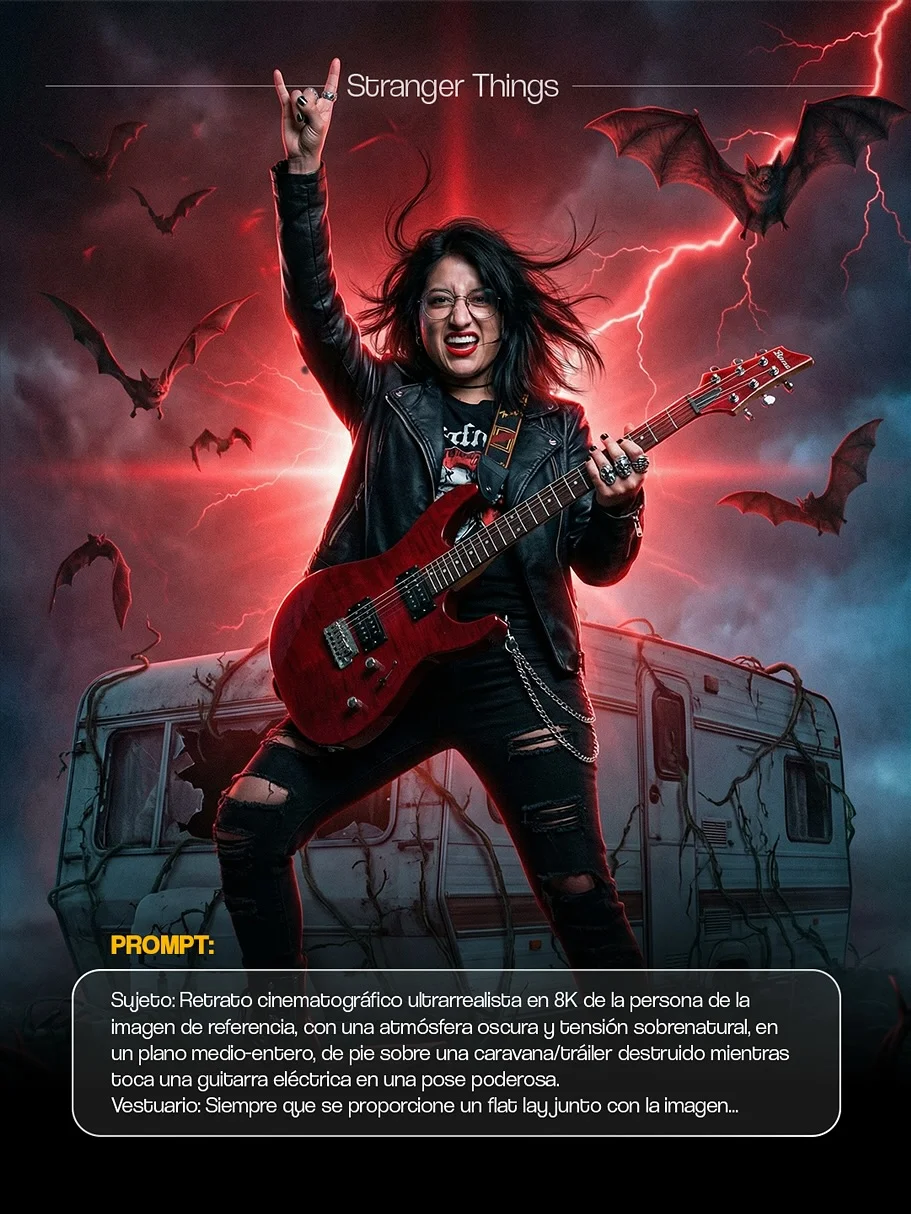
3. Supernatural Mist and Lighting Effects
Focus on the “Eleven” look. You can create images where your character has a slight nosebleed or glowing eyes, surrounded by floating particles and heavy mist.
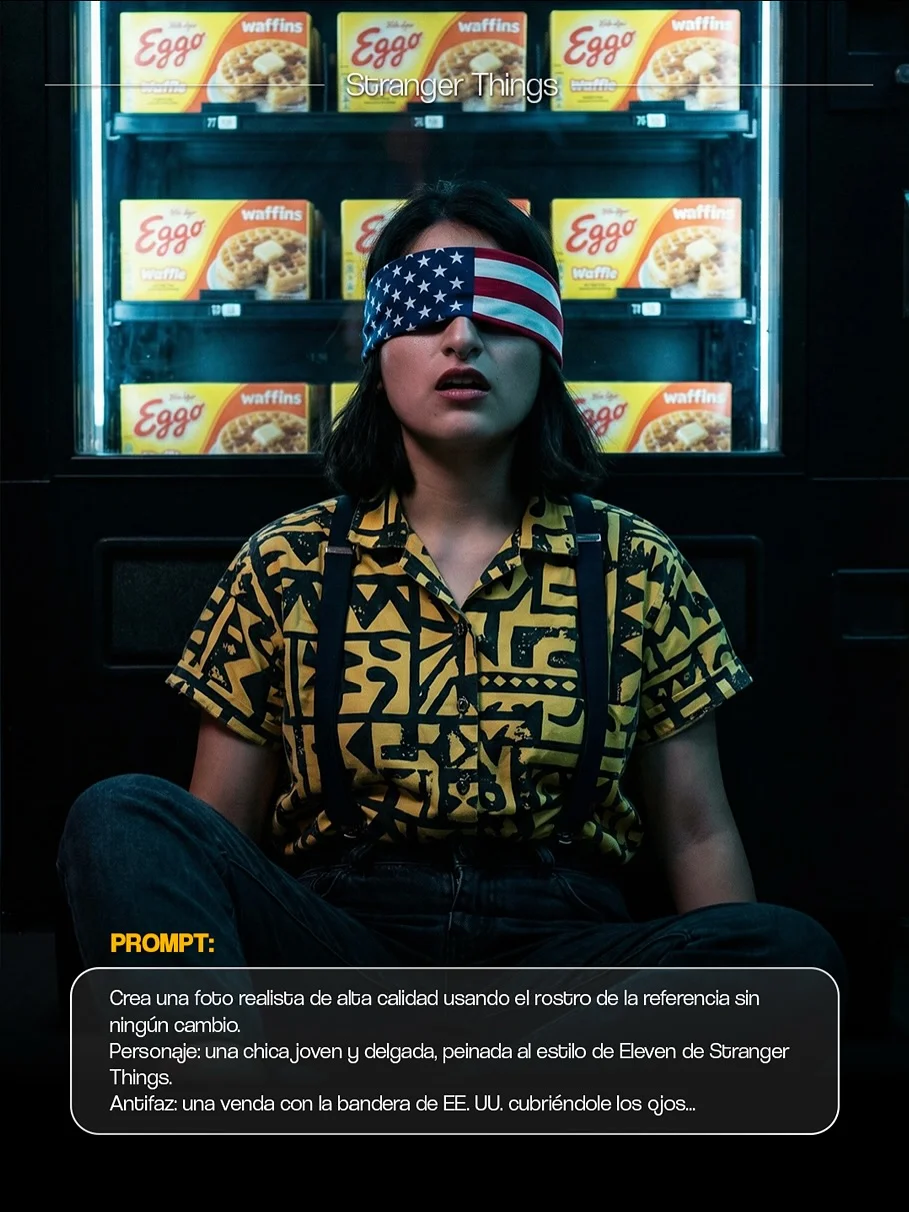
4. Themed Group Photos for Halloween
If you have a group photo with friends, you can ask Gemini to treat the whole group as a “party” (the RPG term used in the show), giving each person a different 80s-inspired role.
Tips for Getting the Best Results with Your Prompts
To make your AI photo transformation look as real as possible, keep these pro-tips in mind:
- Choosing a High-Quality Source Photo: Avoid blurry or pixelated selfies. The more detail the AI can see in your eyes and hair, the better the final “Stranger Things” version will look.
- Understanding Light and Shadow: If your original photo is bright and sunny, the AI has to work harder to make it “dark and spooky.” Try using a photo taken in a room with a single lamp or during “golden hour” for easier transitions.
- Simple Tweaks: Don’t be afraid to add your own words to the prompt. If you want to wear a specific color or be in a specific location (like a forest or a laboratory), just add that text to the end of the easy AI art prompts.
Sharing Your AI Art on Social Media
The real fun starts when you show the world your creations. Viral AI photo trends move fast, so here is how to get the most eyes on your work:
- Best Platforms: Instagram, TikTok, and Pinterest are the kings of visual AI. Use the “Carousel” feature on Instagram to show a “Before and After”—the original photo vs. the Stranger Things version.
- Using Viral Hashtags: Always include tags like #StrangerThings, #GeminiAI, #NanoBanana, and #AIArt. This helps fans of the show find your work.
- Engaging the Community: Don’t forget to tag and follow creators like @falconi.vlabs. Joining a community of pop culture AI art enthusiasts is the best way to find new prompts and learn hidden tricks.
Frequently Asked Questions
1. What is Nano Banana PRO? It is a highly optimized set of instructions and settings designed for Google Gemini to produce professional, cinematic, and photorealistic AI images. It removes the “guesswork” of prompting.
2. Do I need a paid Gemini account to use these prompts? While Gemini Advanced (the paid version) offers more power, many of these Nano Banana prompts work exceptionally well on the standard free version of Google Gemini.
3. Can I use these images for commercial purposes? Generally, AI-generated images are for personal use. Since these are inspired by a trademarked show like Stranger Things, it’s best to use them for social media, personal projects, and fun rather than selling them as merchandise.
4. Why isn’t my photo turning out like the Stranger Things example? The most common reason is the “Source Image.” If your base photo is too dark or hides your face, the AI might struggle. Try a clearer photo with even lighting.
5. Where can I find the specific “THINGS” link for prompts? Go to the original post by falconi.vlabs and comment the word “THINGS”. You will receive an automated link with the full library of prompts!
6. Are these prompts mobile-friendly? Absolutely. You can use the Gemini app or website on your phone to upload photos and paste prompts on the go.
7. Is Nano Banana compatible with other AI tools like Midjourney? While these are optimized for Gemini, the core descriptive language can be used in Midjourney or DALL-E 3 with minor adjustments.
8. How do I comment “THINGS” to get the link? Just head over to the Instagram profile of falconi.vlabs, find the Stranger Things video/post, and type “THINGS” in the comments section. The link will be sent to your DMs!
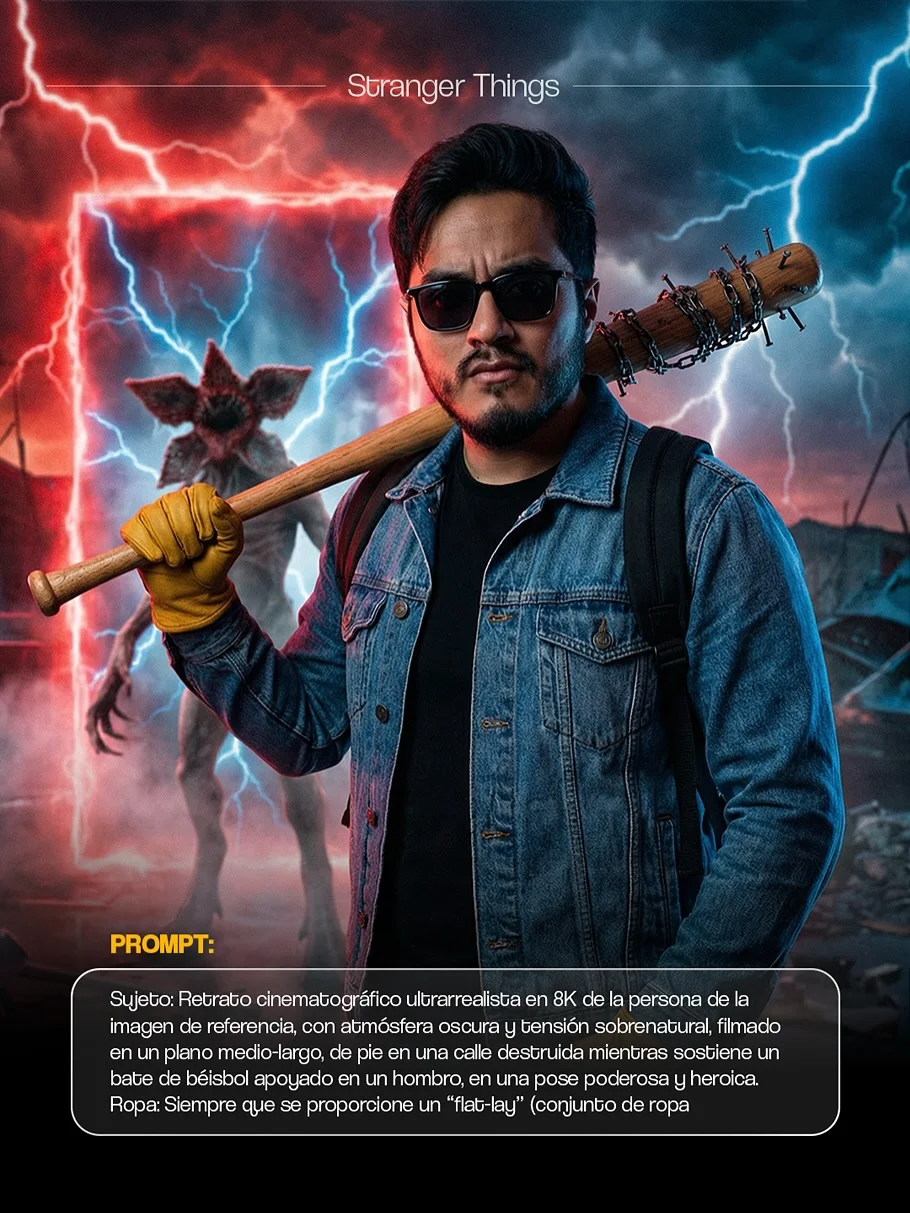
Ready to join the hunt for the Mind Flayer? 🎃 Head over to Gemini and start your transformation today! Don’t forget to use the spooky season AI prompts to give your profile that perfect 80s horror vibe. See you in the Upside Down