Struggling to decode competitor traffic? This ONE AI prompt replaces $299 tools and reveals sources in 2 minutes Click now
The Ultimate AI Prompt to 10x Your Website Traffic Analysis: A Step-by-Step Guide for Data-Driven Marketers
Struggling to decode where your competitors’ traffic really comes from? This single AI prompt will transform hours of analytics work into strategic gold in under two minutes.
As digital marketing professionals, we live and die by traffic data. Yet most of us are still manually digging through Google Analytics, wrestling with API connections, or paying $299/month for competitive intelligence tools that deliver half the insights we actually need. What if I told you there’s a better way—a single, elegantly crafted AI prompt that can reverse-engineer any website’s traffic strategy and evaluate source quality like a senior analytics consultant?
Today, I’m pulling back the curtain on the most powerful prompt in my marketing arsenal. This isn’t just another “helpful AI tip.” This is the exact framework I’ve used to help SaaS companies identify untapped referral partnerships, e-commerce brands discover high-converting traffic sources, and content sites optimize their acquisition spend by 40% or more.
What This Prompt Does (And Why It’s a Game-Changer)
At its core, this prompt is a precision instrument for competitive intelligence and strategic planning:
“What have been the leading {NUMBER} sources of traffic for {WEBSITE NAME} during the preceding {TIME PERIOD}? Kindly provide an analysis of the traffic quality originating from each of these sources.”
This deceptively simple question triggers a multi-layered analysis that would typically require:
- Access to competitive intelligence platforms (SimilarWeb, SEMrush, Ahrefs)
- Manual data extraction across multiple dashboards
- Advanced segmentation and cohort analysis
- Quality scoring calculations based on engagement metrics
- 3-5 hours of a senior analyst’s time
The magic lies in its dual structure: quantification + qualification. First, it identifies the what (top traffic sources), then it demands the so what (quality analysis). This forces the AI to think beyond vanity metrics and deliver strategic, actionable insights about which channels actually convert, engage, and retain users.

Whether you’re benchmarking against competitors, auditing your own portfolio of sites, or planning your Q1 acquisition strategy, this prompt becomes your 24/7 analytics consultant that never sleeps and costs pennies per use.
How to Use This Prompt (Step-by-Step with Real Examples)
Step 1: Identify Your Target Website
The Mistake Most People Make: They start with their own website. While useful, the real power comes from analyzing competitors or aspirational peers.
Pro Approach: Choose websites with:
- Similar business models but larger scale
- Overlapping audiences but different acquisition strategies
- Recent rapid growth (signals effective new channels)
Example Customization:
- ❌ Weak:
{WEBSITE NAME}→ “my website” - ✅ Strong:
{WEBSITE NAME}→ “Shopify.com” or “NerdWallet.com” or “a mid-tier B2B SaaS blog like ConvertKit’s resource center”
Step 2: Precision-Define Your Number of Sources
The Psychology: Asking for “leading 3 sources” gets you broad categories (Organic, Direct, Social). Asking for “leading 15 sources” reveals the specific platforms, referral partners, and keyword clusters that actually move the needle.
Strategic Numbers:
- 3-5 sources: High-level channel mix for executive reporting
- 7-10 sources: Strategic planning and budget allocation
- 12-15 sources: Tactical execution and partnership hunting
- 20+ sources: Deep-dive competitive reverse-engineering
Real Example:
Leading 12 sources for "Backlinko.com" during Q3 2024This specific number forces the AI to drill down from “Organic Search” to specific search intent categories, from “Social” to actual platforms like LinkedIn vs. Twitter vs. YouTube, and from “Referral” to named websites sending traffic.
Step 3: Time Period is Everything
Beginner Move: Using vague periods like “recently” or “last year.”
Expert Move: Aligning timeframes with business cycles, seasonal trends, or specific campaigns.
Time Period Power Plays:
- Preceding 90 days: Captures recent algorithm updates and trend shifts
- Q4 2023: Isolates holiday/seasonal performance patterns
- Trailing 12 months: Smooths seasonality for strategic planning
- June 2024: Month-over-month competitive tracking during a product launch
Example in Action:
"What have been the leading 8 sources of traffic for 'roast.dating' during the preceding 120 days?
Kindly provide an analysis of the traffic quality originating from each of these sources."
This 120-day window is perfect for catching post-launch traction without holiday noise.
Step 4: Add the Secret Sauce – Quality Metrics Context
The base prompt is strong, but layering in your specific definition of “quality” makes it unstoppable. Append this to your prompt:
For E-commerce:
"...analysis of traffic quality based on conversion rate, average order value, and cart abandonment rate."For SaaS/B2B:
"...analysis of traffic quality based on trial signup rate, activation rate, and sales-qualified lead percentage."For Content/Media:
"...analysis of traffic quality based on pages per session, return visitor rate, and email subscription conversion."Full Power Example:
"What have been the leading 10 sources of traffic for 'Calendly.com' during the preceding 6 months?
Kindly provide an analysis of traffic quality originating from each source, focusing specifically on
trial-to-paid conversion rates, enterprise lead quality, and churn risk indicators."
This version doesn’t just tell you where traffic comes from—it tells you which sources fund your payroll.
Pro Tips for Better Results (Advanced Techniques)
1. Chain Prompts for Competitive Intelligence Gold
Don’t stop at one analysis. Use the output to fuel deeper investigation:
Prompt Chain #1 – Source Deep-Dive:
"Based on the top 3 traffic sources you identified for [Website], detail the specific content types
and landing pages that perform best on each channel."
Prompt Chain #2 – Gap Analysis:
"Compare the traffic source quality of 'competitor.com' vs 'mywebsite.com'. Where am I
underinvested relative to their highest-quality channels?"
Prompt Chain #3 – Trend Forecasting:
"Given the traffic quality analysis for [Website]'s top 8 sources, which 2 sources show the
strongest momentum and should be priority investments for Q1 2025?"
2. Force AI to “Show Its Work”
Append this magical phrase to any prompt:
"...and provide confidence scores (1-10) for each data point, citing likely data sources
(Google Analytics, SimilarWeb estimates, social APIs) and highlighting any assumptions."
This transforms vague assertions into verifiable intelligence you can present to stakeholders.
3. Request Visualizations for Stakeholder Buy-In
Add this to your prompt:
"...and format the output as a table with traffic volume, quality score, and strategic
recommendation columns. Then suggest a data visualization that would best communicate
these findings to a CMO."
The AI will output ready-to-use executive summaries and even suggest chart types (bubble charts for volume vs. quality are gold).
4. Geographic & Device Segmentation
For international businesses, layer in:
"...segment the analysis by primary geographic regions (US, EU, APAC) and device type
(desktop vs mobile), as quality varies significantly across these dimensions."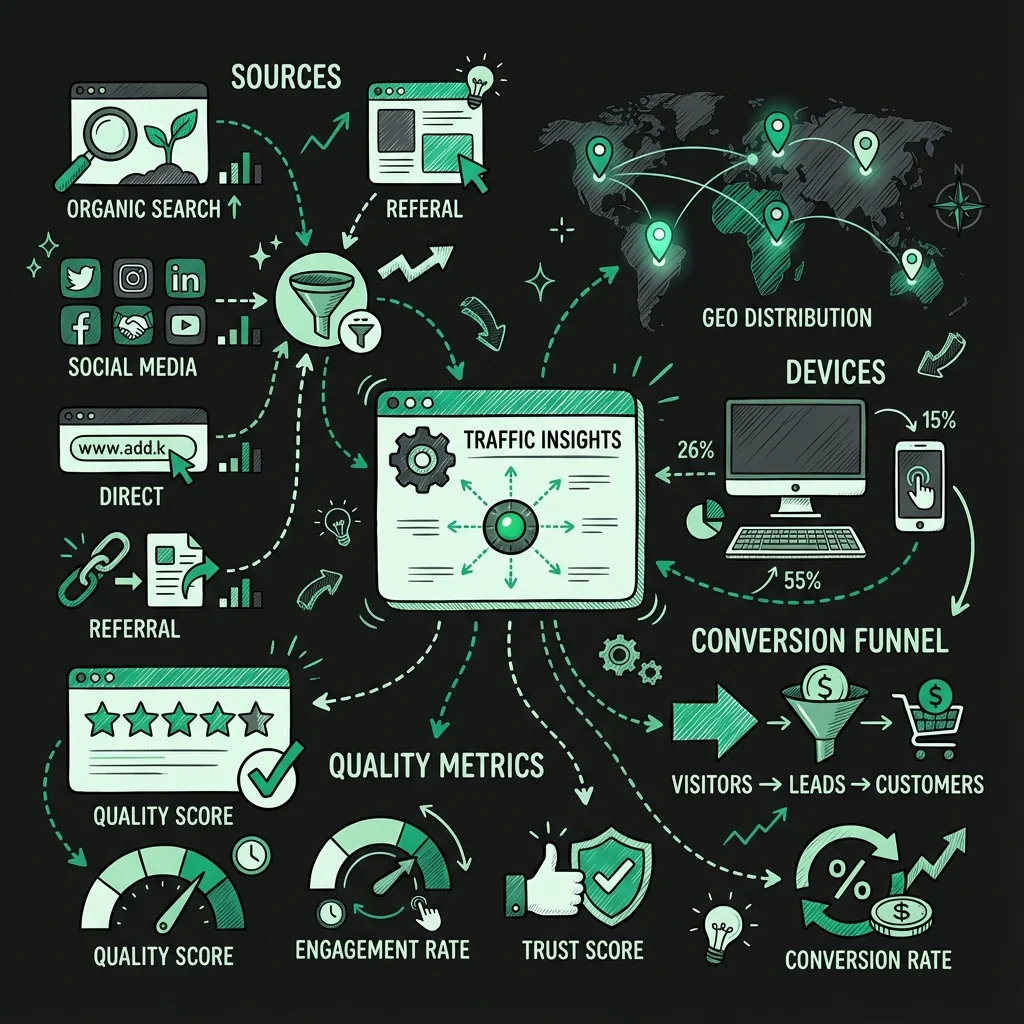
5. The “Red Team” Technique
After getting your analysis, run this counter-prompt:
"Play devil's advocate: what are the limitations and potential blind spots in this traffic
quality analysis? What data would be missing or misleading?"
This reveals gaps before your boss or client does, building credibility and ensuring you validate findings.
Common Mistakes to Avoid (The Rookie Errors That Kill Credibility)
Mistake #1: Using Ambiguous Website Identifiers
Bad: “Analyze Facebook”
- Is it facebook.com? A Facebook business page? Instagram (owned by Meta)?
Good: “Analyze ‘the official Facebook.com corporate website’ or ‘the HubSpot Facebook Business Page‘“
Mistake #2: Forgetting to Define “Quality” for Your Business Model
If you don’t specify, the AI defaults to generic metrics like bounce rate and session duration. These are meaningless for:
- Single-page apps (Spotify, Figma)
- Publisher sites (ad revenue is the goal, not low bounce rate)
- Enterprise B2B (long sales cycles mean “quality” is form fills, not immediate purchases)
Fix: Always append your 2-3 North Star metrics to the prompt.
Mistake #3: Unrealistic Timeframes
Asking for “the last 7 days” for a small website yields statistically insignificant data. Asking for “the last 5 years” for a TikTok-influenced trend misses the point.
Rule of Thumb:
- Small sites (<50k monthly visitors): Minimum 90-day windows
- Large sites (>1M monthly visitors): 30-day windows can work for tactical insights
- Trend analysis: Multiple comparable periods (e.g., “Q3 2024 vs Q3 2023”)
Mistake #4: Ignoring Seasonality and External Events
Analyzing “roast.dating” in February (Valentine’s Day) vs. July will give wildly different results. Always mention context:
Smart Addition:
"...during the preceding 120 days, accounting for any known product launches,
algorithm updates, or seasonal events that might skew the data."
Mistake #5: Treating AI Output as Gospel
Critical Reminder: The AI is synthesizing publicly available data and patterns, not accessing private analytics dashboards.
Mistake: Presenting AI-generated traffic numbers as exact facts.
Best Practice: Use the analysis for directional insights and hypothesis generation, then validate the top 2-3 findings with tools like:
- SimilarWeb Pro (for traffic estimates)
- Ahrefs (for backlink referral verification)
- Facebook Ad Library (for paid social signals)
Mistake #6: Not Asking for Competitive Benchmarking
The prompt’s power multiplies when you compare. Don’t analyze in isolation.
Instead of: Analyzing one website
Do This:
"Compare the leading 8 traffic sources and their quality metrics between 'Notion.so'
and 'ClickUp.com' for Q2 2024. Highlight where each has a competitive advantage."
This reveals strategy, not just data.
Conclusion: Your New Secret Weapon
This prompt isn’t just a time-saver—it’s a strategic force multiplier. In an era where traffic acquisition costs are rising and privacy changes are gutting traditional attribution, the ability to rapidly analyze and qualify traffic sources is the difference between scaling profitably and burning cash.
The marketers who win in 2025 won’t be those with the biggest budgets, but those with the fastest insight-to-action loops. This prompt, when customized with your specific quality metrics and chained with deeper investigative questions, gives you that speed advantage.
Start small: Pick one competitor, run the analysis for their top 10 sources, and validate the top 3 findings. Then scale it across your competitive landscape. Within a week, you’ll have a clearer traffic acquisition roadmap than 90% of your competitors.
The data is out there. The AI can process it. The only missing piece is asking the right question—precisely.
Frequently Asked Questions
faq:
-
question: “How accurate is the traffic data provided by this AI prompt?” answer: “The AI synthesizes publicly available data from SimilarWeb, SEMrush, social APIs, and web indexing—not private analytics. It’s directionally accurate (±20-30%) for strategic planning but should be validated with paid tools for major budget decisions. Use it for hypothesis generation, not financial forecasting.”
-
question: “Can I use this prompt for my own website if I don’t have Google Analytics access?” answer: “Absolutely—it’s perfect for recovering insights when you’ve lost GA access or need a third-party perspective. The AI can estimate your traffic mix based on public signals. However, always prioritize direct data when available; use this as a backup or validation method.”
-
question: “What’s the best way to define ‘traffic quality’ for a niche B2B SaaS company?” answer: “Focus on downstream metrics: ‘quality based on MQL-to-SQL conversion rate, average contract value by source, and 12-month customer lifetime value.’ For B2B, engagement metrics like time-on-site are less relevant than pipeline impact. Specify your sales cycle length for better analysis.”
-
question: “How do I handle ‘Direct Traffic’ in the analysis since it’s often misattributed?” answer: “Add this caveat: ‘Note that Direct Traffic likely includes dark social, email clicks, and untagged campaigns. Provide your best estimate of its true composition based on typical industry patterns and suggest UTMs to better capture these sources.’ This forces the AI to confront attribution limits.”
-
question: “Can this prompt analyze traffic sources for subdomains or specific subdirectories?” answer: “Yes—specify clearly: ‘for the blog.hubspot.com subdomain’ or ‘for the /resources/ path on Monday.com.’ This is incredibly powerful for understanding content-specific strategies vs. overall corporate traffic. The more specific the URL, the more tactical the insights.”
-
question: “How often should I re-run this analysis for competitive tracking?” answer: “For fast-moving industries (DTC, apps): Run monthly with a trailing 90-day view. For stable B2B markets: Quarterly is sufficient. Always re-run immediately after known algorithm updates (Google core updates, iOS changes) or when a competitor announces funding/major campaigns.”
-
question: “What if the AI refuses to provide data, citing privacy or lack of access?” answer: “Reframe as a hypothetical analysis: ‘Based on publicly available data and industry benchmarks, what would you estimate…’ or ‘Analyze this as if you were a third-party marketing consultant using only open-source intelligence.’ This shifts the AI from ‘I cannot access’ to ‘I can synthesize available information.’”
-
question: “How can I integrate these insights into my existing analytics stack?” answer: “Export the AI’s table into Google Sheets, add a column for ‘Validation Status,’ and use Google Data Studio to visualize. Create a custom GA4 segment for each high-potential source identified, then monitor performance over 30 days. Treat AI insights as ‘exploratory analysis’ to be proven/disproven with your own data.”